
Cebu Pacific Online Check In: How to Check In and Save Time


Checking in online can make a big difference when flying with Cebu Pacific. Many Filipino travelers use online check in to skip long airport lines and make their airport experience less stressful. This guide explains Cebu Pacific online check in in a simple and practical way.
What Is Cebu Pacific Online Check In
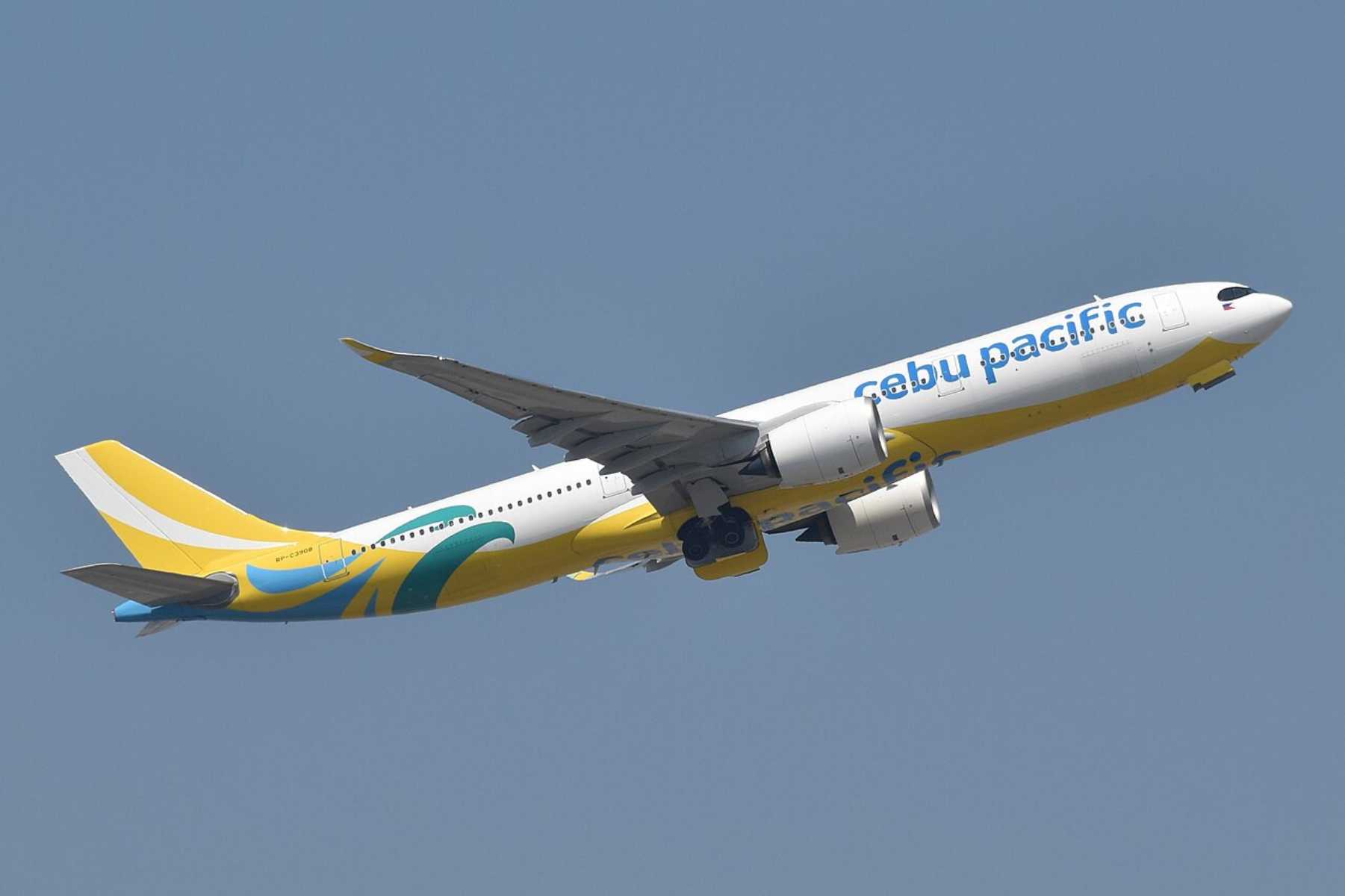
Cebu Pacific online check in allows you to confirm your flight and get your boarding pass using your phone or computer. If you are traveling without checked baggage and your documents do not need extra verification, you may skip the airport check in counter.
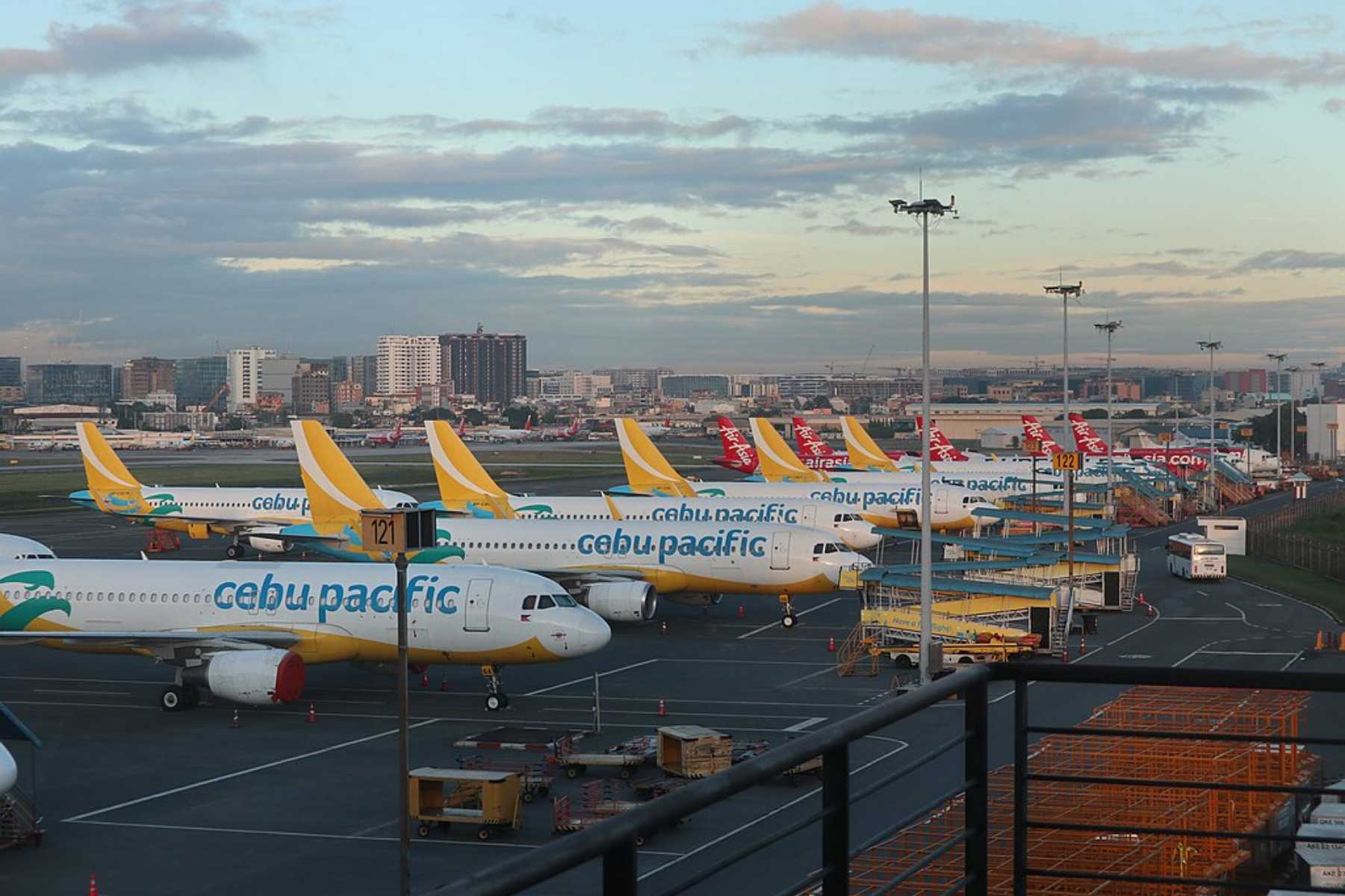
This option is helpful for early morning flights, peak travel seasons, and busy airport days at NAIA, Cebu, or Clark.
When You Can Check In Online
| Flight Type | Online Check In Opens | Online Check In Closes |
|---|---|---|
Domestic flights | 48 hours before departure | 1 hour before departure |
International flights | 48 hours before departure | 2 hours before departure |
Check in times may change for special flights, airport restrictions, or operational reasons. Always check your booking details before travel.
Why Filipino Travelers Use Cebu Pacific Online Check In
Cebu Pacific online check in is useful because it helps make airport time more predictable. It is especially helpful during holidays, school breaks, long weekends, and early morning flights.
Main benefits:
- It saves time at busy airports.
- It helps reduce stress on travel day.
- It lets you download or save your boarding pass before arriving.
- It is easy to use on a phone or computer.
- It helps you go straight to security or immigration if you have no checked baggage and your documents are already cleared.
Cebu Pacific Online and Airport Check In Comparison
Traveler Type | Online Check In | Airport Counter or Bag Drop Needed |
|---|---|---|
Domestic flights | Available for most passengers | Needed if you have checked baggage, special requests, or check-in issues |
International flights | Available for most passengers | May be needed for passport, visa, or document verification |
No checked baggage | Usually enough if your boarding pass is ready | Not needed unless documents must be checked |
With checked baggage | You can still check in online | Yes, proceed to bag drop or counter |
Special assistance | Online check in may not be available | Counter check in is usually needed |
Traveling with infants or special requests | Check your booking instructions | Counter verification may be required |
Who May Not Be Able to Use Online Check In?
Online check in may not be available for all passengers. You may need to check in at the airport counter if:
- You are an unaccompanied minor.
- You need mobility or medical assistance.
- You have a special travel request.
- You are part of a group booking with more than 20 passengers.
- You are a tax-exempt passenger, such as some OFW bookings.
- Your booking still has an unpaid balance.
- Your passport, visa, or travel documents need staff verification.
Quick Tip for Filipino Travelers: Even if you complete online check in, arrive early at the airport. Cebu Pacific staff may still need to verify your documents, especially for international flights.
How to Do Cebu Pacific Online Check In
Cebu Pacific online check in is easy and can be done using your phone or computer. Many Filipino travelers do this at home, at work, or before going to the airport.
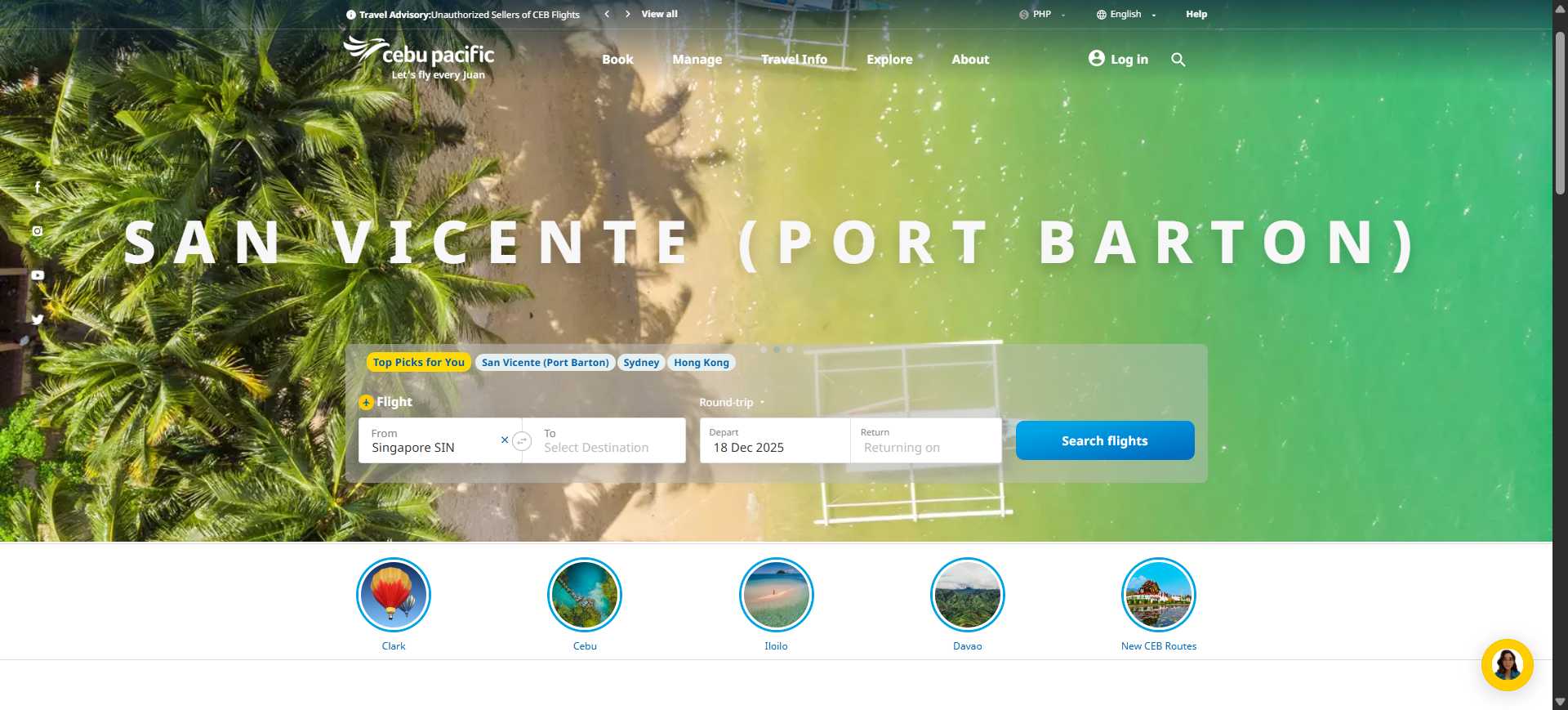
Step 1: Go to the Cebu Pacific Website or App
Open the Cebu Pacific website or mobile app.
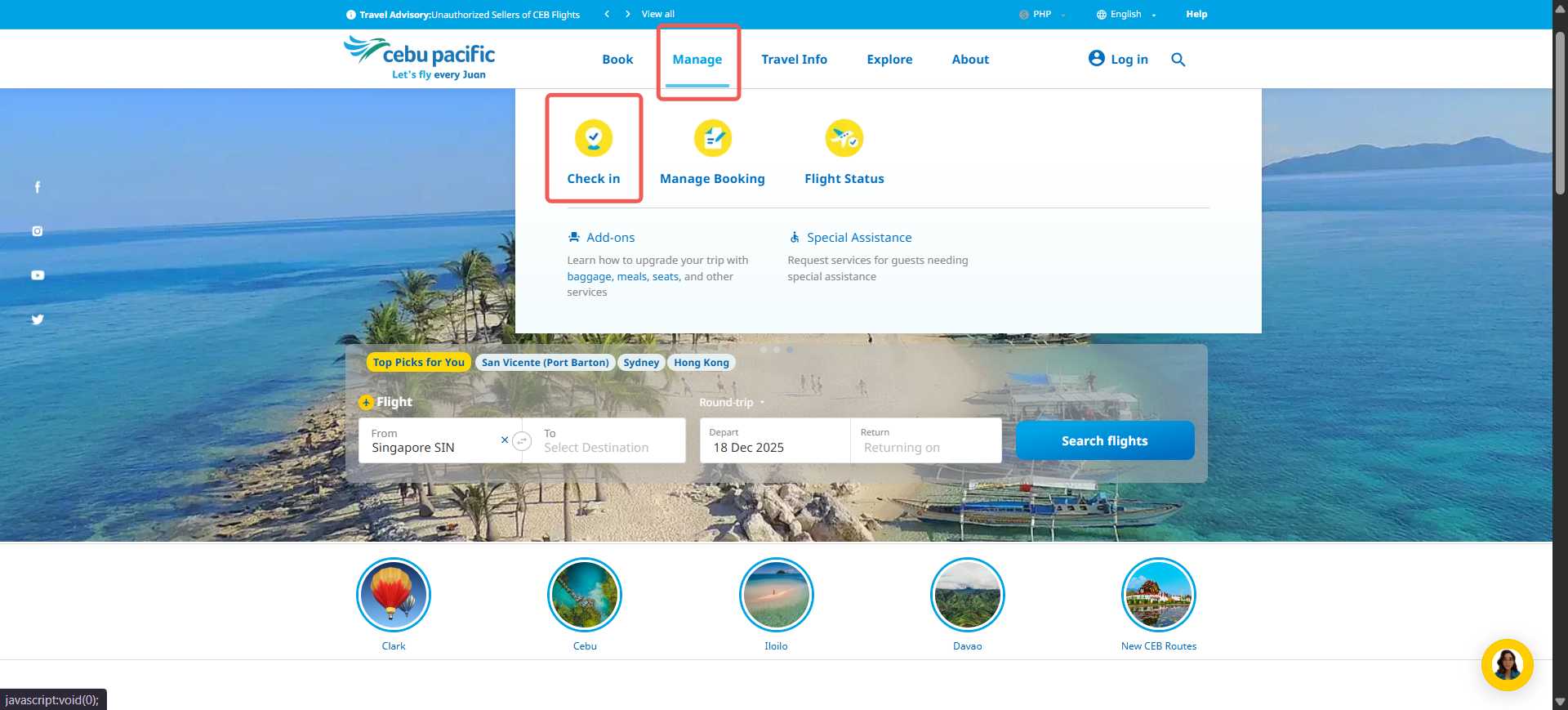
Step 2: Select Check In
Tap or click on the Check In option on the homepage.
Step 3: Enter Your Booking Details
Enter your booking reference number and last name exactly as shown on your ticket.

Step 4: Choose Your Seat
Select your preferred seat if available. Some seats may have an extra fee.
Step 5: Confirm Check In
Review your details and confirm your check in.
Step 6: Save Your Boarding Pass
Download, screenshot, or print your boarding pass for easy access at the airport.

Stay Updated on Your Cebu Pacific Flight
| Flight No. | Aircraft Model | Departs | Arrives | Departure city | Arrival city | Flight status | |
|---|---|---|---|---|---|---|---|
| 5J283 | JET | 22:50 | 02:25 | Iloilo City(ILO)Iloilo City | Singapore(SIN)Singapore | Canceled | Book Now |
| 5J284 | JET | 03:25 | 07:10 | Singapore(SIN)Singapore | Iloilo City(ILO)Iloilo City | Canceled | Book Now |
| 5J548 | JET | 01:25 | 05:20 | Singapore(SIN)Singapore | Cebu(CEB)Cebu | Canceled | Book Now |
Cebu Pacific Online Check In at NAIA Terminal 3
If you are departing from NAIA Terminal 3, Cebu Pacific has specific check in instructions.
For NAIA Terminal 3:
- Enter through Gates 5 and 6.
- Proceed to the check in kiosks between Aisles A and B.
- If you have no checked baggage, you may go straight to security or immigration.
- If you have bags to check in, use the Self Bag Drop Kiosks at Aisle A or proceed to the assigned bag drop counter.
This is useful for travelers who already checked in online and only need to drop their baggage.
How to Use Trip.com Online Check In for Cebu Pacific Flights
Trip.com also offers a smart check in option that helps Filipino travelers prepare their flight before going to the airport. This is useful if you want to manage your seat and check in details in one place.
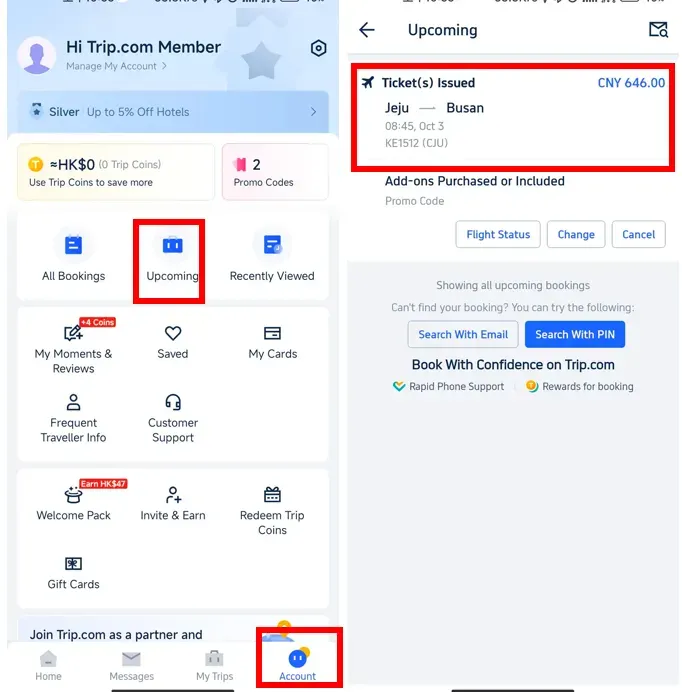
Step 1: Open the Trip.com App
- Log in to your Trip.com account
- Tap Upcoming to view your flight bookings
- Select your Cebu Pacific flight to start smart check in
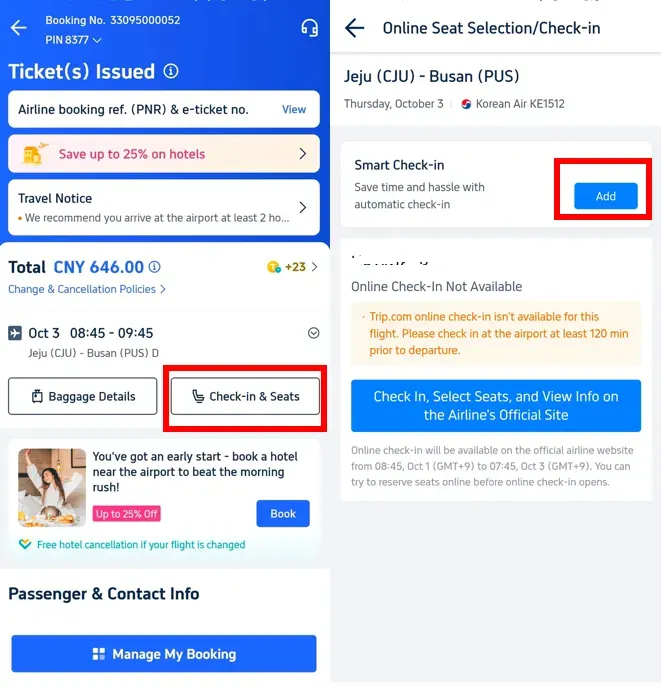
Step 2: Access Check In and Seat Options
- Open the flight details page
- Tap Check in and Seats
- Tap Add to continue with Trip.com check in
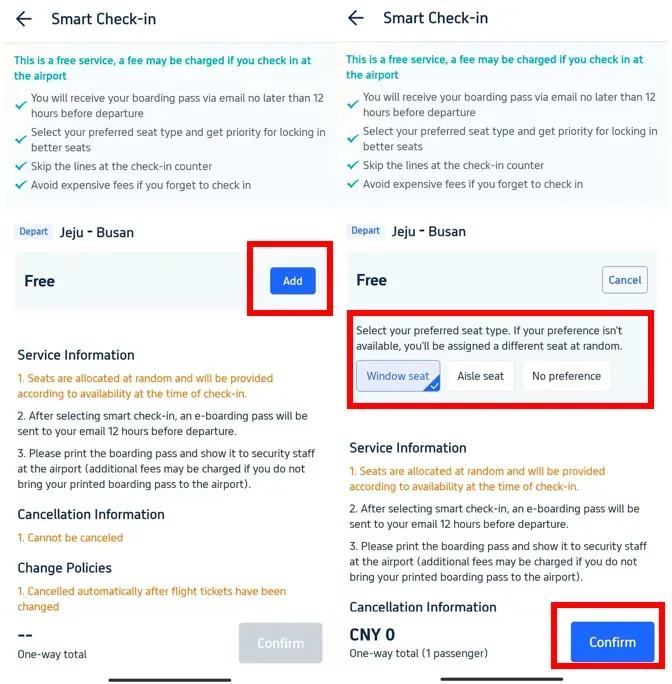
Step 3: Choose and Confirm Your Seat
- Tap Add and select your preferred seat type
- Review your details carefully
- Tap Confirm to complete Trip.com check in
Reminder for Filipino Travelers
- Trip.com smart check in helps manage your booking but does not replace airport checks
- Some Cebu Pacific flights still require counter check in for baggage or document verification
- Arrive early and keep your Trip.com booking details ready


Do You Still Need to Go to the Counter

You may skip the check in counter if:
- You have no checked baggage.
- Your travel documents are already verified.
- Your boarding pass is ready on your phone or printed.
- Cebu Pacific does not require additional staff verification.
You still need to go to the counter or bag drop if:
- You have checked baggage to drop off.
- You need passport or visa verification.
- You did not receive a digital boarding pass after online check in.
- You are traveling with special documents.
- You require wheelchair, medical, or mobility assistance.
- Cebu Pacific asks you to proceed to the airport counter.
If your digital boarding pass is not issued right away after online check in, do not panic. This may happen because staff need to verify your documents first.
Baggage Drop Tip
Cebu Pacific usually provides bag drop options for passengers who already checked in online. At NAIA Terminal 3, passengers with bags can use the Self Bag Drop Kiosks at Aisle A.
This can be faster than regular check in, especially if your documents are ready and your baggage follows Cebu Pacific’s size and weight rules.
Cebu Pacific Online Check In for International Flights
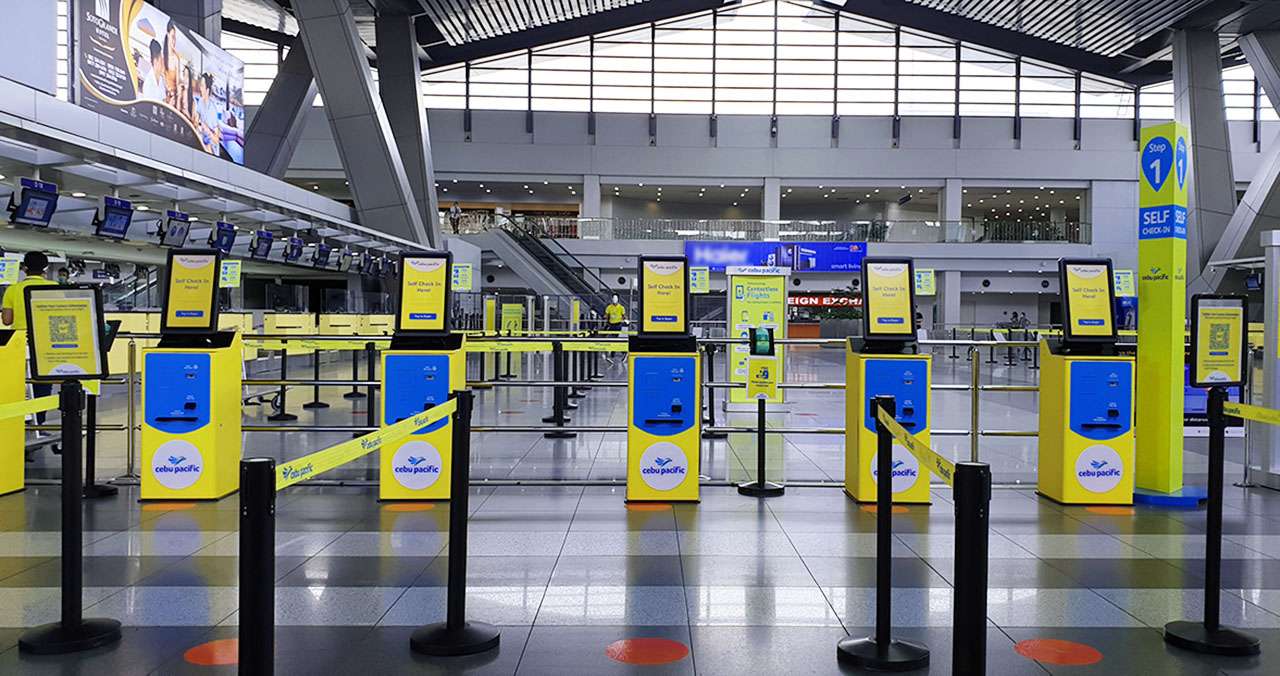
For international flights, Cebu Pacific online check in works in a similar way to domestic flights. You can complete check in online using your phone or computer before going to the airport.
However, some Filipino travelers may still need to visit the check in counter for passport, visa, or travel document verification. This is normal and helps prevent problems during immigration checks or at the boarding gate.
To avoid delays, arrive early at the airport even if you already checked in online.
 NO.1
NO.1

















































Tips for Filipino Travelers Using Online Check In

- Arrive early even if you already checked in online, especially during holidays, peak seasons, or early morning flights
- Charge your phone fully before going to the airport so your boarding pass is always ready
- Save a screenshot of your boarding pass in case of weak signal or app issues
- Prepare your passport and travel documents so verification at the counter is faster if required
- Ask airport staff if you are unsure, especially if it is your first time flying. Airport staff are used to helping Filipino travelers
FAQs About Cebu Pacific Online Check In
-
Can I check in online for Cebu Pacific flights?
-
Do I still need to go to the airport counter after online check in?
-
Can I skip the check in counter if I have no baggage?
-
Is Cebu Pacific online check in allowed for international flights?
-
What if I cannot check in online?
Trending Searches
-
Popular Content
-
Top Flight Links
-
Popular Hotels
-
Popular Things to Do
-
Featured guides
-
Trip.com links
- Trip.com E-Ticket
- Trip.com Payment Methods
- Trip.com Passport Change
- Trip.com Customer Service
- Trip.com Flight Cancellation
- Trip.com VIP Lounge Access
- Trip.com Phone Number
- Trip.com Check In
- Payment Sale
- Trip Coins
- Trip.com Hotel Refund
- Trip.com Cancellation Policy
- Trip.com Ticket Issued Status
- Trip.com Flight Ticket
- Trip.com Membership
- Trip.com E-Receipt
- Trip.com Seat Selection
- Trip.com Baggage Allowance
- Trip.com Flight Change
- Trip.com Reviews
- Cheap flights from Manila to Hong Kong
- Cheap tickets from Manila to Tagbilaran
- Cheap tickets from Manila to Iloilo City
- Cheap tickets from Manila to Cebu
- Cheap tickets from Manila to General Santos
- Cheap tickets from Cebu to Manila
- Cheap flights from Bacolod to Manila
- Cheap flights from Manila to Tacloban
- CA986 Flight Status
- 5J187 Flight Status
- PR431 Flight Status
- PR741 Flight Status
- AC076 Flight Status
- 5J582 Flight Status
- Z2093 Flight Status
- Hotels near 72 wonder tower
- Hotels near Mactan–Cebu International Airport
- Hotels near Fenghuang Ancient Town
- Hotels near Greenland Xindu East Coast Times Square South Area
- Hotels near Changbai Mountain Beauty Pine International Sculpture Park
- Shiji Qingteng Capsule Hotel (T3 Terminal)
- Bangkok-Pratunam Hotel
- Shangri-La Resort
- De Mani Hotel
- JI Hotel (Old Town of Lijiang)
- Hotels in Fenghuang County
- Hotels in Davao City
- Hotels in North Jakarta
- Hotels in Moscow
- Hotels in Kuala Lumpur
- Philippines 5G eSIM | Dual Network • All AI & TikTok | Day Pass/Total Data Package | 24-Hour Billing | 1-30 Days | QR Code
- Private Mutianyu Great Wall Trip With English-speaking Driver
- Explore Guilin with Ease: Premium Private Car Service
- Chengdu Departure - Bipenggou Shuttle Bus
- Vietnam | 4G/5G eSIM | Daily/Data Plan | 24-hour Billing | 1-30 Days | QR code
- Vietnam Airport VIP Fast Track Service
- European universal 5G/4G eSIM | Multi-network support, supports All AI & TikTok | 500MB/day - 50GB total | 1-90 days | 24-hour billing | QR code
- Bangladesh Dhaka DAC Hazrat Shahjalal International Airport T1 terminal international departure IBalaka Executive Lounge international departure lounge experience
- Budapest: Grand Sightseeing Bike Tour
- Coffee, Chocolate & Sugar Cane Tour
- Gudauri, Kazbegi, Zhinvali, Ananuri, Stepantsminda From Tbilisi
- Manresa Water and Textile Museum: Guided Tour + Audio Guide
- Wuhan Chu-Han imperial banquet
- Bangkok travel photo shoot
- Richmond Highlights Audio Tour: Historic Hearts and Capital Stories
- Mothers Day Gifts
- eSIM
- Hong Kong International Airport
- International Driving Permit
- Toronto Pearson International Airport
- Universal Studios Singapore
- Great Wall of China
- UK ETA
- Narita International Airport
- China Currency
- Changi Airport
- Schengen Visa
- Singapore MRT Map
- France Visa
- Ninoy Aquino International Airport