




















eSIM for International Travel

Best eSIM for International Travel

Best eSIMs in Southeast Asia: Malaysia, Thailand, Indonesia, Vietnam & Singapore

Southeast Asia eSIM

  • CoverageSingapore/Malaysia/Indonesia
  • Data0.5 to 50GB
  • Validity1 to 30 Days
  • PriceFrom PHP 10.39
  • Reviews (4.6 ★)3,708 reviews
  • Bookings96K+ bookings

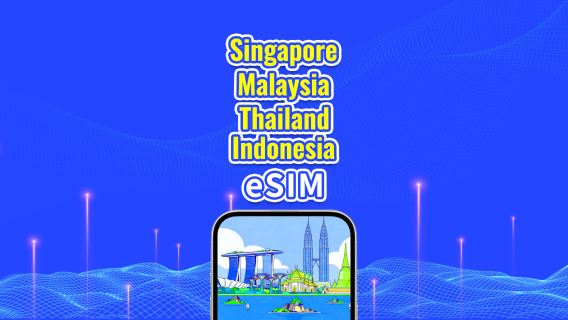
Southeast Asia 5G eSIM

  • CoverageSingapore/Malaysia/Thailand/Indonesia
  • Data0.5 to 50GB
  • Validity1 to 30 Days
  • PriceFrom PHP 13.53
  • Reviews (4.7 ★)1,272 reviews
  • Bookings19K+ bookings

Asia 8 Countries 5G/4G eSIM

  • CoverageAsia 8 Countries
  • Data500MB to 50GB
  • Validity1 to 30 Days
  • PriceFrom PHP 8.00
  • Reviews (4.6 ★)3,238 reviews
  • Bookings61K+ bookings

Best eSIMs in Mainland China, Hong Kong, Taiwan & Macau

China Mainland eSIM

  • CoverageChina
  • Data0.5 to 100GB
  • Validity1 to 365 Days
  • PriceFrom PHP 13.47
  • Reviews (4.6 ★)44,633 reviews
  • Bookings1067K+ bookings

Mainland China, Hong Kong & Macau eSIM

  • CoverageMainland China/Hong Kong/Macau
  • Data0.5 to 100 GB
  • Validity1 to 30 Days
  • PriceFrom PHP 13.86
  • Reviews (4.6 ★)18,062 reviews
  • Bookings468K+ bookings

Mainland China, Hong Kong, Macau & Taiwan eSIM

  • CoverageMainland China/Hong Kong/Macao/Taiwan
  • Data0.5 to 100GB
  • Validity1 to 30 Days
  • PriceFrom PHP 6.54
  • Reviews (4.5 ★)8,459 reviews
  • Bookings296K+ bookings

Best eSIMs in South Korea & Japan

South Korea 5G eSIM

  • CoverageSouth Korea
  • Data0.5 to 50GB
  • Validity1 to 30 Days
  • PriceFrom PHP 7.74
  • Reviews (4.6 ★)9,516 reviews
  • Bookings270K+ bookings

Japan 5G eSIM

  • CoverageJapan
  • Data0.5 to 100GB
  • Validity1 to 30 Days
  • PriceFrom PHP 7.70
  • Reviews (4.6 ★)9,222 reviews
  • Bookings218K+ bookings

Asia 8 Countries eSIM

  • CoverageAsia 8 Countries
  • Data0.5 to 50GB
  • Validity1 to 30 Days
  • PriceFrom PHP 8.00
  • Reviews (4.6 ★)3,239 reviews
  • Bookings61K+ bookings

Trip.com eSIM Guide: Setup, Activation and Travel Tips

Author's Profile Picture

Looking for an easy way to stay online abroad? For Filipino travelers, a Trip.com eSIM can help you use maps, message family, book rides, and check travel updates without changing your physical SIM card. This article explains in simple words how to choose an eSIM, how it works, and how to use it before your trip.

❤️ Pro Tip: When planning your trip, booking your flight and hotel on Trip.com can help you secure better prices and more choices.

What is an International eSIM Exactly?

An international eSIM is a digital SIM already built into your phone, so you do not need to insert a physical SIM card. For Filipino travelers, it is useful when going abroad because you can buy a mobile data plan online, scan a QR code, and connect to the internet once you arrive. It helps you use maps, chat apps, booking apps, and travel updates without the hassle of looking for a local SIM at the airport.

🎁 Book Cheap Flights with Trip.com | Find the Best Hotel Deals | Get Connected Before You Travel

How Much Does Trip.com eSIM Cost for International Travel?

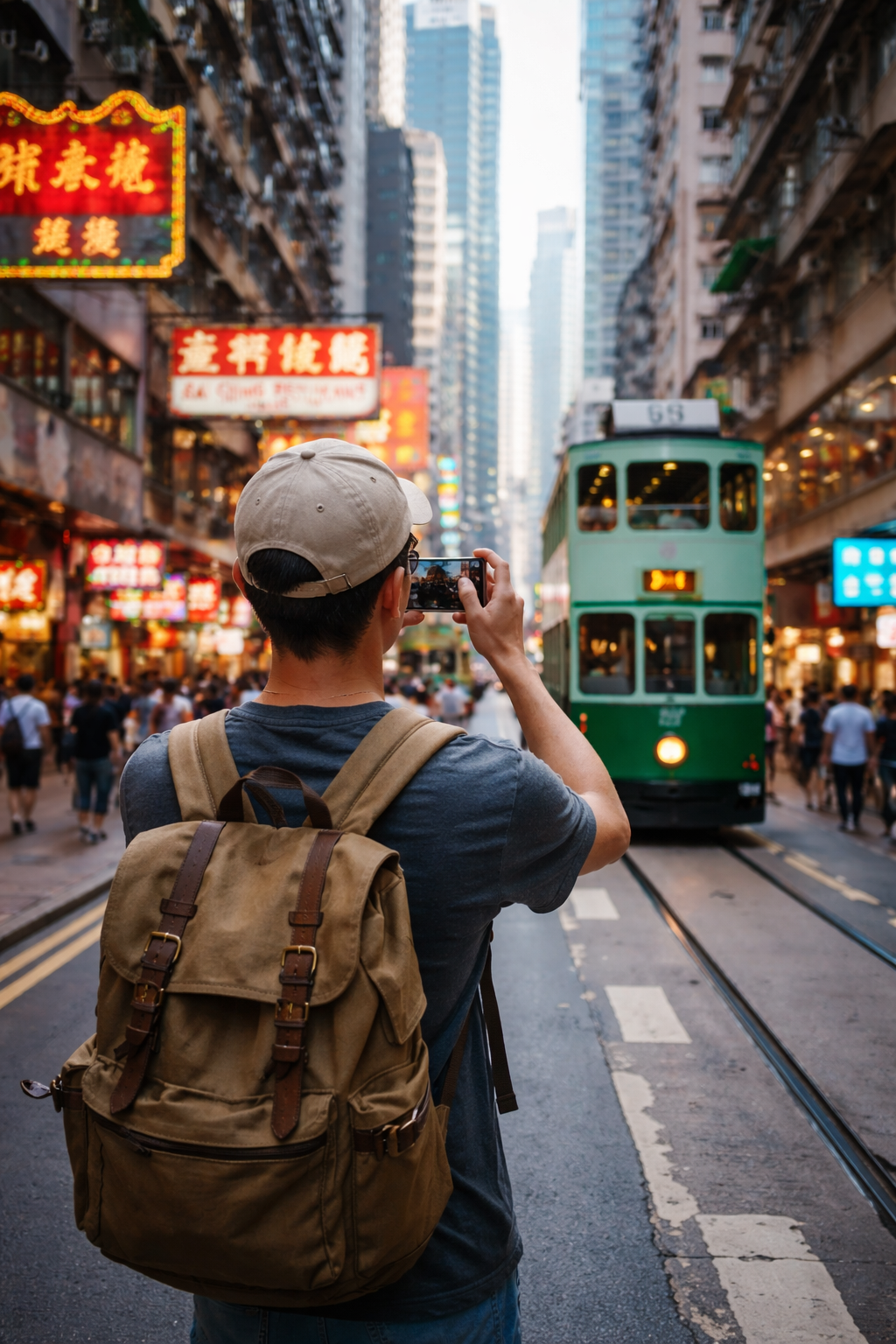
Traveler in Hong Kong.

Trip.com eSIM prices depend on your destination, travel days, and data needs. For Filipino travelers, some plans can be budget-friendly, while unlimited or multi-country plans may cost more.

Key things that affect the price:

  • Destination: Local eSIMs are usually cheaper than global plans.
  • Duration: 1-day or 3-day plans cost less than 15-day or 30-day plans.
  • Data size: Fixed plans like 1GB, 3GB, or 10GB are good for saving money.
  • Unlimited data: Best for heavy use like maps, TikTok, video calls, and uploads.
  • Regional plans: Good for trips to several countries, like Singapore and Malaysia.
  • Promos: Prices can change, so check the latest deal before booking.

How Does Trip.com eSIM Work?

Trip.com eSIM is a digital SIM you can install on your phone before your trip. After buying a plan, you can install it through the Trip.com app or by scanning the QR code, then connect to mobile data when you arrive abroad.

Important things to know:

  • Check your phone first: Dial *#06#. If you see an EID number, your phone may support eSIM.
  • Phone must be unlocked: Locked phones may not accept travel eSIMs.
  • Turn on data roaming for the eSIM: This is needed for the eSIM to work abroad.
  • Keep your PH SIM for OTPs: Use your Philippine SIM for texts, but turn off its mobile data to avoid roaming charges.
  • Most eSIMs are data-only: Use Messenger, WhatsApp, Viber, Grab, Maps, and Trip.com for travel needs.
  • Install using Wi-Fi: Set it up at home or before your flight for a smoother trip.

Best eSIM Provider for International Travel

eSIM Comparison

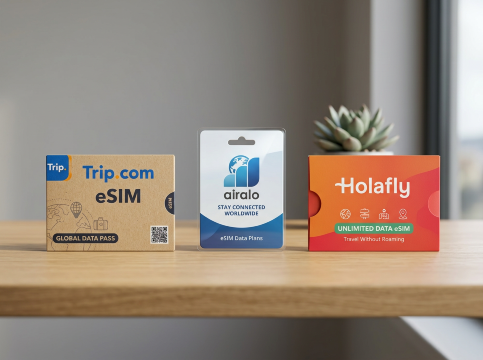
The best eSIM provider depends on your budget, destination, and data use. For Filipino travelers, Trip.com eSIM is a good choice if you want a simple and flexible option that you can buy before your trip.

Here’s a simple comparison:

Provider

Best For

Good Points

Things to Check

Trip.com eSIM

Budget and casual travelers

Flexible plans, easy booking, useful for popular travel destinations

Check latest price, data limit, and country coverage

Airalo

Light users and frequent travelers

Covers many destinations, offers local, regional, and global eSIMs

Mostly fixed data plans, so monitor your usage

Holafly

Heavy data users

Unlimited data plans are available for many trips

Usually more expensive than fixed-data eSIMs

Why Trip.com eSIM is a good option:

  • Easy to buy: You can book it through Trip.com before your trip.
  • Flexible plans: Choose daily data, total data, or unlimited options depending on your needs.
  • Good for common travel apps: Use Maps, Messenger, WhatsApp, Viber, Grab, and Trip.com abroad.
  • Useful for multi-country trips: Regional eSIMs can cover several destinations in one plan.
  • No physical SIM needed: Install it on your phone before flying.

Before buying, always check the latest price, data limit, validity, hotspot rules, and country coverage. For multi-country trips, a regional eSIM can be more sulit than buying separate eSIMs for each country.

✈️ Pro Tip: When planning your trip, book your flight on Trip.com can help you secure better prices and more seat choices.
Manila to Hong Kong
Manila to Seoul
Manila to Tokyo
Manila to Taipei
Manila to Bangkok
Manila to Singapore
See all flights
Manila
MNL
Hong Kong
HKG
Sat, Jun 27
Thu, Jul 2
One way
29% off
From 3,520,200.00IDR 2,512,300.00
Manila
MNL
Hong Kong
HKG
Sat, Jun 27
Fri, Jul 3
One way
24% off
From 3,520,200.00IDR 2,670,800.00
Manila
MNL
Hong Kong
HKG
Sun, Jun 28
Thu, Jul 2
One way
23% off
From 3,520,200.00IDR 2,718,400.00
Manila
MNL
Hong Kong
HKG
Sun, Jun 28
Tue, Jun 30
One way
22% off
From 3,520,200.00IDR 2,731,600.00
Manila
MNL
Hong Kong
HKG
Sat, Jun 27
Wed, Jul 1
One way
22% off
From 3,520,200.00IDR 2,731,600.00
Manila
MNL
Hong Kong
HKG
Sat, Jun 27
Sat, Jul 4
One way
21% off
From 3,520,200.00IDR 2,768,600.00
Manila
MNL
Hong Kong
HKG
Sat, Jun 27
Tue, Jun 30
One way
21% off
From 3,520,200.00IDR 2,768,600.00
Manila
MNL
Hong Kong
HKG
Sun, Jun 28
Fri, Jul 3
One way
21% off
From 3,520,200.00IDR 2,792,400.00

eSIM vs SIM vs WiFi Router

eSIM vs SIM vs WiFi

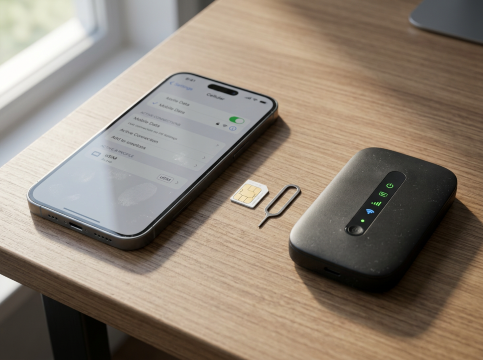
For Filipino travelers, the best choice depends on your phone and travel style.

Option

Best For

Key Benefit

Check First

eSIM

Solo travelers and couples

Easy setup, no physical SIM, keep PH SIM for OTPs

Phone must support eSIM and be unlocked

Physical SIM

Older phones or local calls

May include local number, calls, and SMS

Need to insert SIM and keep your PH SIM safe

WiFi Router

Families and groups

Can share internet with several devices

Needs charging and must be carried around

For most solo Filipino travelers, Trip.com eSIM is the easiest option. For group trips, a WiFi router may be more practical. Always check data limit, validity, hotspot rules, and setup instructions before booking.

Does International eSIM Come with a Voice Line?

Most international eSIMs are data-only, so they usually do not include calls, SMS, or a local number. For Filipino travelers, the best setup is to use the eSIM for internet and keep your PH SIM active for OTPs, bank alerts, GCash, and important texts.

Option

Best Use

Important Note

eSIM

Mobile data for maps, apps, bookings, and messaging

Usually data-only

Physical SIM

Calls, SMS, and local number

Better if you need voice service

eSIM + PH SIM

Travel data plus OTPs

Use eSIM for internet, PH SIM for texts and calls

For calls, use Messenger, WhatsApp, Viber, FaceTime, or Telegram with your eSIM data. Always check if the plan is data-only or includes calls and SMS before buying.

🎁 Book Cheap Flights with Trip.com | Book Your Car Rental Now | Unlock More Trip.com Travel Deals

How to Redeem Trip.com eSIM: No QR Code Needed

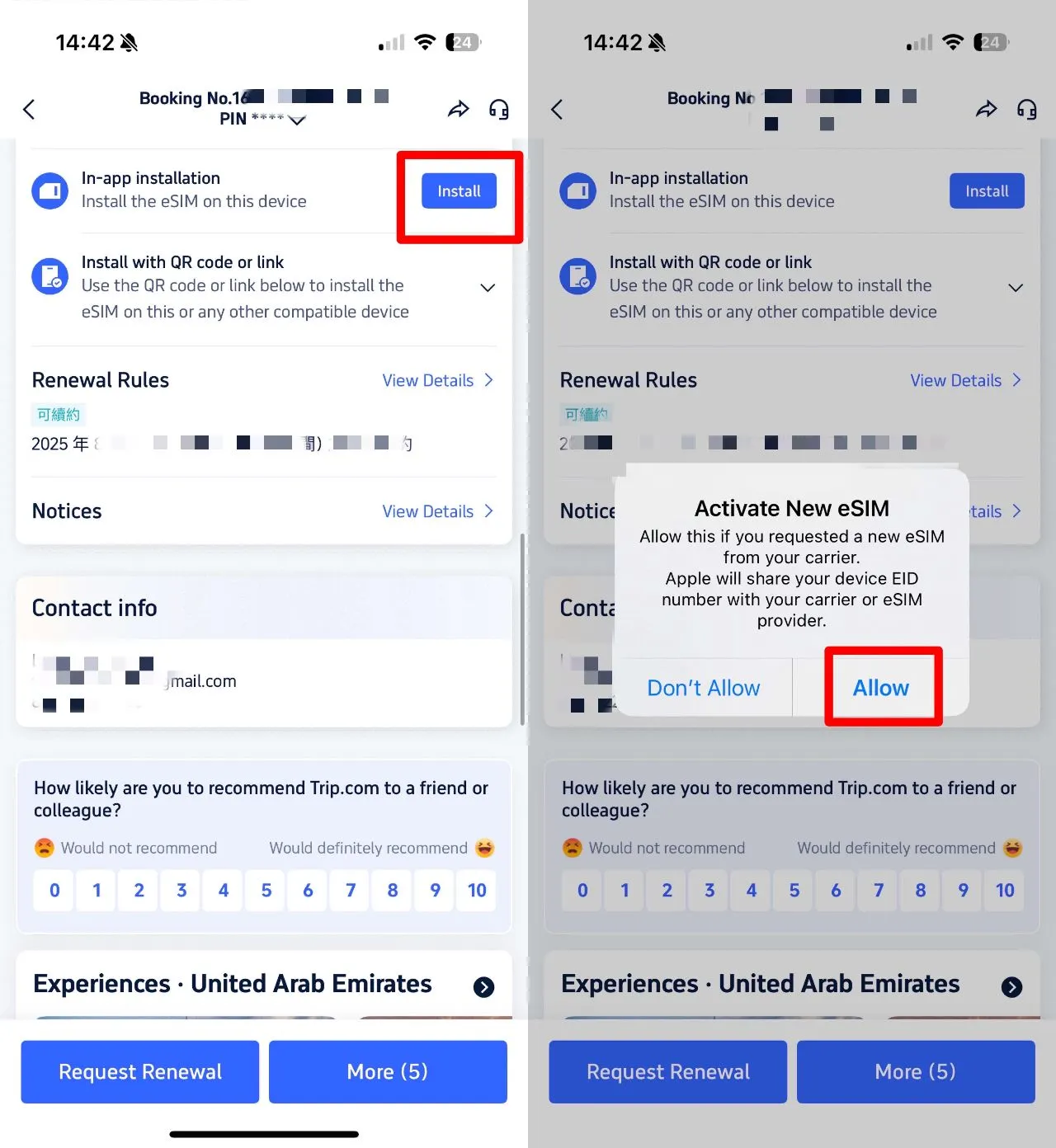
You can redeem a Trip.com eSIM through the Trip.com app if in-app installation is available.

Trip.com eSIM Setup (NO QR Code Needed!)

Steps:

  1. Buy your eSIM plan on Trip.com.
  2. Go to "My Orders" in the Trip.com app.
  3. Select your eSIM booking.
  4. Tap "Install in App" or "Install Directly".
  5. Follow your phone’s setup steps.
  6. Label it as "Travel Data".
  7. Turn it on when you arrive abroad.
  8. Enable data roaming for the eSIM line.

Install it with stable Wi-Fi before your flight. Keep your PH SIM active for OTPs, but turn off its mobile data to avoid roaming charges.

🏨 Pro Tip: When planning your trip, book your hotels on Trip.com early to secure better prices and more room choices.
Hotels in Cebu City
Hotels in Manila
Hotels in Boracay Island
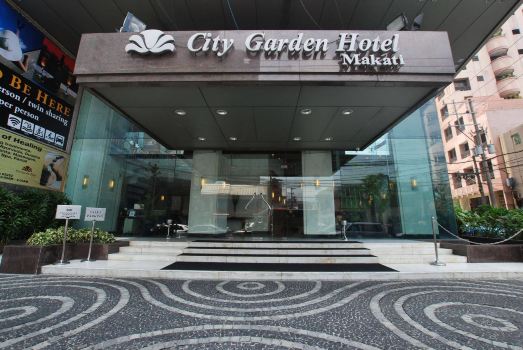
Hotels in Makati
Hotels in Hong Kong
Hotels in Tokyo
Hotels in Taipei
Hotels in Singapore
See All Hotels
NO.1

8.5/10773 reviews
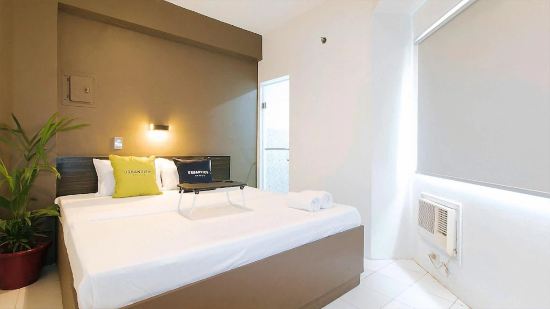
Bayfront Hotel Cebu North Reclamation
Hotel in Cebu City
NO.2
8.6/1033 reviews
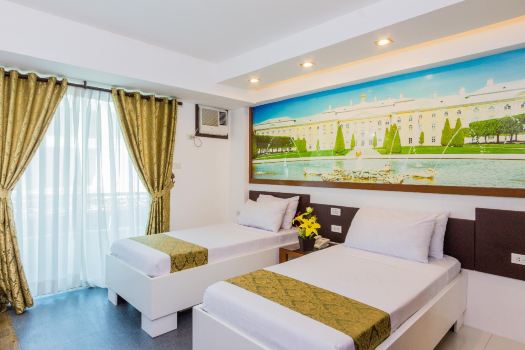
Kasa Boutique Hotel Capitol
Hotel in Cebu City
NO.3
8.9/10950 reviews
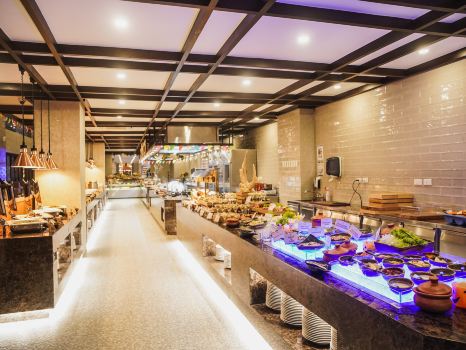
Amber Hotel-Cebu
Hotel in Cebu City
NO.4
8.9/10526 reviews
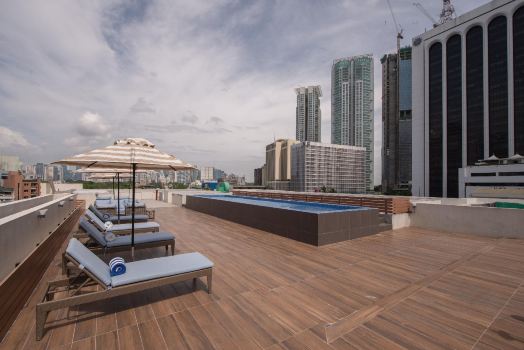
Mandarin Plaza Hotel
Hotel in Cebu City
NO.5
8.5/10366 reviews
Waterfront Cebu City Hotel & Casino
Hotel in Cebu City
NO.6
8.3/1049 reviews
Hotel One
Hotel in Cebu City

How To Set Up Your eSIM?

How To Set Up Your eSIM?

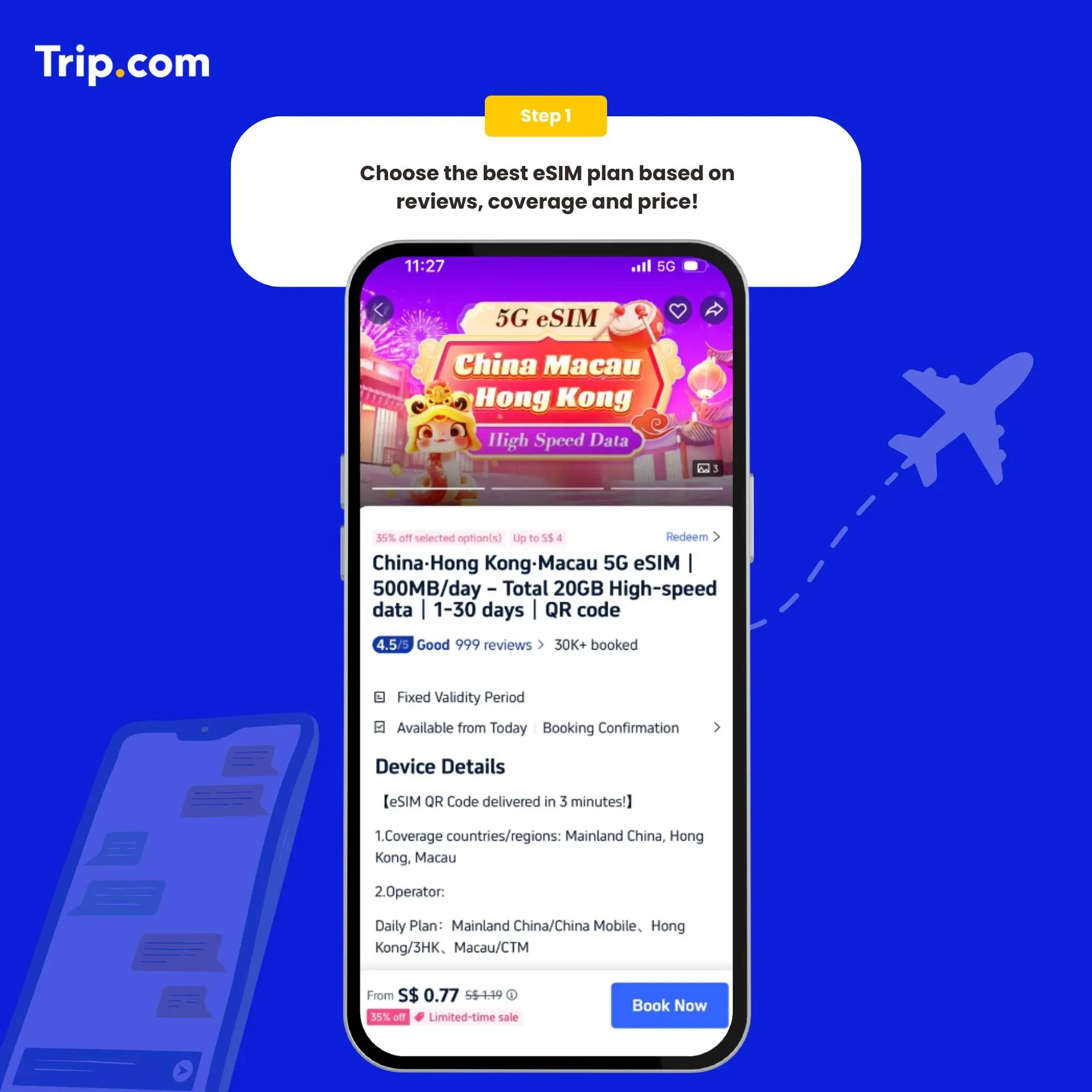
Step 1: Choose the best eSIM plan

Step 1: Choose the best eSIM plan

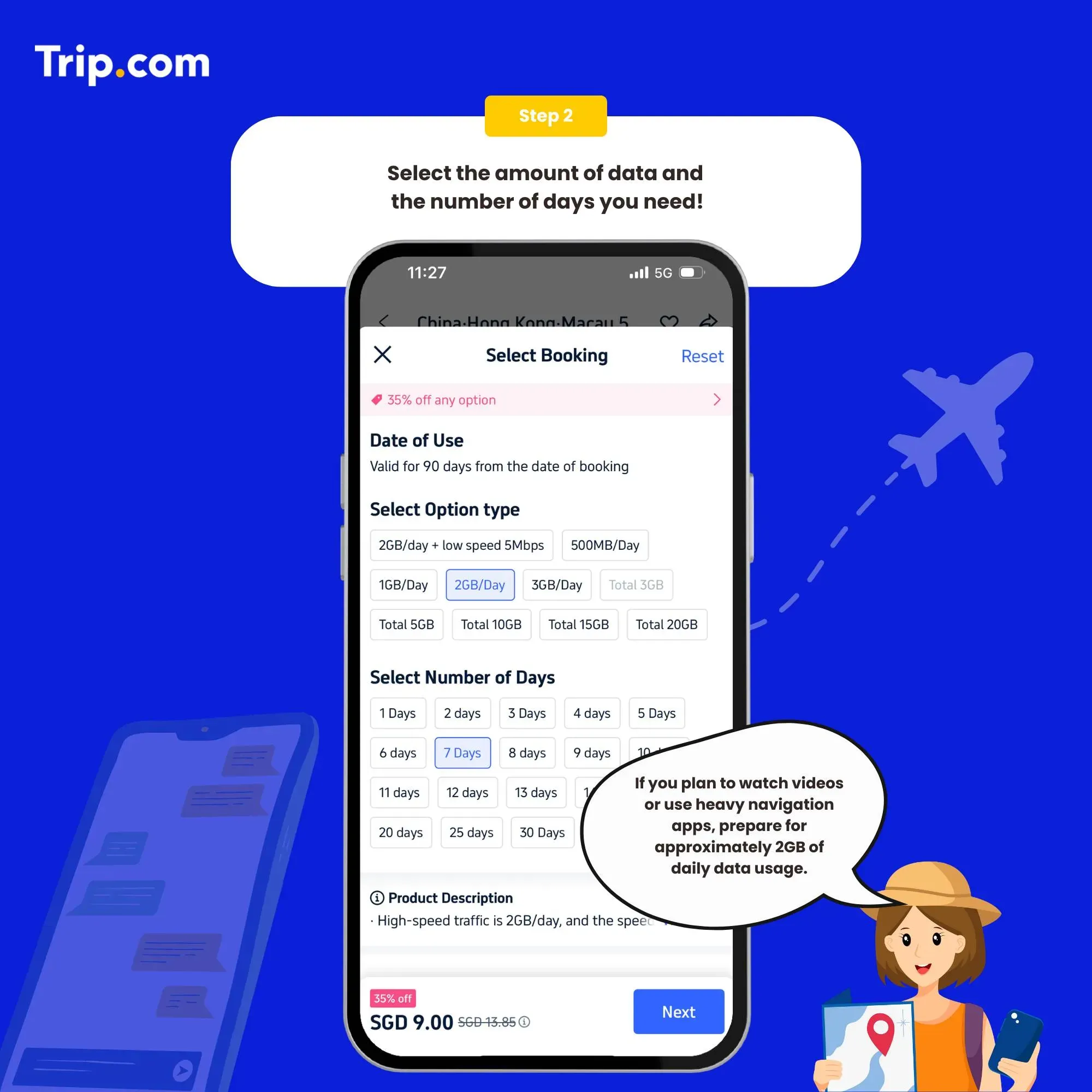
Step 2: Select the data package

Once you've chosen a provider, you'll need to purchase a data plan that suits your needs.

Step 2: Select the data package

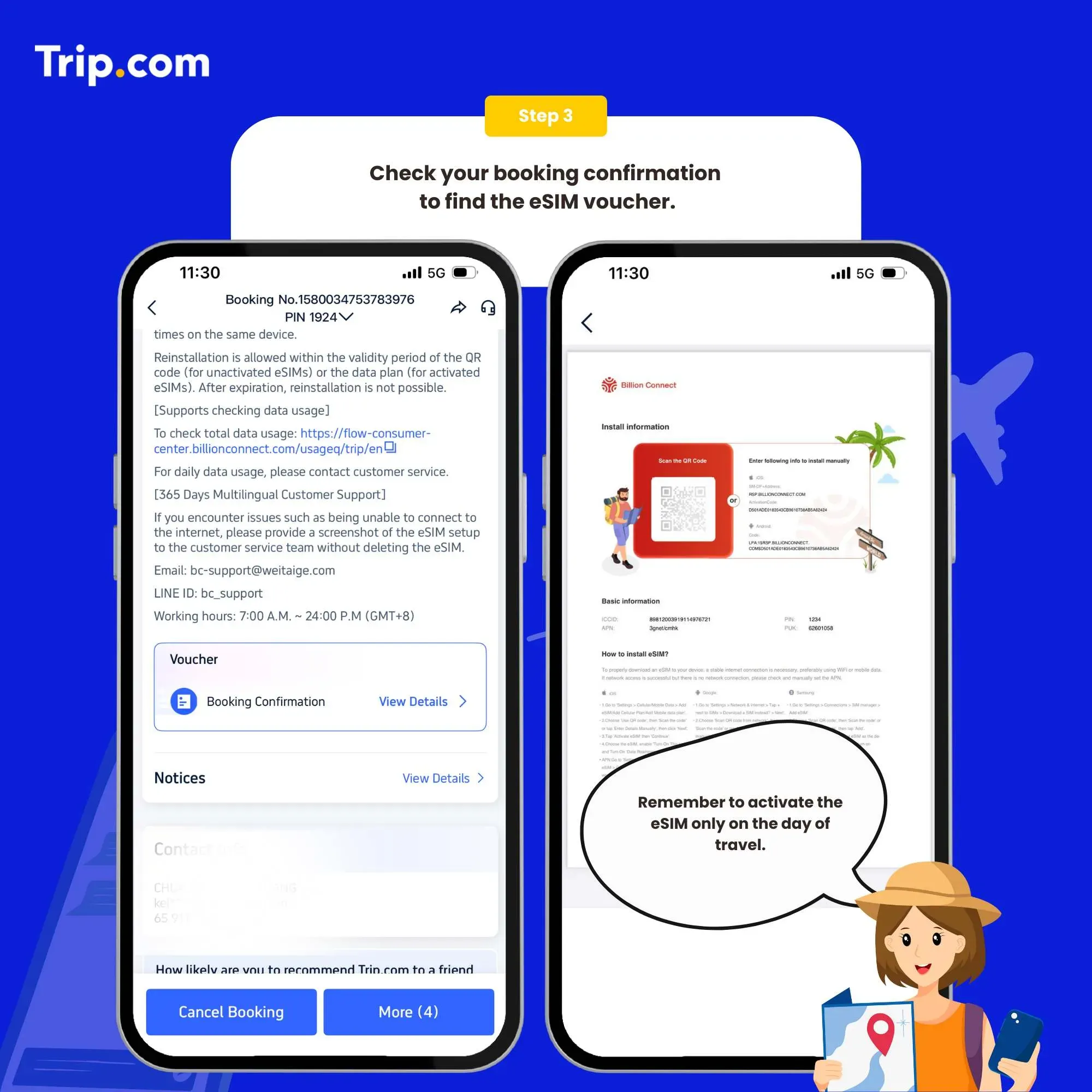
Step 3: Receive your booking confirmation

You will receive an email with installation instructions and a reminder of the latest installation time. Please make sure that there’s available WIFI or connected to networks before installation.

Step 3: Receive your ACTIVATION EMAIL

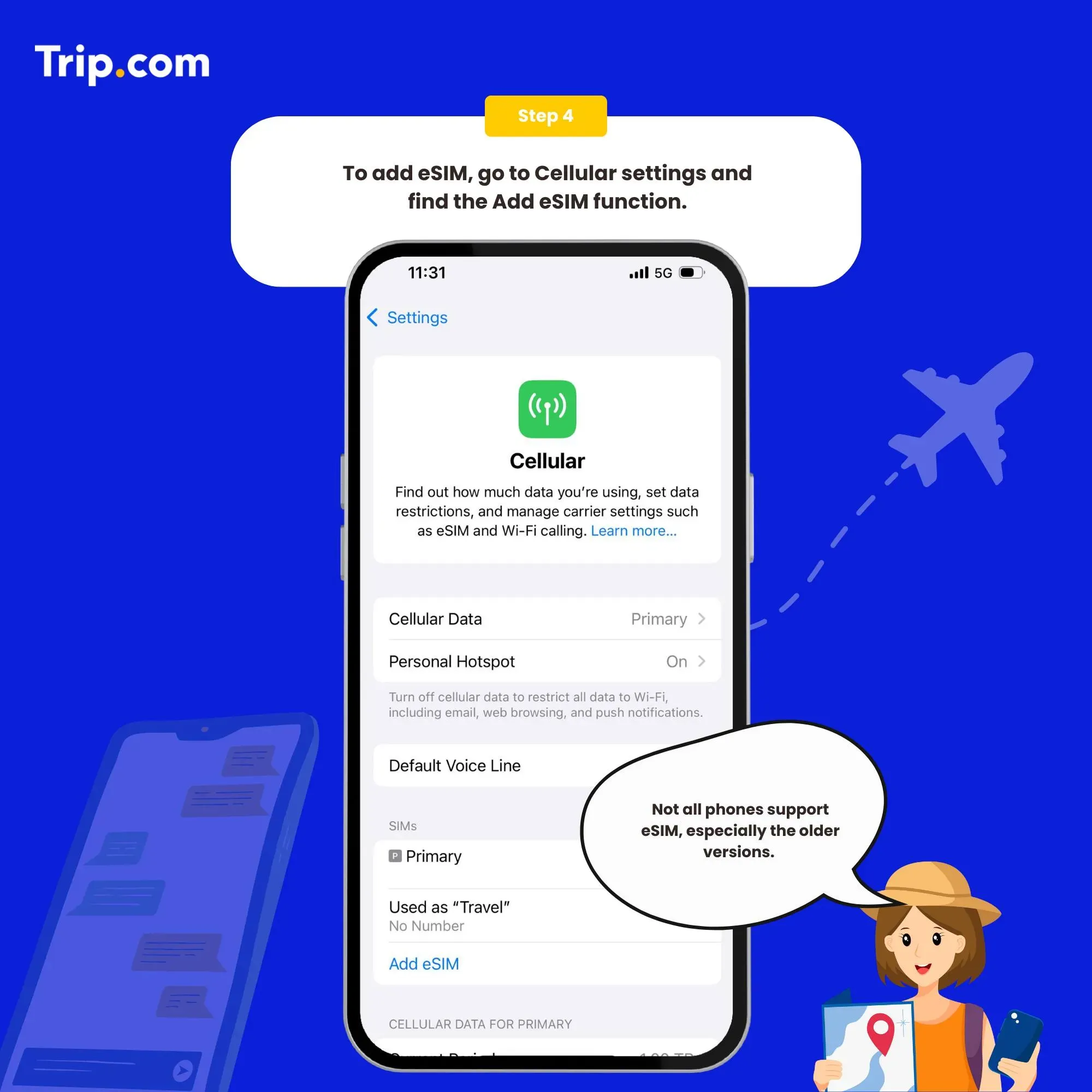
Step 4: Add your eSIM

To activate the eSIM, simply scan the QR code on your phone.

Set as the instructions:

  1. System - Settings - Cellular (iOS) / SIM Card Management (Andriod).
  2. Add a Cellular Plan (iOS) / SIM Card (Android).
  3. Agree to download Cellular Plan (iOS) or SIM Card (Android).
  4. Scan the QR code in the received email for activation (or enter SM-DP +Address and Activation Code manually).
Step 4: Add your eSIM

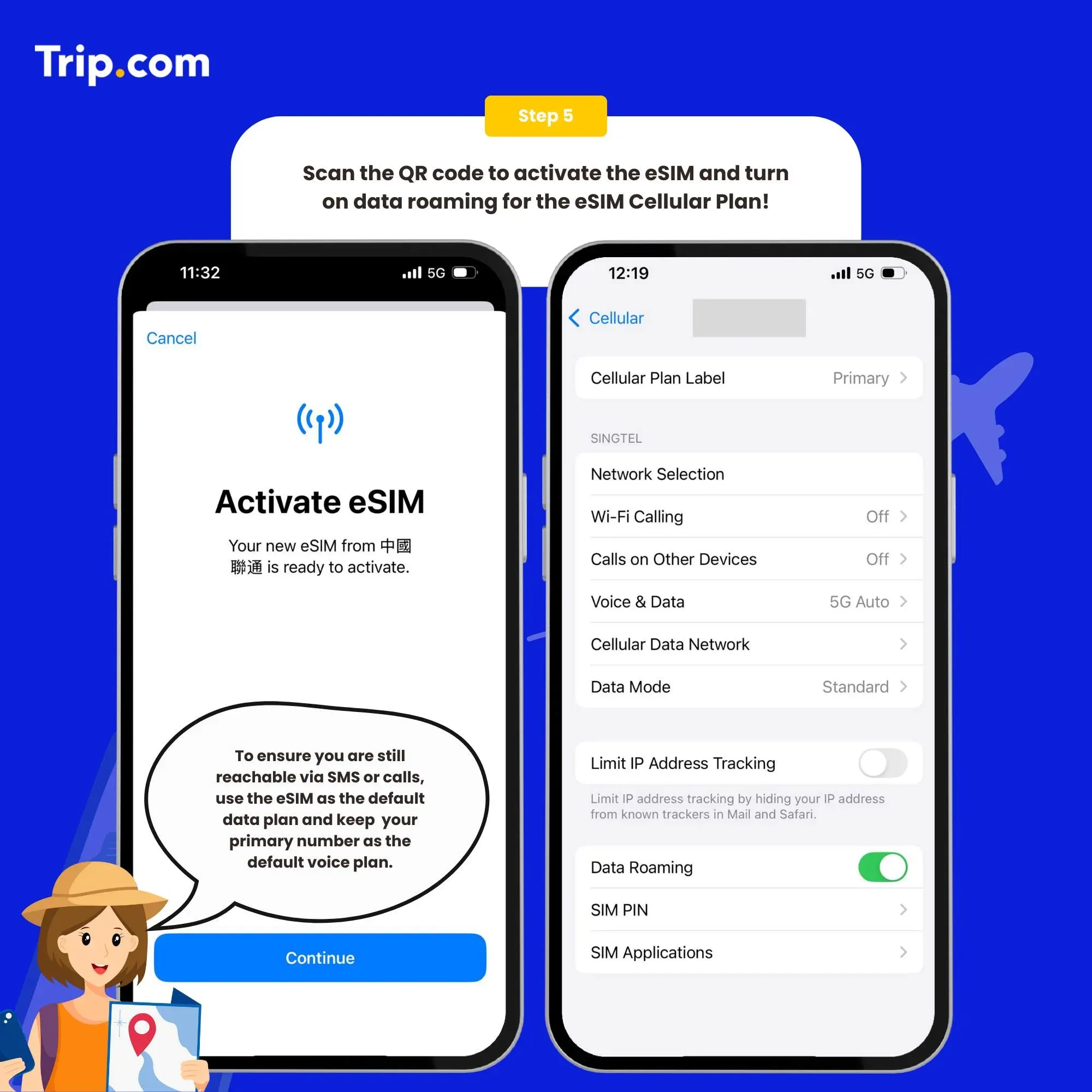
Step 5: Scan the QR code to activate your eSIM

  1. After the completion of the installation, we recommend that you disable eSIM until you reach your destination.
  2. After the download is successful, close the primary card if you already have one. Enable the Cellular Plan (iOS) or SIM Card (Android).
  3. After arriving at the destination, please open your eSIM, and turn on roaming. Then you can access the Internet.

You can now connect to the Internet and enjoy the convenience of Japan eSIM as per your selected plan.

Step 5: Scan the QR code to activate your eSIM
💥Note: If there are problems such as activation failure, please contact Customer Service without deleting the eSIM.(*The eSIM can only be installed one time by one phone or one device. If removed, it cannot be added again.)

How to close?

Open the open Cellular (iOS) or SIM Card Management (Android), and click to turn off the Cellular Plan (iOS) or SIM Card (Android) (the steps of enabling and disabling are the same).

See all attractions
316366 booked
4.5/59321 reviews
Mainland China/Hong Kong/Macau/Taiwan 5G/4G eSIM | Supports Google Maps / ChatGPT | Daily/Total Data Plans | 24-Hour Billing | 1–30 Days | QR Code
SIM card
IDR 1,892.00
71354 booked
4.6/53628 reviews
Asia 8 countries 5G/4G eSIM | Daily/Total | 500MB/day - 50GB total | 1-30 days | 24-hour format | QR code
SIM card
IDR 1,447.00
20026 booked
4.7/51298 reviews
Southeast Asia 5G eSIM | Singapore/Malaysia/Thailand/Indonesia | Daily/Total Data Package | 1–30 Days | Calendar Day Billing | QR Code
SIM card
IDR 3,947.00
54497 booked
4.6/55729 reviews
Global 77 Countries 4G/5G eSIM | Day Pass/Total Data Package | 24-Hour Billing | QR Code
SIM card
IDR 35,613.00
308412 booked
4.7/59593 reviews
Japan SoftBank 4G/5G eSIM | TikTok & ChatGPT Available | Day Pass/Total Data Package | 24-Hour Billing | QR Code
SIM card
IDR 5,119.00
48206 booked
4.6/52324 reviews
South Korea 5G eSIM | Daily/Total Package | 500MB/day - 50GB total | 1-30 days | 24-hour format | QR code
SIM card
IDR 1,669.00
108930 booked
4.7/54728 reviews
Europe 4G/5G eSIM | TikTok & ChatGPT Available | Day Pass/Total Data Package | 24-Hour Billing | QR Code
SIM card
IDR 1,558.00

Benefits of Trip.com eSIM for International Travel

Trip.com eSIM helps Filipino travelers stay online abroad with less hassle.

  • Connect when you land: Use Maps, Grab, bookings, and messages right away.
  • No airport SIM queue: No need to buy a SIM at the airport.
  • No physical SIM to lose: Everything is digital.
  • Keep PH SIM for OTPs: Receive bank alerts, GCash, Maya, and important texts.
  • Avoid roaming shock: Use eSIM for data and keep PH SIM mobile data off.
  • Good for multi-country trips: Regional plans can cover several destinations.

Overall, it is a convenient option if you want easy travel data without changing your SIM card.

What Are the Disadvantages of eSIM?

eSIM is convenient, but Filipino travelers should check a few things before buying.

  • Not all phones support eSIM: Older iPhones and some Android phones may not have eSIM.
  • Locked phones may not work: If your phone is still locked under Globe, Smart, or another carrier, the eSIM may not activate.
  • Needs Wi-Fi to install: You need stable internet to download the eSIM profile, so install it before your flight.
  • Usually data-only: Most travel eSIMs do not include calls, SMS, or a local number.
  • Hard to transfer: If you delete the eSIM, lose your phone, or change phones, you may need to buy a new plan.
  • Coverage can vary: Signal may be weaker in rural areas or less popular destinations.
  • Unlimited plans may slow down: Some unlimited plans have fair use limits, so speeds may drop after heavy use.

Before booking, always check your phone compatibility, carrier lock status, coverage, validity, data limit, and activation rules.

FAQs About Trip.com eSIM

  • Can I use Trip.com eSIM on any phone?

    No. Your phone must support eSIM and must be unlocked. You can dial *#06# and check if there is an EID number.
  • Should I install the eSIM before flying?

    Yes. Install it before your flight using stable Wi-Fi, so you can connect once you arrive abroad.
  • Does Trip.com eSIM include calls and SMS?

    Most travel eSIMs are data-only. You can use Messenger, WhatsApp, Viber, or FaceTime for calls.
  • Can I keep my Philippine SIM active?

    Yes. You can use your PH SIM for OTPs, bank alerts, GCash, and Maya, while using the eSIM for mobile data.
  • Do I need to turn on data roaming?

    Yes, turn on data roaming for the eSIM line. Keep mobile data roaming off for your PH SIM to avoid extra charges.
Disclaimer: This article has been provided by an individual contributor or third party platform. If there is any discrepancy regarding the copyright, please contact us directly and we will delete the content immediately.
TaraKai

TaraKai

Travel Explorer

I enjoy exploring new destinations, testing travel products, and sharing useful travel tips that help Filipino travelers enjoy smoother and more comfortable trips.

141 articles
Travel & Experiences
aaaa