How to Get a Trip.com E-Ticket

By Trip.com
August 27, 2024

Here is everything that you need to know about e-tickets for flights and trains from Trip.com. You will know what an e-ticket is, how to get your e-ticket, how to print it, and many more. 👇👇👇
What is a Flight E-Ticket?
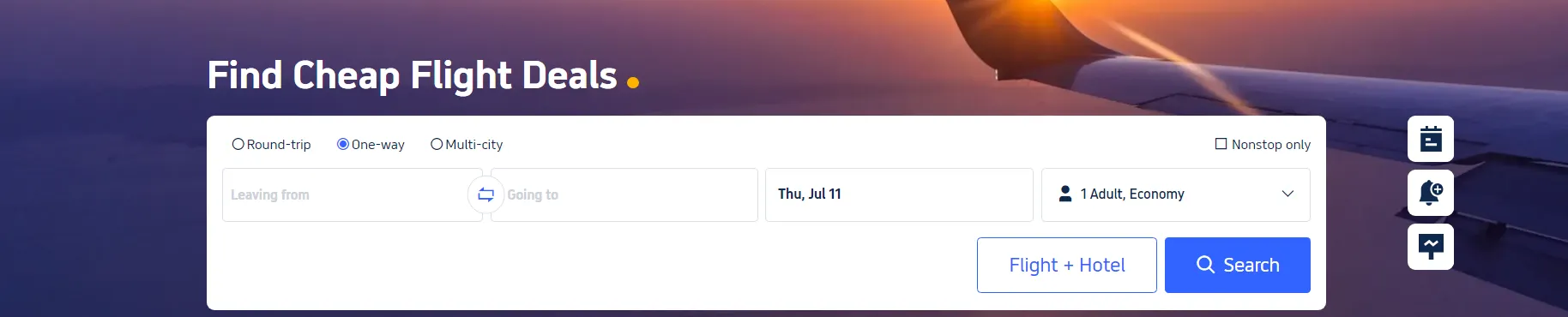
An e-ticket or online flight ticket on Trip.com is a digital version of a traditional paper ticket. It is a travel document that you can purchase through Trip.com's website or mobile application. With an e-ticket, you don’t need to print out anything, and all the necessary details are securely stored in the airline's database.
When you book a flight on Trip.com, the e-ticket serves as a contract between you and the airline. Your ticket information is stored securely, which you can access using your PNR (Passenger Name Record) or booking reference number. You can check in and pass through security with just your passport. This makes the boarding process easy and hassle-free!
How to Get an E-Ticket for a Flight
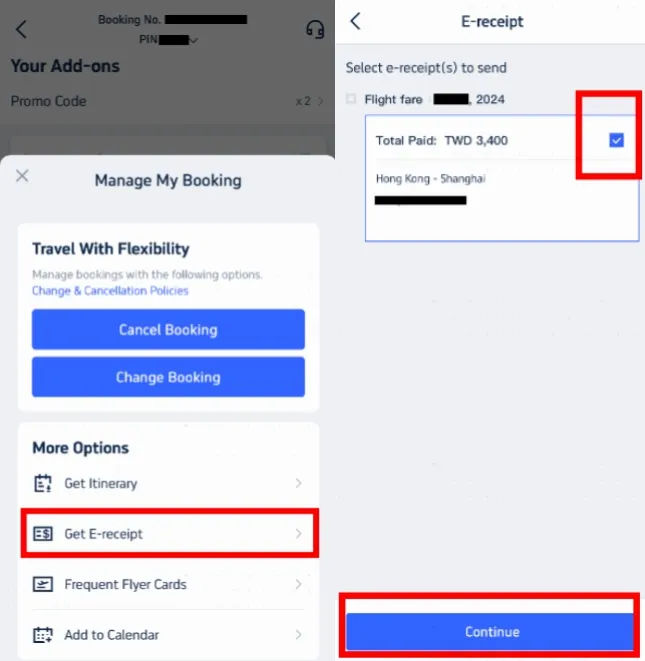
Step 1: Access Manage My Booking
- Open the Trip.com app and log in to your account.
- Navigate to ‘Manage My Booking.’
- Under ‘More Options,’ find and click ‘Get a Receipt.’
Step 2: Select E-Receipts
- On the receipt page, choose the flight e-tickets you want to get.
- Select the relevant e-tickets and click 'Continue.'
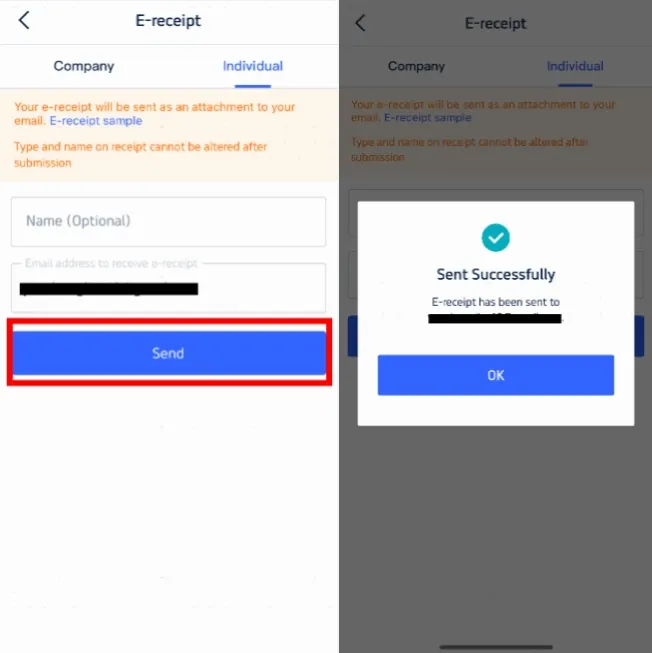
Step 3: Enter Details for the Receipt
- If you are an individual, choose ‘Individual.’
- Enter your name (optional) and the email address where you want to receive the e-receipt.
- Note that you cannot change the e-receipt type and the name on the receipt after submission.
- Click ‘Send’ to proceed.
Step 4: Confirm and Receive E-Receipt
- You will receive a confirmation message stating that the e-receipt has been sent successfully.
- Click 'OK' and check your email to download your e-receipt.
- This e-receipt serves as your online flight e-ticket. You may opt to print it, but it is not necessary.
How to Print an E-Ticket for a Flight
After purchasing your ticket online, Trip.com will send an email with your e-ticket. You may find this email in your inbox.
【Note】
- For domestic flights, carrying a printed e-ticket is generally not required at security checkpoints, but it is always good to prepare a digital copy on your device.
- For international flights, it is advisable to bring a printed copy of your e-ticket with you to present it at various checkpoints if needed.
Step 1: Download the E-Ticket
- Open the email and download the attached e-ticket file to your device.
Step 2: Print the E-Ticket
- Open the downloaded file and print it using your printer.
How to Get a Train E-Ticket
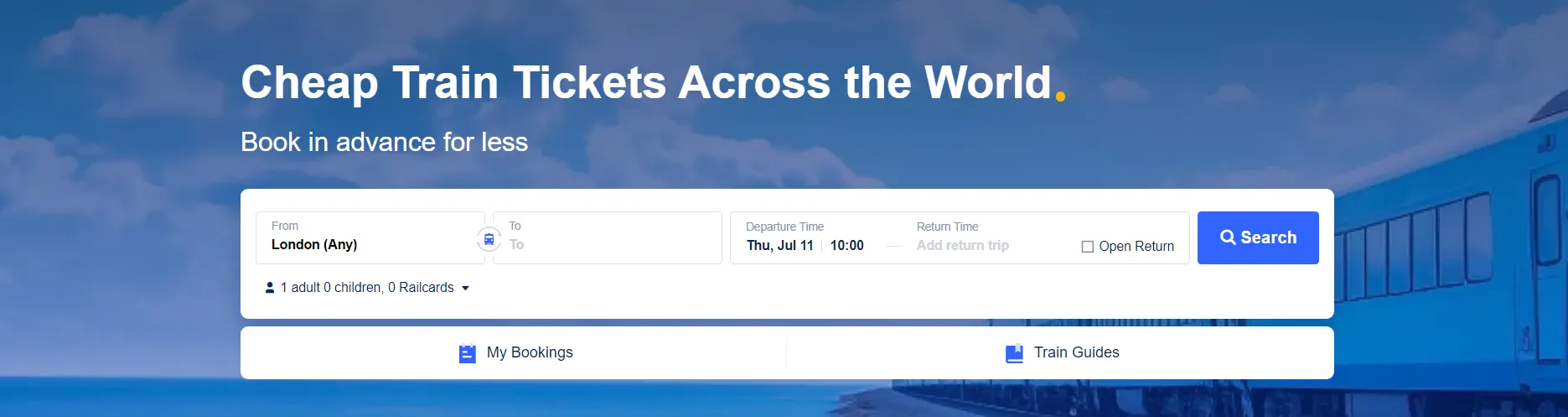
E-tickets are digital train tickets that have your travel information contained in a barcode. These are emailed directly to you as PDF. You can store these tickets on your device.
Nearly all train companies have an e-ticketing option. When you book with Trip.com, your e-ticket will appear as a digital ticket in the Trip.com app.
Here is a step-by-step guide to getting and using your train e-ticket:
Step 1: Book Your Train Ticket
- Go to the Trip.com website or open the Trip.com app.
- Select "Trains" from the navigation bar.
- Enter your desired route, date, and other necessary details, then click "Find Trains."
- Choose the train that suits your schedule and complete the booking process. Make sure to enter your full name and ID number as required by China Railway's real-name policy.
Step 2: Receive Your E-Ticket
- After completing your booking, your e-ticket will be issued and sent to you via email as a PDF attachment. You can also view and download your e-ticket from the booking details page in the Trip.com app.
Step 3: Use Your E-Ticket
- On the day of travel, go to the train station and head to the waiting hall.
- When it is time to board, use the e-ticket barcode at the self-service ticket check machines. If your station does not have a scanner, present your e-ticket to a staff member for manual checking.
Step 4: Boarding and Arrival
- Scan your passport or valid ID at the ticket check gate to enter the station.
- Board your train and use the details on your e-ticket as reference in finding the train number, carriage, and seat.
- Upon arriving at your destination, exit the station by scanning your passport or valid ID again at the exit gate.
Trending Searches
-
Popular Content
-
Top Flight Links
-
Popular Hotels
-
Popular Things to Do
-
Featured guides
-
Trip.com links
- Trip.com E-Ticket
- Trip.com Payment Methods
- Trip.com Passport Change
- Trip.com Customer Service
- Trip.com Flight Cancellation
- Trip.com VIP Lounge Access
- Trip.com Phone Number
- Trip.com Check In
- Payment Sale
- Trip Coins
- Trip.com Hotel Refund
- Trip.com Cancellation Policy
- Trip.com Ticket Issued Status
- Trip.com Flight Ticket
- Trip.com Membership
- Trip.com E-Receipt
- Trip.com Seat Selection
- Trip.com Baggage Allowance
- Trip.com Flight Change
- Trip.com Reviews
- Cheap flights from Manila to Hong Kong
- Cheap tickets from Manila to Tagbilaran
- Cheap flights from Manila to Cebu
- Cheap flights from Manila to Iloilo City
- Plane tickets from Manila to General Santos
- Plane tickets from Cebu to Manila
- Plane tickets from Bacolod to Manila
- Plane tickets from Manila to Tacloban
- CA986 Flight Status
- 5J187 Flight Status
- PR431 Flight Status
- PR741 Flight Status
- MH709 Flight Status
- EK2521 Flight Status
- 5J582 Flight Status
- Hotels near 72 wonder tower
- Hotels near Mactan–Cebu International Airport
- Hotels near Fenghuang Ancient Town
- Hotels near Greenland Xindu East Coast Times Square South Area
- Hotels near Changbai Mountain Beauty Pine International Sculpture Park
- Shiji Qingteng Capsule Hotel (T3 Terminal)
- Bangkok-Pratunam Hotel
- Shangri-La Resort
- De Mani Hotel
- Fan Yu Gaming Center
- Hotels in Fenghuang County
- Hotels in Davao City
- Hotels in North Jakarta
- Hotels in Moscow
- Hotels in Kuala Lumpur
- Philippines 5G eSIM | Dual Network • All AI & TikTok | Day Pass/Total Data Package | 24-Hour Billing | 1-30 Days | QR Code
- Private Mutianyu Great Wall Trip With English-speaking Driver
- Chengdu Departure - Bipenggou Shuttle Bus
- Vietnam | 4G/5G eSIM | Daily/Data Plan | 24-hour Billing | 1-30 Days | QR code
- Vietnam Airport VIP Fast Track Service
- Bangladesh Dhaka DAC Hazrat Shahjalal International Airport T1 terminal international departure IBalaka Executive Lounge international departure lounge experience
- Huanglongjiuzhai Railway Station - Jiuzhaigou National Park shuttle bus · private charter optional
- Lantau Island Ngong Ping 360 round-trip cable car admission ticket with priority boarding + one-way urban area transfer
- Parasail Over Cabbage Beach
- Florence: Wine tour at sunset with Wine window
- 1-day tour to Three Natural Bridges, Jiuli City and Wujiang Gallery cruise in Chongqing | Pure play without shopping
- Hop-on Hop-off Bus Córdoba
- Barcelona Sant Pau 1-Hour Licensed Guide Tour | Healing by Design | Admission Included
- Tokyo Imperial Palace Tour: Gardens, Castle & Shogun Stories
- Dali Wamao Making: - Handcraft Your Exclusive Memories!
- Mothers Day Gifts
- eSIM
- Hong Kong International Airport
- International Driving Permit
- Toronto Pearson International Airport
- Universal Studios Singapore
- Great Wall of China
- UK ETA
- Narita International Airport
- China Currency
- Changi Airport
- Schengen Visa
- Singapore MRT Map
- France Visa
- Ninoy Aquino International Airport