8 Useful GPT Apps to Try in ChatGPT for Travel, Design, Shopping & More

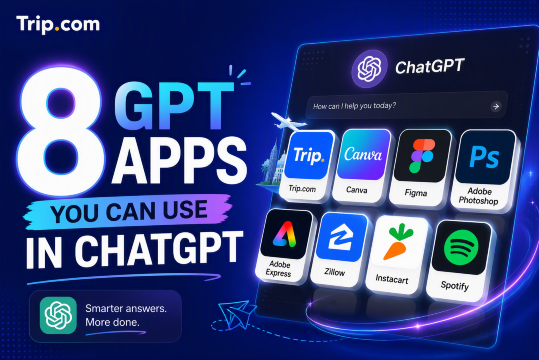
ChatGPT can do more than answer questions by bringing useful apps into the conversation for travel planning, design, music, image editing, shopping, and more. Instead of opening several websites, you can simply describe what you need. This guide covers 8 useful GPT Apps, including Trip.com for searching and comparing flights, hotels, and trains while planning your trip.
What are GPT Apps in ChatGPT?
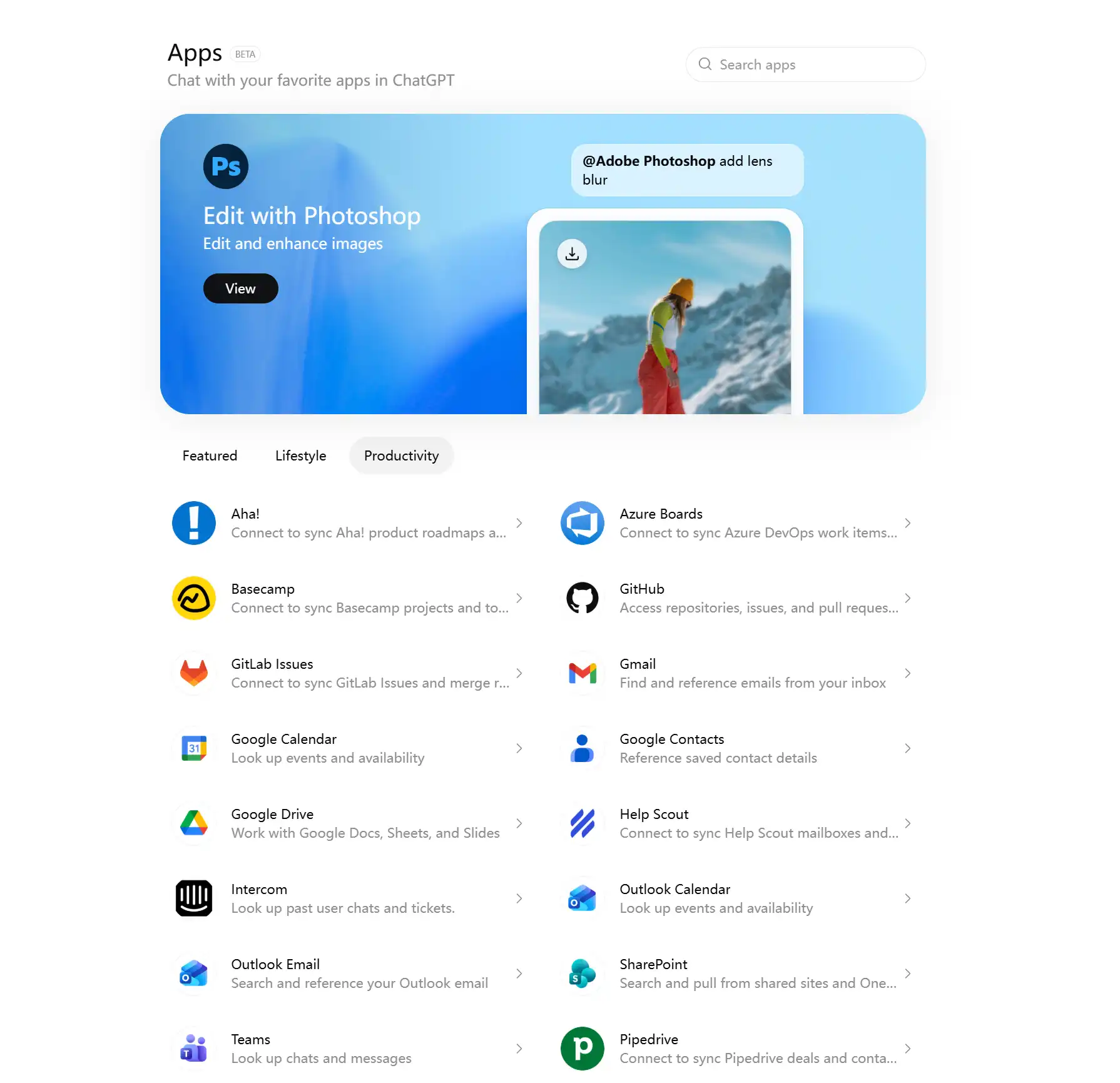
GPT Apps connect ChatGPT with third-party tools and services, allowing you to do more than receive a simple text answer.
For example, you can use GPT Apps to:
- Plan trips: Search for flights, hotels, trains, and other travel options.
- Create designs: Make presentations, graphics, and other visual content.
- Discover music: Find songs, playlists, or music for different moods.
- Edit images: Make changes to photos and creative assets.
- Shop online: Explore products, groceries, and other shopping options.
- Browse properties: Search for homes, apartments, and neighbourhoods.
You can simply describe what you want to do, and ChatGPT can work with a suitable app when available. Depending on the app, you may see:
- Interactive cards
- Maps
- Lists
- Design previews
- Search results
- Other interactive content
Some apps may require you to connect an account or approve access before using certain features. Availability may also depend on your region, ChatGPT plan, workspace settings, and the app itself.
As of July 9, 2026, OpenAI has moved app discovery into the Plugin directory. Apps still connect ChatGPT with external tools and services, while plugins can combine apps with other workflow features.


Why are GPT Apps useful?
GPT Apps make it easier to move from an idea to an actual task.
Normally, you might need to decide which website to use, open the app, find the right page, and fill in several fields. With apps in ChatGPT, you can often begin by simply explaining what you need.
What you want to do | How GPT Apps can help |
|---|---|
Plan a trip | Search and compare travel options |
Create visuals | Make presentations, social posts, and graphics |
Edit images | Request visual changes through a creative app |
Explore homes | Browse properties and neighbourhoods |
Shop for groceries | Turn meal ideas into shopping lists |
Listen to music | Find and organise playlists |
GPT Apps do not always replace the full version of each service. They are often most useful as a convenient starting point, allowing you to explore options before continuing in the original platform when more detailed controls are needed.
1. Canva: Design and marketing content
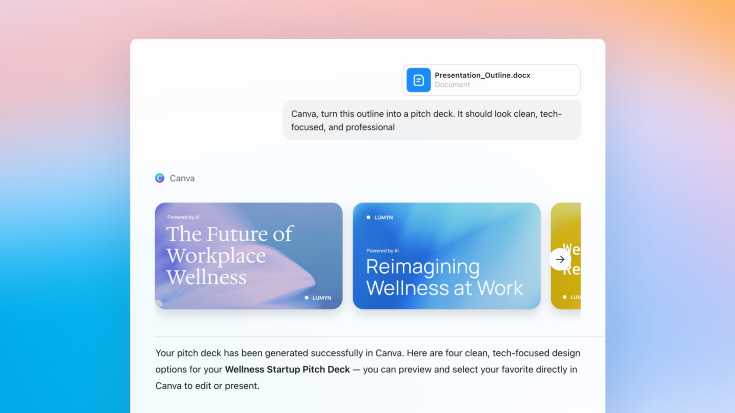
Canva is useful when you need to turn an idea into a visual without starting from a blank page.
Inside ChatGPT, it can help with everyday creative tasks such as social media graphics, presentation ideas, posters, flyers, and marketing materials. OpenAI has featured Canva as one of the apps that can work directly with conversational requests inside ChatGPT.
For example, you might describe the type of presentation or social post you want and use Canva to create an initial visual direction.
Use case | What Canva can help create |
|---|---|
Social media | Posts, stories, and campaign graphics |
Presentations | Slides and presentation visuals |
Marketing | Posters, flyers, and promotional materials |
Brand content | Reusable layouts and visual ideas |
Canva is especially useful when you want a quick starting point that you can continue editing and personalising.
 NO.1
NO.1






























































2. Figma: Product and UI design ideas
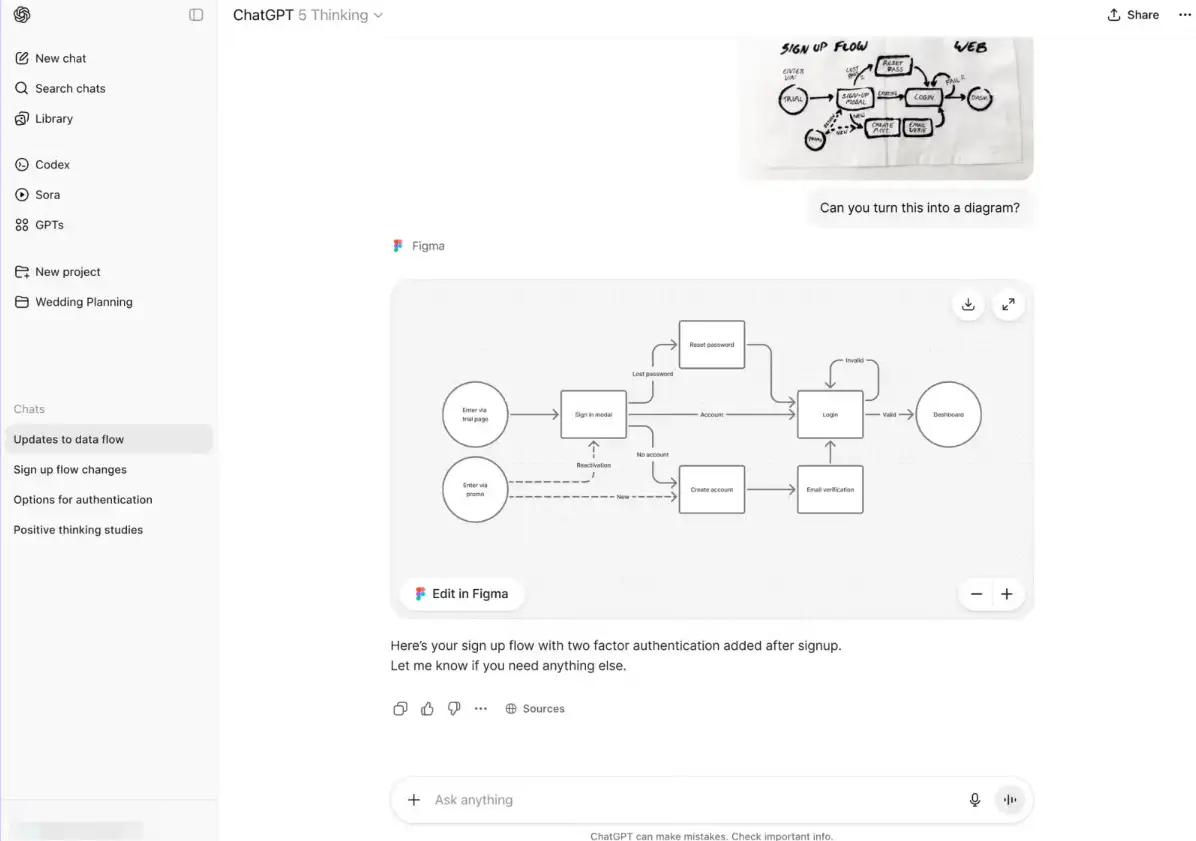
Figma is designed mainly for product, website, and interface design.
It can be useful for designers, product managers, developers, and teams who want to explore how a digital product could look or work. Figma was also among the early apps introduced for use inside ChatGPT.
Instead of focusing only on appearance, Figma can help with the structure of a product, including screens, layouts, components, and user journeys.
Use case | What Figma can help with |
|---|---|
Product design | Explore interface ideas |
UI layout | Plan screens and components |
User flows | Map website or app journeys |
Design review | Discuss layout, hierarchy, and usability |
It is best used as a tool for developing and communicating product ideas rather than expecting it to complete an entire design process automatically.
3. Trip.com: Travel planning inside ChatGPT
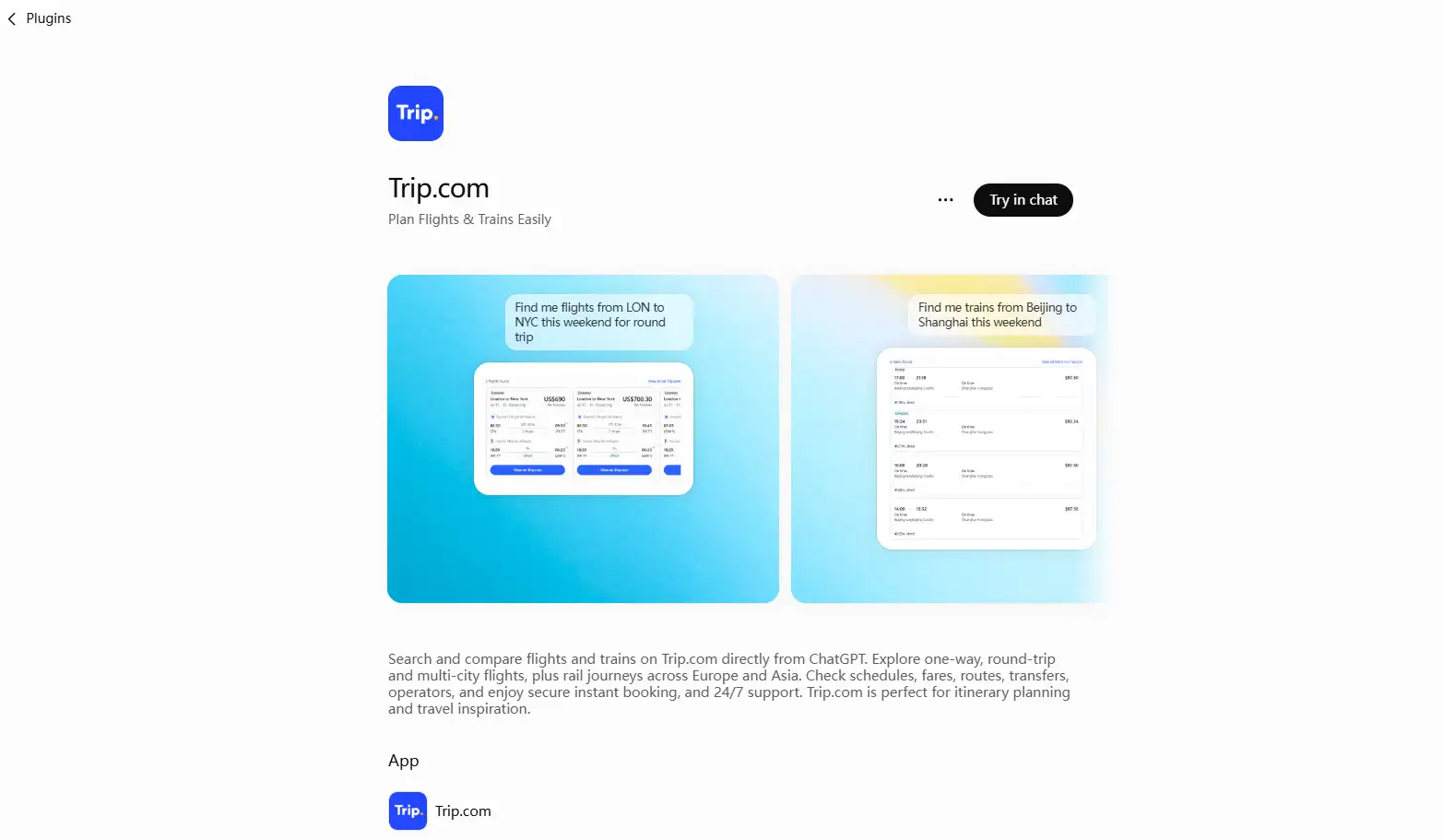
Trip.com brings travel search directly into ChatGPT, making it easier to start planning a trip through a normal conversation.
Instead of immediately filling in a traditional travel search form, you can describe where you want to go, when you want to travel, and what type of travel option you are looking for.
The current Trip.com plugin can help you search for flights, hotels, trains, attractions, tickets, tours, and other travel experiences inside ChatGPT.
Flights
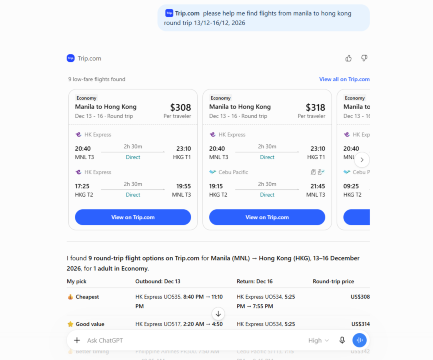
You can search for one-way, round-trip, and multi-city flights and compare useful information such as:
- Airlines
- Departure and arrival airports
- Departure and arrival times
- Journey duration
- Stops
- Available fares
You can also continue the conversation to narrow down your results. For example, you could ask for morning departures, fewer stops, or another travel date.
Hotels
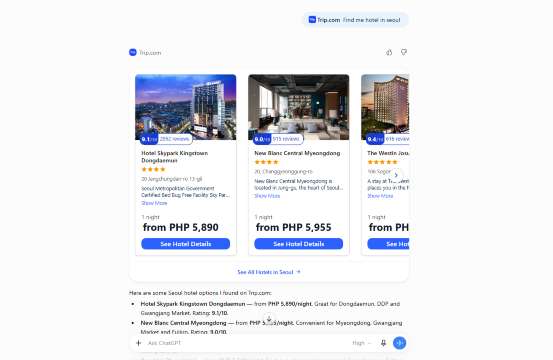
Trip.com can also help you explore hotels in your destination. You can include details such as your city, travel dates, or other travel needs when asking for accommodation options.
Trains
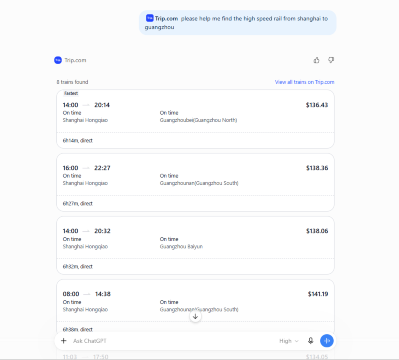
For supported rail journeys, you can explore:
- Departure and arrival stations
- Train schedules
- Journey duration
- Transfers
- Seat classes
- Available fares
Trip.com currently supports train search across supported routes in Europe and Asia.
Attractions and Tours
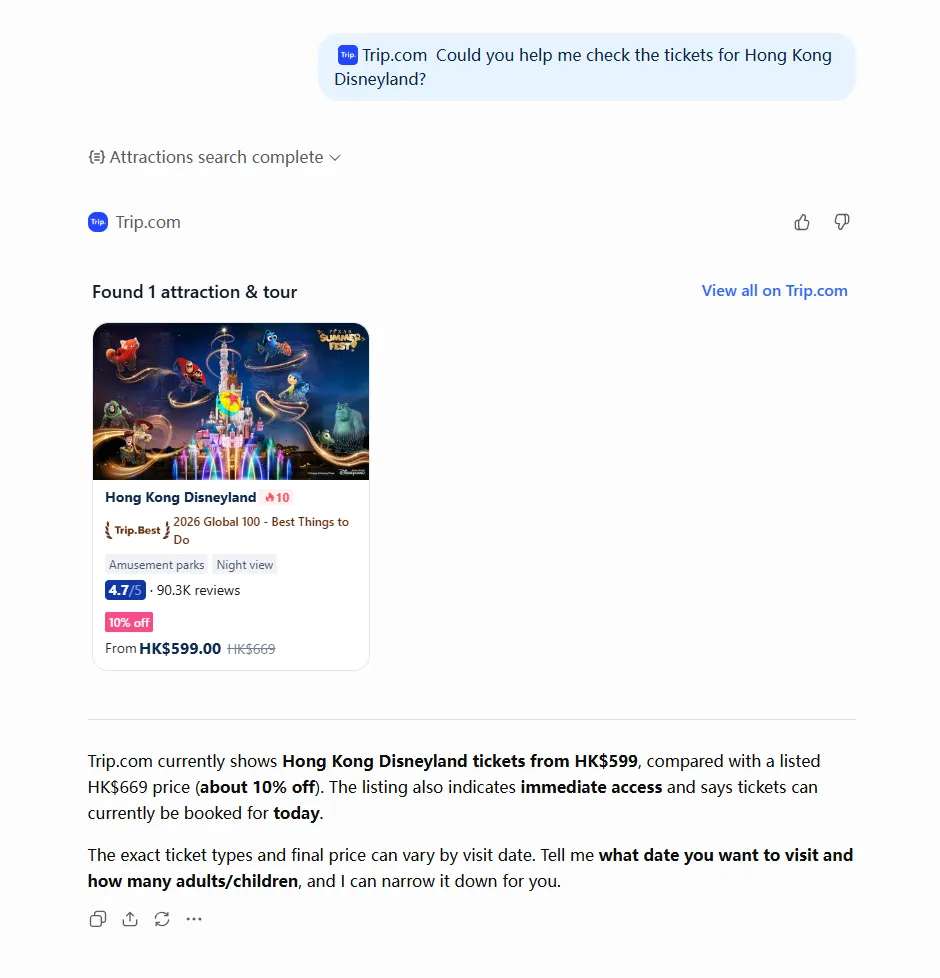
Trip.com can also help you find attractions, tickets, tours, and local activities.
You can search for:
- Theme parks and museums
- Attraction tickets
- Day tours and walking tours
- Local experiences
- Airport transfers
- eSIMs and transport passes
For example, ask: "Find Hong Kong Disneyland tickets" or "Show me day tours in Bangkok."
Travel need | Trip.com can help show |
|---|---|
Flight search | One-way, round-trip, and multi-city options |
Hotel search | Hotels in your destination |
Train search | Routes, schedules, journey times, and transfers |
Attractions and tours | Attraction tickets, landmarks, day tours, local experiences, and transfers |
Price comparison | Available fares and prices |
Route details | Airports, stations, and connections |
Schedule review | Departure, arrival, and travel duration |
The main benefit is flexibility. You can start with a simple travel question and then refine your options through follow-up questions instead of entering every filter at once.
4. Spotify: Music and playlist discovery
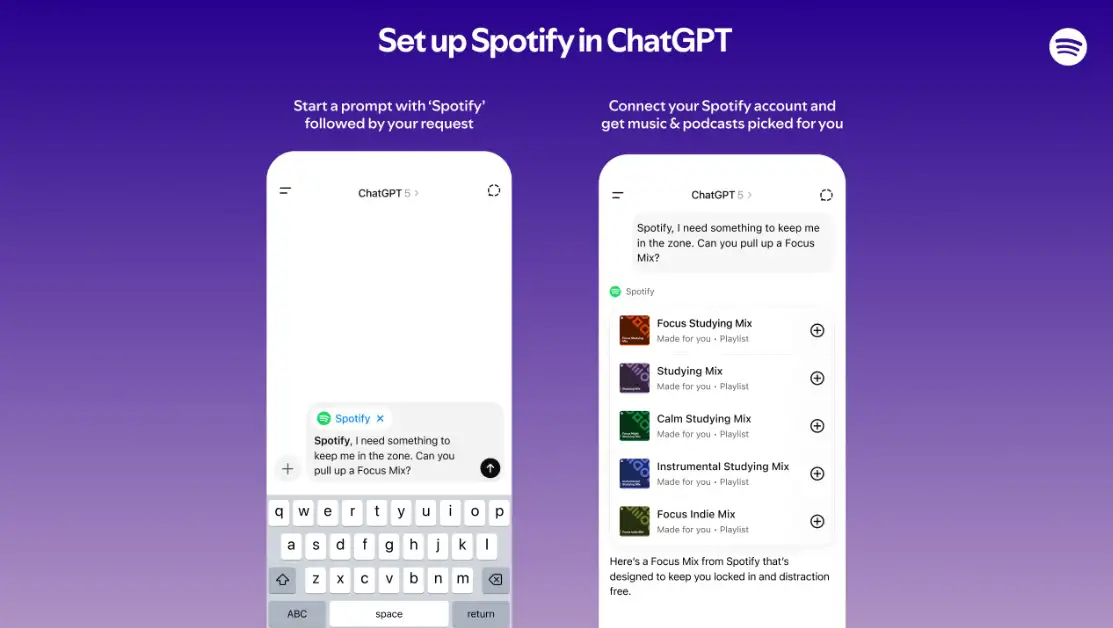
Spotify is useful when you know what type of music you want but do not necessarily have a specific song or artist in mind.
You might want music for studying, exercising, travelling, cooking, relaxing, or spending time with friends. Spotify can help turn those situations into playlist ideas through conversation. Spotify was one of the first apps introduced for ChatGPT's interactive app experience.
Use case | What Spotify can help organise |
|---|---|
Focus | Study and work playlists |
Fitness | Workout music |
Travel | Flight or road trip playlists |
Relaxation | Calm background music |
Social occasions | Dinner and party playlists |
This makes it easier to discover music based on your activity or mood instead of searching for songs one by one.
5. Adobe Photoshop: Image editing and visual changes
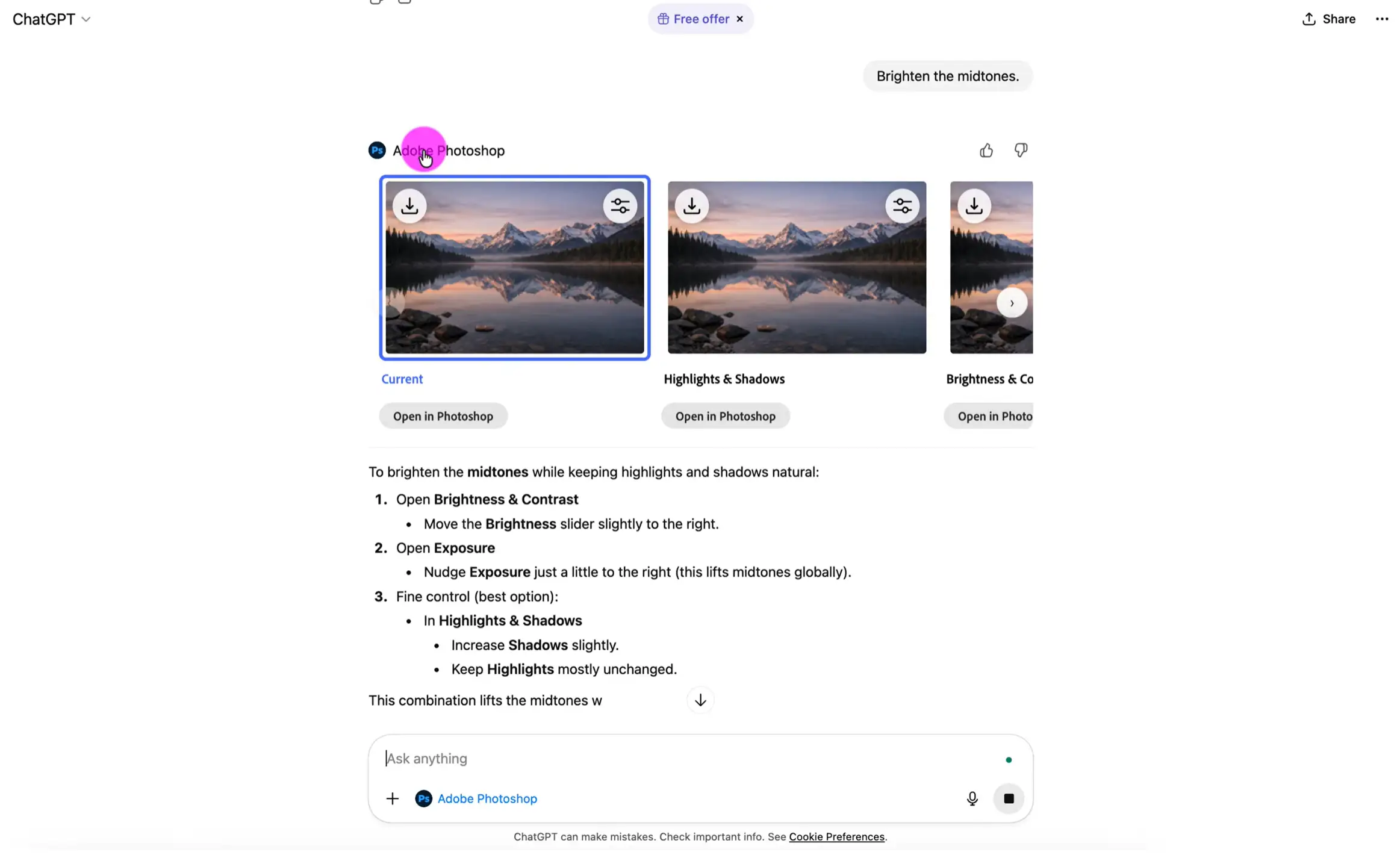
Adobe Photoshop is useful when you already have an image but want to change or improve it.
Through a more conversational workflow, you can describe the edit you want instead of beginning with a complex professional editing interface.
Possible tasks can include:
Use case | What Photoshop can help edit |
|---|---|
Photo cleanup | Crop, lighting, and composition |
Background edits | Remove, blur, or adjust backgrounds |
Creative effects | Experiment with different visual treatments |
Content visuals | Prepare images for marketing or social posts |
The ChatGPT experience is useful for getting started quickly, while the full Photoshop application remains better suited to advanced editing that requires detailed control.
6. Adobe Express: Quick Creative Assets
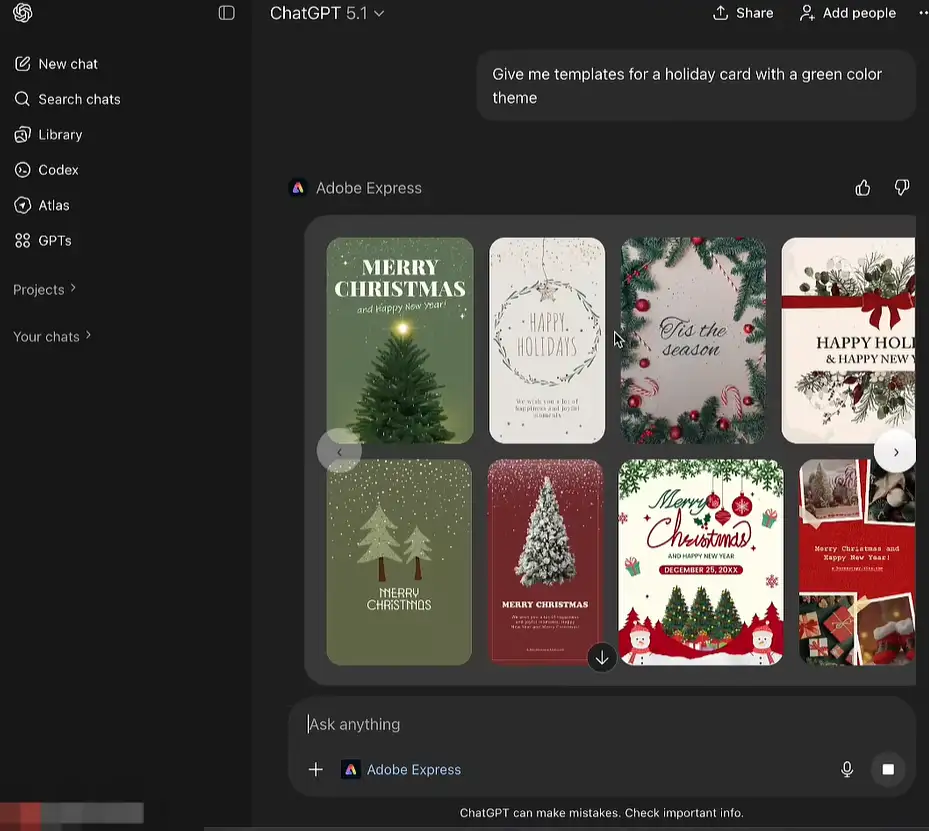
Adobe Express focuses more on quick visual content than detailed professional photo editing.
It can be useful when you need a polished graphic without spending too much time building everything from scratch.
Common uses include:
Use case | What Adobe Express can help make |
|---|---|
Social content | Posts and announcements |
Events | Invitations, posters, and flyers |
Business updates | Simple branded graphics |
Campaigns | Quick creative variations |
This makes Adobe Express suitable for work, school, small businesses, events, and personal projects where speed and simple design tools are more important than advanced editing controls.
7. Zillow: Home and neighborhood exploration
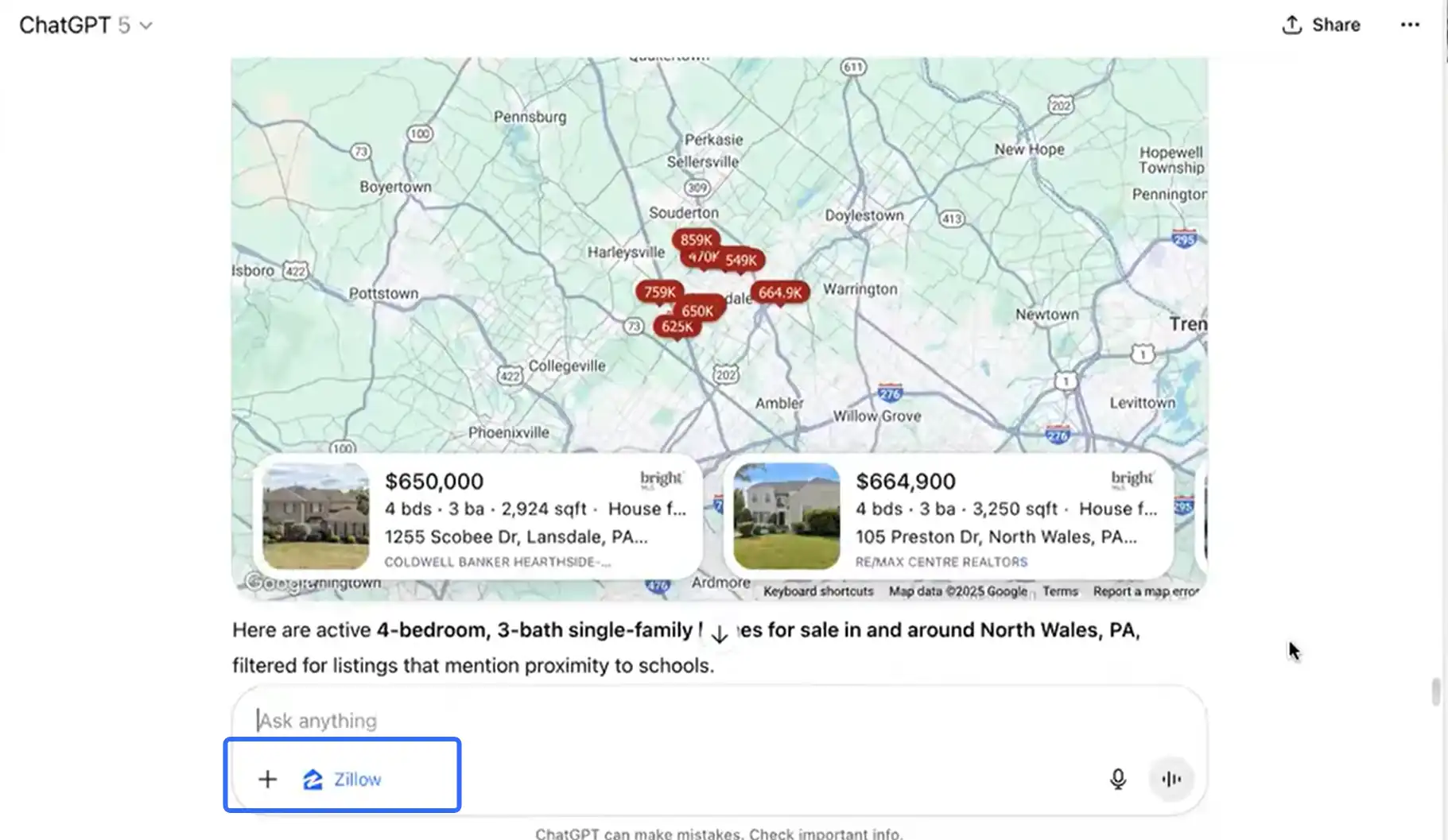
Zillow can help users explore homes, apartments, and neighbourhoods through a more conversational search experience.
For example, you might be moving to a new city, comparing different areas, or simply checking what types of homes are available within a certain budget.
Zillow was also among the early apps introduced by OpenAI, with interactive property results and maps highlighted as part of the experience.
Use case | What Zillow can help explore |
|---|---|
Home search | Homes and apartments |
Neighbourhood browsing | Areas based on location preferences |
Budget filtering | Properties within a price range |
Moving research | Compare homes and locations |
Zillow can be useful for early research, but property information should always be checked carefully before making financial or legal decisions.







8. Instacart: Grocery and everyday shopping support
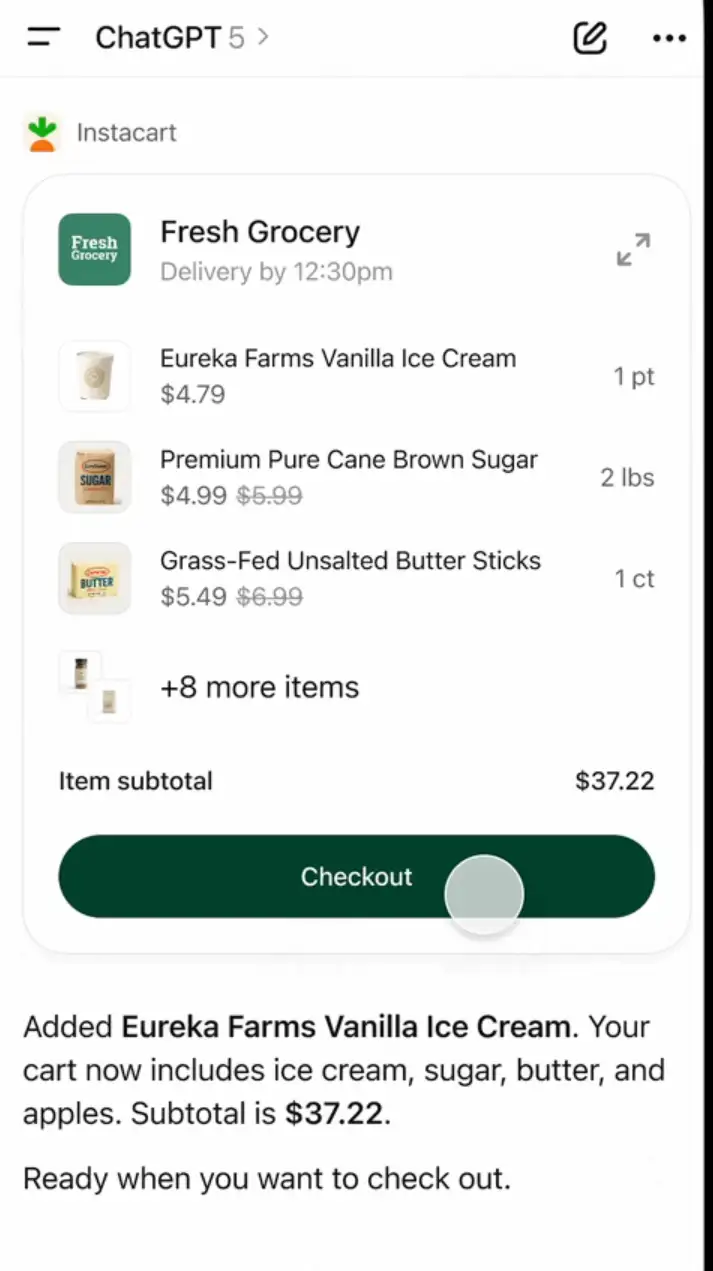
Instacart can help turn meal ideas and everyday needs into a more organised grocery shopping plan.
For example, you may know what you want to cook for the week but have not prepared a complete ingredient list. You might also need to restock household basics.
Use case | What Instacart can help with |
|---|---|
Grocery planning | Build lists from meal ideas |
Household shopping | Find everyday essentials |
Meal preparation | Organise ingredients |
Weekly errands | Reduce manual shopping list work |
This type of app is especially useful when your shopping plan starts as a rough idea. ChatGPT can help organise what you need before you continue with the shopping process.
Which GPT App fits your task?

The best app depends on what you want to do.
Some apps focus on creative work, while others are designed for travel, shopping, music, or property browsing.
If you want to... | Try this GPT App |
|---|---|
Search flights, hotels, or trains | Trip.com |
Create social posts or presentations | Canva |
Explore UI or product design ideas | Figma |
Edit images | Adobe Photoshop |
Make quick creative assets | Adobe Express |
Explore homes or neighbourhoods | Zillow |
Plan groceries or everyday shopping | Instacart |
Discover or organise music | Spotify |
You do not need to use every app. Choose the one that matches the task you are working on and continue the conversation from there.
What should users know before trying GPT Apps?
App availability may vary depending on your ChatGPT plan, location, workspace settings, and the service itself. Some apps may also require you to connect an account or approve access before use.
Before making a final decision, keep these points in mind:
- Trip.com: Check your travel dates, passenger details, airport or station, baggage rules, ticket conditions, final price, and cancellation policy before booking.
- Creative apps: Review the final design, image, or other content before publishing or sharing it.
- Property apps: Confirm listing details and seek professional advice when needed.
- Grocery apps: Check product prices, availability, substitutions, and delivery details before completing your order.
FAQs about GPT Apps
-
What are GPT Apps in ChatGPT?
-
Are GPT Apps the same as normal mobile apps?
-
Which GPT App is useful for travel planning?
-
What can Trip.com help with in ChatGPT?
-
Are GPT Apps available to everyone?
Trending Searches
-
Popular Content
-
Top Flight Links
-
Popular Hotels
-
Popular Things to Do
-
Featured guides
-
Trip.com links
- Trip.com E-Ticket
- Trip.com Payment Methods
- Trip.com Passport Change
- Trip.com Customer Service
- Trip.com Flight Cancellation
- Trip.com VIP Lounge Access
- Trip.com Phone Number
- Trip.com Check In
- Payment Sale
- Trip Coins
- Trip.com Hotel Refund
- Trip.com Cancellation Policy
- Trip.com Ticket Issued Status
- Trip.com Flight Ticket
- Trip.com Membership
- Trip.com E-Receipt
- Trip.com Seat Selection
- Trip.com Baggage Allowance
- Trip.com Flight Change
- Trip.com Reviews
- Flights from Manila to Hong Kong
- Flights from Manila to General Santos
- Flights from Manila to Iloilo City
- Flights from Manila to Tagbilaran
- Flights from Manila to Cebu
- Flights from Bacolod to Manila
- Flights from Cebu to Manila
- Flights from Manila to Tokyo
- CA986 Flight Status
- EK2521 Flight Status
- 5J187 Flight Status
- PR431 Flight Status
- PR741 Flight Status
- MH709 Flight Status
- 5J582 Flight Status
- Hotels near 72 wonder tower
- Hotels near Mactan–Cebu International Airport
- Hotels near Greenland Xindu East Coast Times Square South Area
- Hotels near Fenghuang Ancient Town
- Hotels near Manila Central University
- Shiji Qingteng Capsule Hotel (T3 Terminal)
- De Mani Hotel
- Alta Vista de Boracay
- Orange Hotel (Wangfujing, Wenhua Road, Baotou)
- Shangri-La Resort
- Hotels in Fenghuang County
- Hotels in Hong Kong
- Hotels in Davao City
- Hotels in North Jakarta
- Hotels in Moscow
- Philippines 5G eSIM | Dual Network • All AI & TikTok | Day Pass/Total Data Package | 24-Hour Billing | 1-30 Days | QR Code
- Private Mutianyu Great Wall Trip With English-speaking Driver
- Vietnam | 4G/5G eSIM | Daily/Data Plan | 24-hour Billing | 1-30 Days | QR code
- Taoyuan International Airport | Terminal 2 VIP Lounge Service | Oriental Club Lounge
- Sofitel Macau at Ponte 16 Buffet | Mistral Restaurant Lunch/Dinner Buffet
- Mainland China/Hong Kong/Macau 5G eSIM | 5 Carriers · All AI | Day Pass/Total Data Package | 24-Hour Billing | QR Code
- Huanglongjiuzhai Railway Station - Jiuzhaigou National Park shuttle bus · private charter optional
- Mutianyu Great Wall Day Trip & Includes Chairlift/Toboggan Ticket / Private Car Rental Available for 2 People or More
- Pamplona private walking tour
- Zhangjiajie Tianmen Mountain National Forest Park & Tianmen Cave Day Tour
- Liverpool Football Club Anfield Stadium and Museum Rail Tour from London
- Dublin: Guided Secret Food Tour
- Skydiving over Palm Jumeirah in Dubai: Skydive Dubai skydiving experience
- Pattaya 3 Island Luxury Catamaran Cruising Day Tour
- Travel photo shoot in Melaka, Malaysia
- Mothers Day Gifts
- eSIM
- Hong Kong International Airport
- International Driving Permit
- Toronto Pearson International Airport
- Universal Studios Singapore
- Great Wall of China
- UK ETA
- Narita International Airport
- China Currency
- Changi Airport
- Schengen Visa
- Singapore MRT Map
- France Visa
- Ninoy Aquino International Airport