

Best Translation App for China: Top Picks for Tourists


Travelling in China is exciting, but the language barrier can be hard if you do not speak Mandarin. With the right translation app, you can order food, read signs, ask for help, and move around with less stress. Here are the best translation apps to download before your China trip.
Why a Good Translation App Helps a Lot in China
Travelling in China is easier when you prepare for the language barrier. Many staff at train stations, taxis, local shops, and small eateries may only speak Mandarin, so a good translation app can really help.
Useful for:
- Ordering food and reading Chinese menus
- Asking for directions or help
- Translating signs, tickets, and notices
- Using voice translation for simple conversations
- Scanning Chinese text with camera translation
Before your trip, download one main translation app, one backup app, and offline language packs. You can also use WeChat or Alipay’s built-in translation tools for quick chats, payments, and daily travel needs.
Top Picks: Best Translation Apps for China
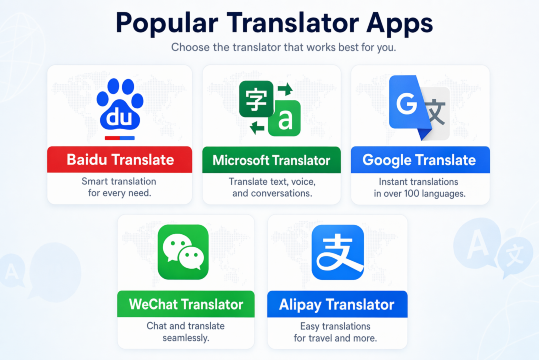
For China travel, prepare more than one translation app. Some apps work without a VPN, while Google Translate may need a VPN to load properly.
App | Best For | Offline Use |
|---|---|---|
Baidu Translate | Daily use, menus, signs, voice translation | Available |
Microsoft Translator | Backup app when internet is weak | Download Chinese Simplified pack |
Google Translate | Strong features if you use VPN | Text and camera packs available |
WeChat Translator | Chat translation and quick messages | Needs data |
Alipay Translator | Menus, signs, payments, travel help | Needs data |
The Reliable Choice: Baidu Translate

Baidu Translate is a useful app for Filipino travelers visiting China. Since it works well with China’s internet system, you do not need to depend on a VPN just to translate signs, menus, or simple phrases. It is helpful when ordering food, asking directions, checking train stations, or talking to taxi drivers and hotel staff.
Key Features
- Camera and photo translation for menus, signs, labels, and packaging
- Voice and conversation mode for simple face-to-face chats
- Offline text packs for backup when data or Wi-Fi is weak
- Phrasebook and translation history for commonly used words
Pros
- Works smoothly in China
- No VPN hassle
- Good for daily travel situations
- Free to use with offline support
Cons
- Some translations may sound too direct
- Camera translation may miss deeper meaning
- The app may show ads or extra links
Best for: Filipino travelers who want a simple and reliable translation app for food, transport, shopping, and everyday communication in China.
The Offline Backup: Microsoft Translator

Microsoft Translator is a useful backup app for Filipino travelers visiting China, especially when Wi-Fi is weak or mobile data is limited. It helps with short text, camera translation, and simple phrases at airports, hotels, restaurants, and train stations. Before your trip, check if the Simplified Chinese offline pack is available on your phone and download it early.
Key Features
- Offline text and camera translation for basic use
- Camera translation for menus, signs, and printed text
- Voice and conversation mode for simple chats when online
- Phrasebook for common travel words and questions
- Favorites or pinned translations for phrases you use often
Pros
- Good backup when internet is unstable
- Easy to use for quick translations
- Helpful for airports, hotels, trains, and restaurants
- Free to download
Cons
- Offline mode may not work for voice or conversation
- Some translations can sound too literal
- Camera translation may miss context or layout
- Best for short and clear sentences
Best for: Filipino travelers who want a simple backup translation app for China, especially for signs, menus, hotel check-ins, and transport situations.
Explore More Flights to China


The Familiar Pick: Google Translate

Google Translate is a familiar app for Filipino travelers, especially if you already use it in daily life. It is helpful for short text, photos, menus, signs, and simple travel phrases. However, Google services may not work smoothly in mainland China without a reliable VPN or roaming data that can access Google. Because of this, download the Simplified Chinese offline pack before leaving the Philippines and use Google Translate as a backup, not your main translation app. Google’s support page confirms that languages can be downloaded for offline use, and camera translation may work after a language is downloaded.
Key Features
- Offline Chinese pack for basic text translation
- Camera translation for menus, signs, and packaging
- Photo upload mode for clearer text translation
- Voice and conversation mode when online
- Tap to Translate for copied text from other apps
Pros
- Easy and familiar to use
- Good for short words and simple sentences
- Useful camera and photo translation
- Free to download
- Good backup app with offline pack
Cons
- May not work online in mainland China without VPN or roaming data
- Voice and conversation features usually need internet
- Offline translation is more limited than online mode
- Some translations may sound too direct
Best for: Filipino travelers who already know Google Translate and want a backup app for menus, signs, short phrases, and basic travel translation in China.
The Daily China Helper: WeChat Translator

WeChat Translator is helpful for Filipino travelers because WeChat is widely used in China for chats, payments, bookings, and local services. It is not a separate translation app, but its built-in translation tool can translate chat messages, posts, and some in-app content. You can also use WeChat’s Scan feature to translate Chinese text from menus, signs, or printed materials. It is best used with mobile data or Wi-Fi, so make sure your internet is ready before going around China.
Key Features
- In-chat translation for Chinese messages
- Scan translation for menus, signs, and printed text
- Useful for WeChat mini programs, bookings, and local services
- Helps with hotel, shop, driver, and tour guide messages
- Built into WeChat, so no need to switch apps often
Pros
- Very useful because many locals and businesses use WeChat
- Easy to translate messages inside the app
- Helpful for payments, bookings, and daily travel chats
- Free to use once WeChat is set up
Cons
- Needs internet to work properly
- Not a full offline translation app
- Account setup and verification should be done before your trip
- Better for WeChat content than long travel documents
Best for: Filipino travelers who will use WeChat in China and need quick translations for chats, bookings, shop replies, menus, and local messages.
Find the Best Hotels in China
 NO.1
NO.1






















































The Payment App Helper: Alipay Translator

Alipay Translator is useful for Filipino travelers because Alipay is widely used in China for payments, transport, ride-hailing, food orders, tickets, and other local services. Overseas travelers can use Alipay’s international version and bind supported international bank cards for payments in China. Alipay also has a built-in translation tool that can help translate Chinese text inside the app and some mini programs, making it easier to book rides, order food, or understand payment pages.
Key Features
- In-app translation for Chinese text
- Floating translation button for some mini programs
- Helpful for Didi rides, food orders, tickets, and bookings
- International version made for overseas travelers
- Can support linked international bank cards
Pros
- Very useful for daily payments in China
- Helps you understand checkout pages before paying
- Reduces the need to switch between apps
- Good for transport, food, shopping, and local services
- Helpful when using Alipay mini programs
Cons
- Needs internet to work properly
- Not a full offline translation app
- Translation works mainly inside Alipay
- Some menu or product translations may sound too literal
- GCash or other Alipay+ wallets are separate payment options, not something you link inside Alipay
Best for: Filipino travelers who plan to use Alipay in China and need help with payments, ride-hailing, food orders, tickets, transport, and Chinese checkout screens.
Recommended eSIMs Options for China

![[Mainland China] 5G | eSIM Internet Card | China Mobile CMLink | 3-15 days optional | Ready to use | Hotspot supported | QR Code](https://ak-d.tripcdn.com/images/0356l12000u7jp518BE61_C_568_320.jpg)
Best App Combination for Filipino Travelers
For a smoother trip to China, do not rely on just one translation app. It is better to use a simple mix of tools for different situations:
Main app: Use Baidu Translate for daily travel needs, such as reading street signs, scanning printed menus, and translating basic phrases.
Backup app: Keep Microsoft Translator or Google Translate with the Simplified Chinese offline pack downloaded before your trip. This helps when your data is weak or Wi-Fi is not available.
Daily helper apps: Use WeChat Translator and Alipay Translator for local chats, hotel messages, digital menus, ride bookings, payment pages, and other in-app services.
With this setup, Filipino travelers can handle food orders, transport, hotels, shopping, and local apps in China more easily.
Essential Checklist Before You Fly to China
Download the apps early: Install Baidu Translate, Microsoft Translator, Google Translate, WeChat, and Alipay before your flight. WeChat and Alipay account setup can take time, especially for verification.
Download offline packs: Open Baidu, Microsoft Translator, or Google Translate and download the Simplified Chinese offline language pack. This is useful when your internet is weak.
Link your cards: Add your Philippine credit or debit card to Alipay so you can pay for rides, food, tickets, and other local services more easily.
Prepare your internet: Make sure your roaming plan, travel eSIM, or pocket Wi-Fi is ready before arrival. WeChat and Alipay translation features need mobile data or Wi-Fi to work properly.
Save common phrases: Keep simple phrases ready, such as “How much?”, “Where is the toilet?”, “I do not eat pork”, and “Can you help me?” This can save time in real travel situations.
FAQs About Best Translation App for China
-
What is the best translation app for China?<br>
-
Can I use Google Translate in China?<br>
-
Do I need internet to use translation apps in China?<br>
-
Which app is best for menus and signs?<br>
-
What translation setup is best for Filipino travelers?<br>
Trending Searches
-
Popular Content
-
Top Flight Links
-
Popular Hotels
-
Popular Things to Do
-
Featured guides
-
Trip.com links
- Trip.com E-Ticket
- Trip.com Payment Methods
- Trip.com Passport Change
- Trip.com Customer Service
- Trip.com Flight Cancellation
- Trip.com VIP Lounge Access
- Trip.com Phone Number
- Trip.com Check In
- Payment Sale
- Trip Coins
- Trip.com Hotel Refund
- Trip.com Cancellation Policy
- Trip.com Ticket Issued Status
- Trip.com Flight Ticket
- Trip.com Membership
- Trip.com E-Receipt
- Trip.com Seat Selection
- Trip.com Baggage Allowance
- Trip.com Flight Change
- Trip.com Reviews
- Flights from Manila to Hong Kong
- Flights from Manila to Cebu
- Flights from Manila to Iloilo City
- Flights from Manila to Tagbilaran
- Flights from Manila to General Santos
- Flights from Cebu to Manila
- Flights from Bacolod to Manila
- Flights from Manila to Tokyo
- CA986 Flight Status
- EK2521 Flight Status
- 5J187 Flight Status
- PR431 Flight Status
- PR741 Flight Status
- MH709 Flight Status
- 5J582 Flight Status
- Hotels near 72 wonder tower
- Hotels near Mactan–Cebu International Airport
- Hotels near Fenghuang Ancient Town
- Hotels near Greenland Xindu East Coast Times Square South Area
- Hotels near Changbai Mountain Beauty Pine International Sculpture Park
- Shiji Qingteng Capsule Hotel (T3 Terminal)
- Bangkok-Pratunam Hotel
- Alta Vista de Boracay
- De Mani Hotel
- Shangri-La Resort
- Hotels in Fenghuang County
- Hotels in Davao City
- Hotels in North Jakarta
- Hotels in Moscow
- Hotels in Seoul
- Philippines 5G eSIM | Dual Network • All AI & TikTok | Day Pass/Total Data Package | 24-Hour Billing | 1-30 Days | QR Code
- Private Mutianyu Great Wall Trip With English-speaking Driver
- Vietnam Airport VIP Fast Track Service
- Bangladesh Dhaka DAC Hazrat Shahjalal International Airport T1 terminal international departure IBalaka Executive Lounge international departure lounge experience
- Vietnam | 4G/5G eSIM | Daily/Data Plan | 24-hour Billing | 1-30 Days | QR code
- Huanglongjiuzhai Railway Station - Jiuzhaigou National Park shuttle bus · private charter optional
- Lantau Island Ngong Ping 360 round-trip cable car admission ticket with priority boarding + one-way urban area transfer
- European universal 5G/4G eSIM | Multi-network support, supports All AI & TikTok | 500MB/day - 50GB total | 1-90 days | 24-hour billing | QR code
- Forbidden City, Panda House & Royal River Cruise Private Tour
- From Split: Blue Cave and Hvar Group Tour by Luxury Boat
- Mount Hua Private Day Tour with Optional 2-way Cable Car: West Peak Up & North Peak Down
- Zhangjiajie Grand Canyon + Glass Bridge Day Tour All-Inclusive | Get Close to Nature and Adventure at High Altitude
- Balinese Healing Ritual, Stimulating Blood Circulation
- Andretti Indoor Karting and Games
- Udawalawe Safari