How to Book a Flight for Someone Else: Easy Step by Step Guide

By Trip.com
April 8, 2026
Booking a flight for someone else is common, especially for family or friends. Just make sure their details match their passport or ID. You handle the booking on Trip.com, and they just show up and travel.
Can You Book a Flight for Someone Else?
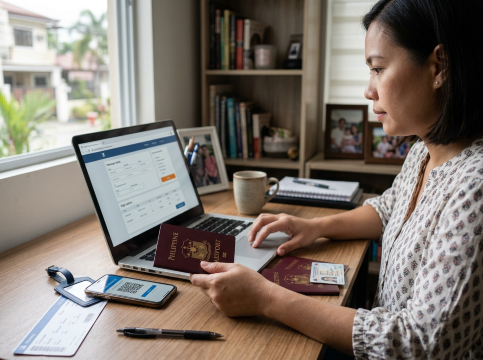
Yes, you can. Many people do this for family, friends, or even work trips.
Just make sure all the details are correct. The name, date of birth, and passport or ID must be exactly the same as the traveller’s documents.
The passenger will show their ID at the airport, but you can use your own email and card when booking.
Booking Flight Tickets for Someone Else Online
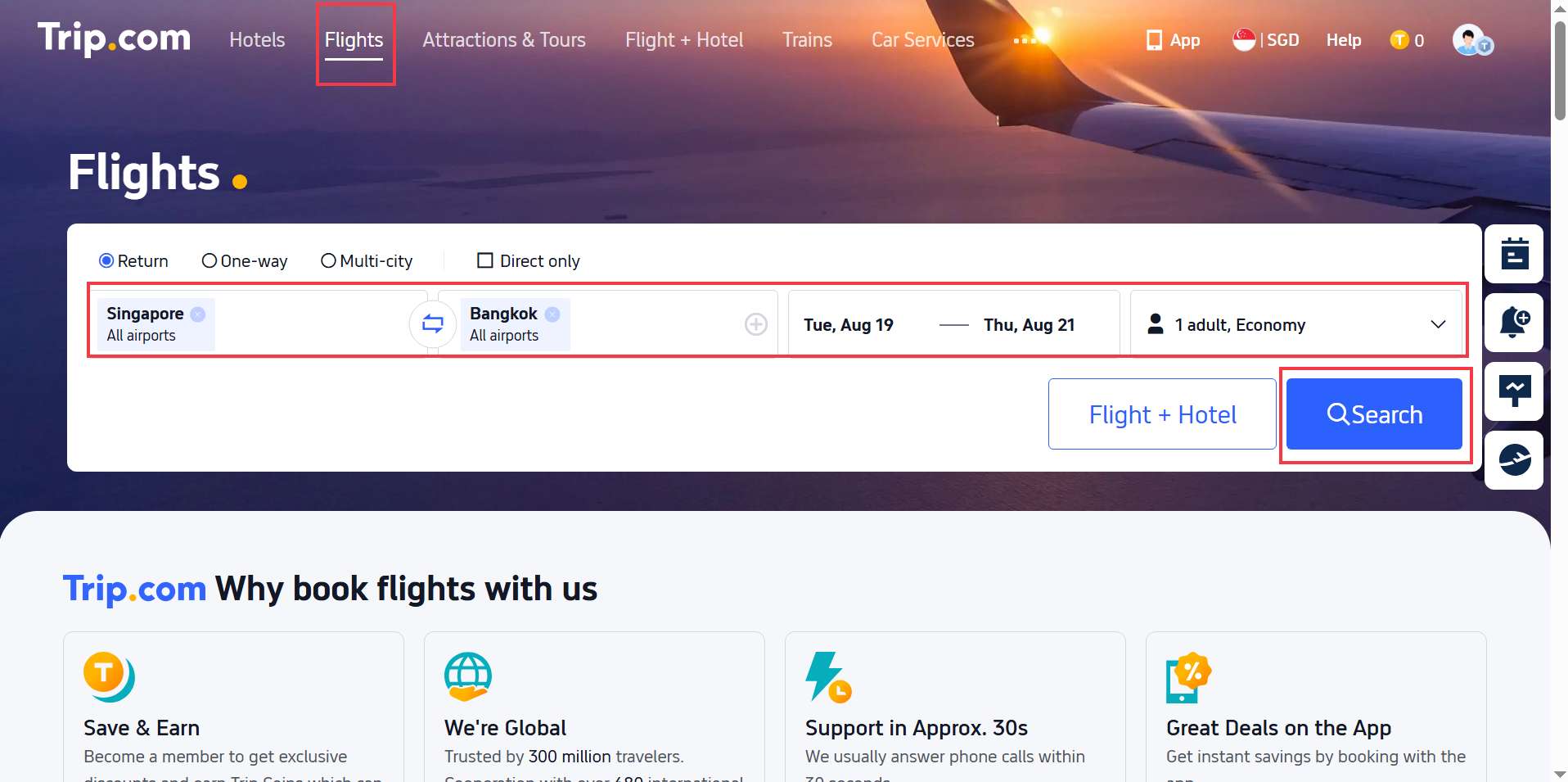
Search flights on Trip.com as usual. Booking for another person is almost the same as booking for yourself. You just need to make sure their details are correct.
Here’s how it works on Trip.com:
- Search for Flights: Enter the destination, dates, and number of passengers as usual.
- Select a Flight: Compare airlines, timings, and prices, then choose the option that fits best.
- Enter Traveller Details: Add the passenger’s full name, date of birth, and passport or ID exactly as shown on their documents.
- Add Your Contact Info: Use your own email or phone number so you can receive booking confirmations and updates.
- Make Payment: Pay securely using your own card, even if you are not travelling.
- Share the Itinerary: Send the confirmation email or e-ticket to the traveller so they are ready for check-in.


Things to Keep in Mind When Booking for Others
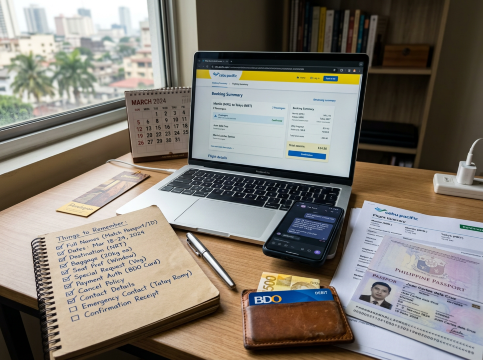
When you book a flight for someone else, a few small details can really affect their trip:
Accurate passenger details: Make sure the name, date of birth, and passport or ID match exactly. Even one wrong letter can cause problems at check-in.
Payment rules: You can usually pay with your own card, but some airlines may ask for the cardholder’s ID at the airport. It’s better to check first.
Travel documents: Visa, entry requirements, or vaccines depend on the traveller. Even if you book the ticket, they still need to prepare these.
Contact information: You can use your email or phone if you want to manage everything, or use theirs if they want to receive updates directly.
Baggage and extras: Check baggage allowance, seats, and meals ahead of time so they don’t get surprised at the airport
 NO.1
NO.1
























































Booking for Family, Friends, and Business Trips
Family and Friends: Usually more relaxed.
You can use your own email and phone number, then just send them the ticket after booking. This is common when helping parents, kids, or even giving a flight as a gift.
Business Colleagues: More formal setup.
Companies often use one email for bookings, keep records for expenses, and may book for several people at once. Here, details need to be correct and communication should be clear.
Managing Your Flight Booking

Once the ticket is booked, you might still need to handle changes or updates for the traveller. Trip.com makes it easy to manage everything:
View and edit bookings: Log in to your account and go to My Trips to check details or update the booking.
Change or cancel flights: Select the booking and follow the steps to change dates or request cancellation. Fees may apply depending on the ticket.
Check flight status: See updates for delays, cancellations, or gate changes on the app or website.
Manage extras: Add baggage, choose seats, or include travel insurance if needed.
Share updates: Send the ticket or updates to the traveller so they stay informed.
Booking for someone else is simple on Trip.com. You can handle everything in one place, whether it’s for family, friends, or work.
Need Help?
📱 Enjoy app-only deals and a new user package with special offers on hotels, trains, attractions, and airport transfers.
FAQs About Booking Flights for Others
-
Can I book a flight for someone else using my account?<br>
-
Do I need to travel with the person I booked for?<br>
-
Can I use my own credit card to pay?<br>
-
What happens if I enter the wrong name?<br>
-
Will the traveller receive the ticket?<br>
Trending Searches
-
Popular Content
-
Top Flight Links
-
Popular Hotels
-
Popular Things to Do
-
Featured guides
-
Trip.com links
- Trip.com E-Ticket
- Trip.com Payment Methods
- Trip.com Passport Change
- Trip.com Customer Service
- Trip.com Flight Cancellation
- Trip.com VIP Lounge Access
- Trip.com Phone Number
- Trip.com Check In
- Payment Sale
- Trip Coins
- Trip.com Hotel Refund
- Trip.com Cancellation Policy
- Trip.com Ticket Issued Status
- Trip.com Flight Ticket
- Trip.com Membership
- Trip.com E-Receipt
- Trip.com Seat Selection
- Trip.com Baggage Allowance
- Trip.com Flight Change
- Trip.com Reviews
- Flights from Manila to Hong Kong
- Flights from Manila to General Santos
- Flights from Manila to Iloilo City
- Flights from Manila to Tagbilaran
- Flights from Manila to Cebu
- Flights from Bacolod to Manila
- Flights from Cebu to Manila
- Flights from Manila to Tokyo
- CA986 Flight Status
- EK2521 Flight Status
- 5J187 Flight Status
- PR431 Flight Status
- PR741 Flight Status
- MH709 Flight Status
- 5J582 Flight Status
- Hotels near 72 wonder tower
- Hotels near Mactan–Cebu International Airport
- Hotels near Greenland Xindu East Coast Times Square South Area
- Hotels near Fenghuang Ancient Town
- Hotels near Manila Central University
- Shiji Qingteng Capsule Hotel (T3 Terminal)
- De Mani Hotel
- Alta Vista de Boracay
- Orange Hotel (Wangfujing, Wenhua Road, Baotou)
- Shangri-La Resort
- Hotels in Fenghuang County
- Hotels in Hong Kong
- Hotels in Davao City
- Hotels in North Jakarta
- Hotels in Moscow
- Philippines 5G eSIM | Dual Network • All AI & TikTok | Day Pass/Total Data Package | 24-Hour Billing | 1-30 Days | QR Code
- Private Mutianyu Great Wall Trip With English-speaking Driver
- Vietnam | 4G/5G eSIM | Daily/Data Plan | 24-hour Billing | 1-30 Days | QR code
- Taoyuan International Airport | Terminal 2 VIP Lounge Service | Oriental Club Lounge
- Sofitel Macau at Ponte 16 Buffet | Mistral Restaurant Lunch/Dinner Buffet
- Mainland China/Hong Kong/Macau 5G eSIM | 5 Carriers · All AI | Day Pass/Total Data Package | 24-Hour Billing | QR Code
- Huanglongjiuzhai Railway Station - Jiuzhaigou National Park shuttle bus · private charter optional
- Mutianyu Great Wall Day Trip & Includes Chairlift/Toboggan Ticket / Private Car Rental Available for 2 People or More
- Private Day Tour to Leshan Giant Buddha
- Montepulciano: Tuscan Winery Tour and Halloween Dinner
- Luberon Market & Villages from Aix
- From Málaga: Marbella, Mijas y Puerto Banús Guided Tour
- Queenstown: Ticket for 4 Indoor Skydiving Flights
- Chongqing, China #motorcycle motorcycle guidance photo shoot + cinematic video
- Angkor Temples Sunset Tour with Guide and transfers from hotel with Group/ Private options
- Mothers Day Gifts
- eSIM
- Hong Kong International Airport
- International Driving Permit
- Toronto Pearson International Airport
- Universal Studios Singapore
- Great Wall of China
- UK ETA
- Narita International Airport
- China Currency
- Changi Airport
- Schengen Visa
- Singapore MRT Map
- France Visa
- Ninoy Aquino International Airport