
China eSIM with VPN - 5G Unlimited High Speed SIM

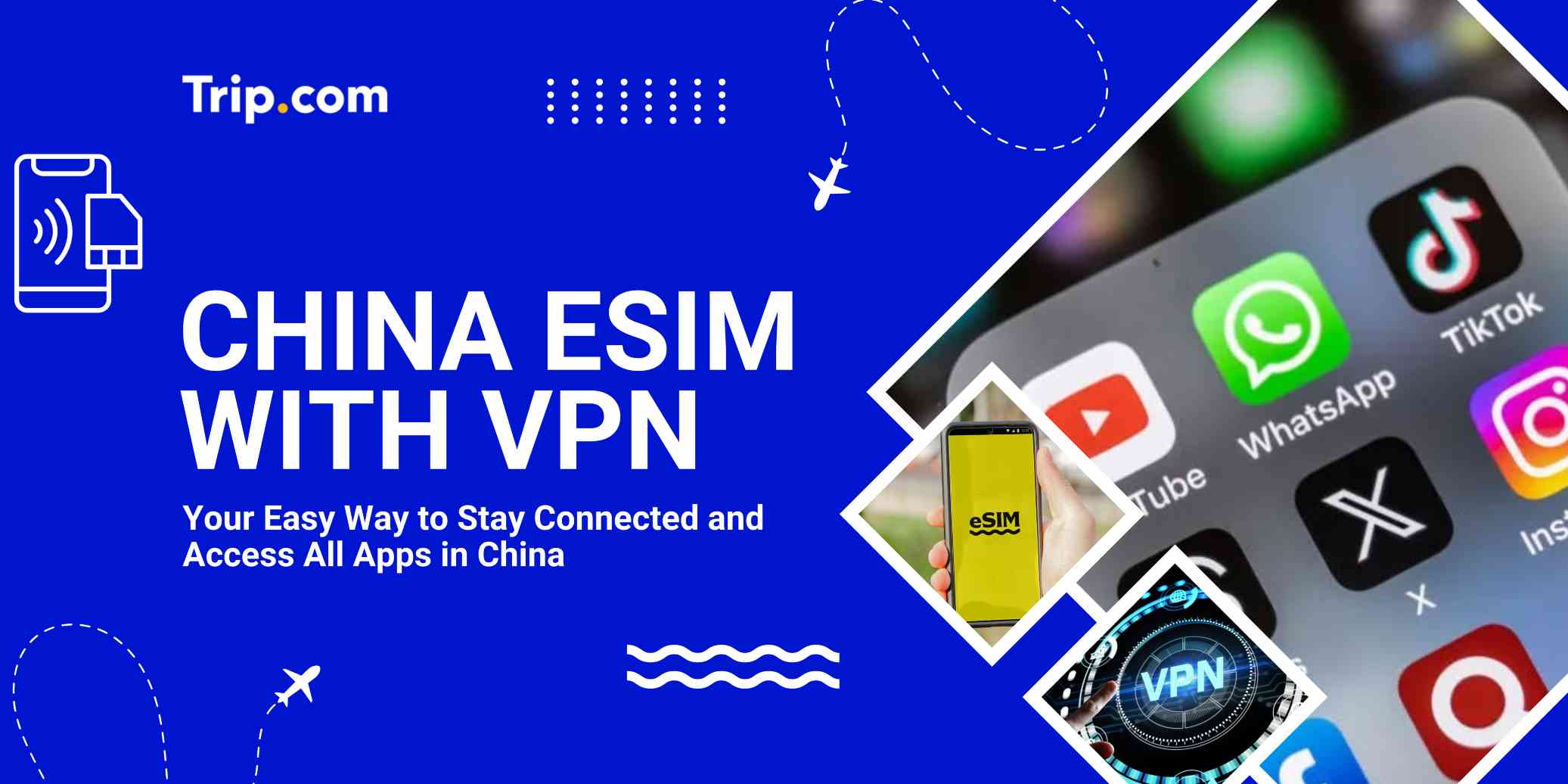
Traveling to China can feel tricky when your usual apps like Google, WhatsApp, and Instagram don’t work, but a China eSIM with built-in VPN makes things simple. From my experience, it’s the easiest way to stay connected without stress, just install before your trip, land, and your data works right away with access to blocked apps. No need to buy a SIM at the airport or figure out VPN setup later, everything is ready so you can focus on your trip.
Use Google and WhatsApp in China Easily

Using a travel eSIM with built-in VPN is the easiest way to access apps like Instagram, WhatsApp, Google, and Gmail in China. Once activated, it usually works immediately because your data is routed outside China.
Important to know:
- Not all eSIMs work. Choose one that supports global roaming or VPN access.
- Install and activate before your flight.
- Turn on data roaming for the eSIM only.
Backup plan:
- Hotel WiFi is restricted, so apps may stop working.
- Install a backup VPN like Astrill VPN or LetsVPN before your trip.
Local Apps You Still Need
Local apps make daily travel in China much easier:
- Use Alipay for payments. You can link your international card and pay almost everywhere.
- Use WeChat for messaging, bookings, and some payments.
- Use Amap for accurate maps. Directions are more reliable for local travel.
Recommended eSIMs Options for China
 1976081 booked
![[Mainland China] 5G | eSIM Internet Card | China Mobile CMLink | 3-15 days optional | Ready to use | Hotspot supported | QR Code](https://ak-d.tripcdn.com/images//0580j12000n1ddzf21240_C_568_320.jpg)
Which Apps Work with China eSIM with VPN?

A good China eSIM with built-in VPN lets you use most international apps smoothly, but a few apps behave differently in China. Here’s the updated, real situation:
Apps That Work Well
These apps usually work without issues because your data is routed outside China:
- Social Media: Instagram, Facebook, X (Twitter), Threads
- Messaging: WhatsApp (calls included), Telegram, Line
- Productivity: Google Search, Gmail, Google Drive, Slack, Microsoft Teams
- AI Tools: ChatGPT, Claude, Gemini
Apps That May Have Issues
These apps work, but you may face small problems:
- TikTok: May not load properly because it detects your location. If this happens, try using it on a browser instead of the app.
- Google Maps: Can load, but location and directions are not accurate due to map differences in China.
Things to Know
- Netflix: Works, but content depends on your eSIM region (for example Hong Kong library).
- Avoid turning on a separate VPN when using local apps like Alipay or WeChat because it may cause errors or slow loading.
China eSIM with Built-in VPN or SIM + VPN: Which to Choose?
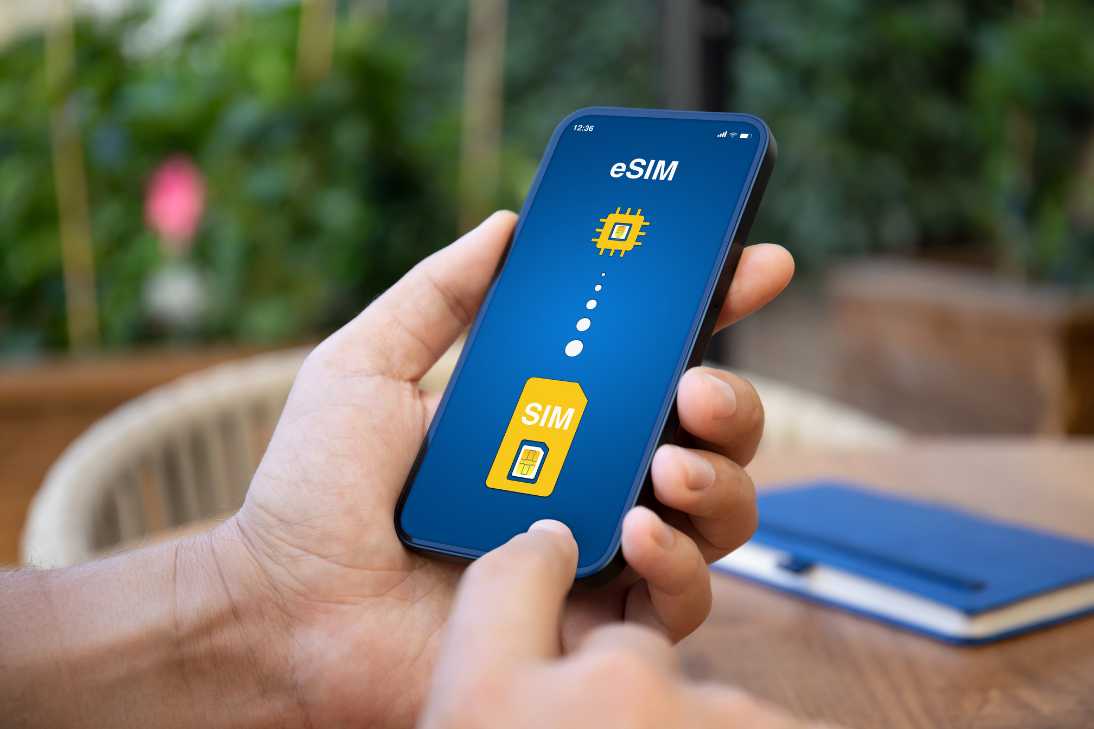
Choosing between these two really comes down to easy setup vs full local access. Here’s the updated and corrected comparison based on real use in China:
eSIM with Built-in VPN | Criteria | Physical SIM + VPN |
|---|---|---|
Very fast: Buy online, scan QR, ready in minutes | Setup Time | Slower: Buy in store, need passport |
Automatic: No VPN app needed, works once connected | Unblocking | Manual: Must turn on VPN app every time |
No | Local Number | Yes, useful for SMS codes and some apps |
More stable: Less likely to disconnect | Stability | Less stable: VPN can drop or slow down |
Mid-range: All-in-one pricing | Cost | Cheaper long-term, but extra cost for VPN |
Good 4G/5G, enough for daily use | Speed | Faster and lower latency on local network |
China eSIM with VPN: Top Providers and Real Reviews
If you’re flying from the Philippines, your setup is a bit different. You’ll want stable data, easy payment (GCash/Maya), and still keep your PH SIM active for OTP.
1. Trip.com (Best Overall)

From experience, this is the easiest and most sulit option.
- Pay using GCash or Maya
- Stable connection across China
- Easy setup inside the app
- Good for both short and long trips
Best for: Most Filipino travelers
2. Jetpac (Best Value)

Good if you want cheaper data plans.
- Lower cost per GB
- Sometimes includes VPN and travel perks
- Works well in major cities
Best for: Budget travelers
3. Airalo (Safe Choice)

Reliable but usually more expensive.
- Easy to use
- Works in many countries
Best for: If you already use it for other trips
Find the Best Hotels in China























































How to Check If Your Phone Supports China eSIM

This is the most important step. Even the best eSIM will not work if your phone is not compatible or still locked to Globe or Smart. You need to check two things: eSIM support and network lock.
1. Check eSIM Support (EID)
Fast way:
- Dial *#06#
- If you see an EID number, your phone supports eSIM
- No EID means no eSIM
Other way:
- iPhone: Settings > General > About > look for EID
- Android: Settings > About Phone > Status > check EID
2. Check if Your Phone is Locked
Even if you have EID, your phone may still be locked.
For iPhone:
- Go to Settings > General > About
- Check “Carrier Lock”
- If it says No SIM restrictions, you are good
- If it says SIM locked, eSIM will not work
For Android:
- Go to Settings > Network or Mobile Networks
- Try turning off auto network selection
- If you can see other networks, it is likely unlocked
Simple trick:
- Insert a different SIM (Globe vs Smart)
- If it works, your phone is unlocked
3. How to Unlock (PH Users)
- If your contract is done, Globe or Smart can unlock your phone
- Request through their app or support, usually takes 1 to 2 days
- If still under contract, unlocking is usually not allowed
Alternative:
Use roaming instead, but it is more expensive
How to Install and Use China eSIM with VPN
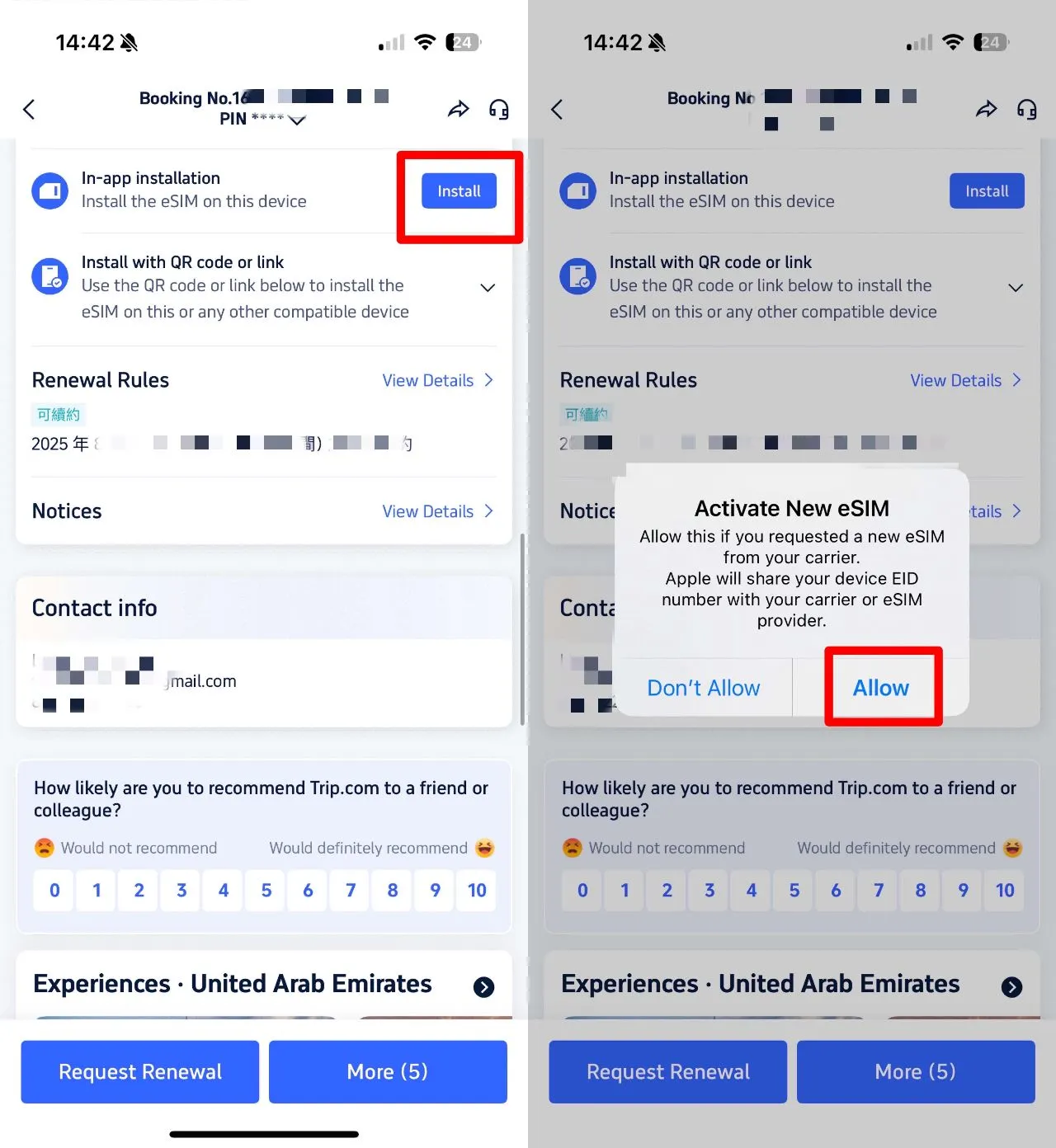
Setting this up properly before you leave the Philippines will save you a lot of stress. Here are the updated steps plus a few important tips for Filipino travelers.
Before Your Flight (Do This in PH)
- Install your eSIM 1 to 2 days before your trip
- Use stable WiFi when installing
- Make sure your phone is unlocked and supports eSIM
- For Trip.com eSIM, QR code works for one device only
💡 Important: Installing does not start your data. It only activates when you connect in China.
How to Install
Option 1: Direct Install (iPhone newer version)
- Open the Trip.com app
- Go to Account → All bookings
- Find your eSIM order
- Tap “Install”
- Follow the steps on screen
Option 2: QR Code (All devices)
- Open your eSIM order and save the QR code
- You can print it or open it on another device
- Go to your phone settings:
- iPhone: Settings → Mobile Service → Add eSIM
- Android: Settings → SIM Manager → Add eSIM
- Scan the QR code
If scanning does not work, enter the SM-DP+ address and activation code from your order manually.
If you are still stuck, your phone may be locked to Globe or Smart and needs to be unlocked first.
When You Arrive in China
Once you land in China, follow this step by step:
- Keep your Globe or Smart SIM ON if you need OTP messages
- Set your mobile data to the eSIM
- Turn ON data roaming for the eSIM
💡 Important Filipino tip:
- Set Default Line (calls/SMS) to your PH SIM
- Set Data to eSIM
- This avoids accidental roaming charges (₱399 or more per day)
If Internet Is Not Working
1. APN Fix (if needed)
- Common APN: cmhk
- iPhone: Settings → Mobile Service → Mobile Data
- Android: Settings → Mobile Networks → Access Point Names → Add
- Restart your phone after setting
2. Weak signal or slow speed
- Turn off automatic network
- Try China Unicom or China Mobile
3. No connection after landing
- Turn Airplane Mode ON for 10 seconds, then OFF
4. Other VPN apps installed
- Turn them OFF to avoid conflict
How to Renew China eSIM
- Your renewal plan will activate automatically after the current plan ends
- No need to scan QR code again
- If your plan includes slow-speed data, it will be used first before switching
- If you want to use another phone, you need to buy a new plan
Explore More Flights to China


About Trip.com’s eSIM Partner Operators

When you use an eSIM from Trip.com, it connects to China’s three major telecom operators. On paper they all look similar, but in real travel situations, each one feels slightly different. Knowing this helps you avoid slow data when you really need it, like booking rides or paying with QR.
China Mobile — The 5G Powerhouse
China Mobile has the strongest 5G coverage in 2026. If you’re using a newer iPhone or Samsung, this is usually the fastest network.
- Very fast speeds in cities and tourist areas
- Good for uploading photos, videos, and using social apps
- Can get congested in crowded places
👉 Real situation: In places like Shanghai malls or popular attractions, it’s fast, but can slow down when too many people are connected
China Unicom — Most Compatible for Foreign Phones
China Unicom is usually the most stable choice for international devices, including phones from the Philippines.
- Better compatibility with older or non-China phones
- More consistent LTE and 5G performance
- Works well across different regions
👉 Real situation: If your phone is not the latest model, this network often feels more reliable
China Telecom — Strong Indoor Coverage
China Telecom is known for better signal indoors and underground.
- Strong signal inside malls, метро stations, and buildings
- More stable in areas with thick walls or lower floors
👉 Real situation: In big malls or underground transport, this network can perform better than others
When and How to Use a VPN in China
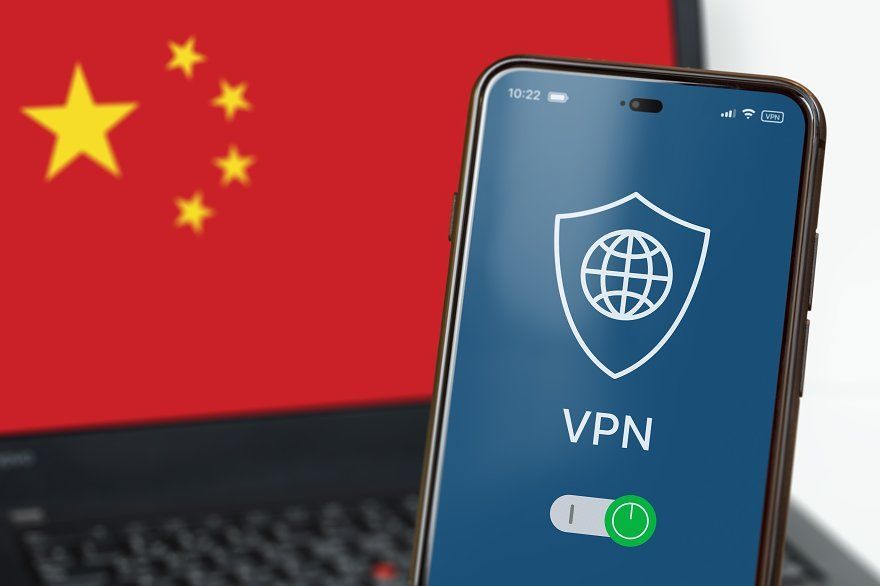
In 2026, using a VPN in China is less about finding the “strongest” one and more about using the right one at the right time. For Filipino travelers, your China eSIM with built-in access is your main solution, and a VPN is your backup tool, especially when you switch to WiFi or use a laptop.
When You Should Use a VPN
1. When using hotel, café, or airport WiFi
Public WiFi in China is restricted. Even if your apps worked earlier using eSIM, they may suddenly stop loading when you connect to WiFi. This is the most common situation where a VPN becomes useful.
👉 Turn on your VPN to access apps like Google, Gmail, WhatsApp, and Instagram
2. If you are using a local China SIM card
If your setup does not include built-in access, most international apps will not work at all.
👉 You need to turn on a VPN every time you want to use blocked apps
3. If you are working or using a laptop
For Filipino travelers who need to check emails, attend meetings, or upload files, especially on a laptop, a VPN becomes important.
👉 It helps stabilize access to work tools like Google Drive or Slack
Best VPN Options for Filipinos
For 2026, not all VPNs work well in China. Many popular ones can be unstable. These two are currently the most reliable:
- LetsVPN
- Best for short trips and simple use
- Very fast connection, usually connects in seconds
- Affordable (around ₱100 per week)
- Works well on mobile phones
- Astrill VPN
- Best for heavy usage and work
- More expensive but very stable
- Has “stealth mode” that works even in stricter networks
- Good for video calls and multiple devices
Important Rule for Payments
When using payment apps like Alipay or WeChat, always remember this:
- Turn OFF your VPN before making any payment
- If your VPN is ON, your location may appear as another country
👉 This can trigger security checks or payment failures
What to Prepare for a Trip to China

Visa & Entry
- Filipinos usually need a tourist visa
- 24-hour visa-free transit works if you’re flying to a third country
- Hainan (Sanya/Haikou) allows visa-free entry for up to 30 days
- Fingerprint requirement is waived until end of 2026
Internet & Access
- Use a China eSIM for easy connection and app access
- Install backup VPN like LetsVPN or Astrill VPN before flying
- Don’t forget PH eTravel form when returning
Payments (Very Important)
- China is mostly cashless
- Use Alipay and link GCash or Maya before your trip
- Turn OFF VPN before paying to avoid account issues
- Bring backup cash around ¥500–¥1,000
Tax Refund Tips
- Spend at least ¥500 in one shop (same day)
- Some malls offer instant refund (around 11%)
- Still need customs stamp at airport before departure
FAQs About China eSIM with VPN
-
Do I need a VPN if I already have an eSIM?
-
Can I use a normal eSIM with a separate VPN?<br>
-
Which eSIM works without installing a VPN app?<br>
-
Can I buy China eSIM with VPN on Trip.com?<br>
-
Is it legal to use eSIM with VPN in China?<br>
Trending Searches
-
Popular Content
-
Top Flight Links
-
Popular Hotels
-
Popular Things to Do
-
Featured guides
-
Trip.com links
- Trip.com E-Ticket
- Trip.com Payment Methods
- Trip.com Passport Change
- Trip.com Customer Service
- Trip.com Flight Cancellation
- Trip.com VIP Lounge Access
- Trip.com Phone Number
- Trip.com Check In
- Payment Sale
- Trip Coins
- Trip.com Hotel Refund
- Trip.com Cancellation Policy
- Trip.com Ticket Issued Status
- Trip.com Flight Ticket
- Trip.com Membership
- Trip.com E-Receipt
- Trip.com Seat Selection
- Trip.com Baggage Allowance
- Trip.com Flight Change
- Trip.com Reviews
- Cheap flights from Manila to Hong Kong
- Cheap tickets from Manila to Tagbilaran
- Cheap tickets from Manila to Iloilo City
- Cheap tickets from Manila to Cebu
- Cheap tickets from Manila to General Santos
- Cheap tickets from Cebu to Manila
- Cheap flights from Bacolod to Manila
- Cheap flights from Manila to Tacloban
- CA986 Flight Status
- 5J187 Flight Status
- PR431 Flight Status
- PR741 Flight Status
- AC076 Flight Status
- 5J582 Flight Status
- Z2093 Flight Status
- Hotels near 72 wonder tower
- Hotels near Mactan–Cebu International Airport
- Hotels near Fenghuang Ancient Town
- Hotels near Greenland Xindu East Coast Times Square South Area
- Hotels near Changbai Mountain Beauty Pine International Sculpture Park
- Shiji Qingteng Capsule Hotel (T3 Terminal)
- Bangkok-Pratunam Hotel
- Shangri-La Resort
- De Mani Hotel
- JI Hotel (Old Town of Lijiang)
- Hotels in Fenghuang County
- Hotels in Davao City
- Hotels in North Jakarta
- Hotels in Moscow
- Hotels in Kuala Lumpur
- Philippines 5G eSIM | Dual Network • All AI & TikTok | Day Pass/Total Data Package | 24-Hour Billing | 1-30 Days | QR Code
- Private Mutianyu Great Wall Trip With English-speaking Driver
- Explore Guilin with Ease: Premium Private Car Service
- Chengdu Departure - Bipenggou Shuttle Bus
- Vietnam | 4G/5G eSIM | Daily/Data Plan | 24-hour Billing | 1-30 Days | QR code
- Vietnam Airport VIP Fast Track Service
- European universal 5G/4G eSIM | Multi-network support, supports All AI & TikTok | 500MB/day - 50GB total | 1-90 days | 24-hour billing | QR code
- Bangladesh Dhaka DAC Hazrat Shahjalal International Airport T1 terminal international departure IBalaka Executive Lounge international departure lounge experience
- Blue cave snorkeling with equipment, optional diving/snorkeling
- Florence Cathedral & Museum: Guided Tour
- ※Xuankong Temple + Yungang Grottoes + Huayan Monastery 1-day tour by private charter
- Suzhou Highlights Private Chartered Tour: Gardens, Temples and Ancient Canals
- Sea fishing with Captain Steve in Kaikoura, South Island, New Zealand
- Bucharest Highlights Audio Tour: Cultural Landmarks and Historic Treasures
- Luoyang palace banquet show | Immerse in the legendary life of empress Wu Zetian while tasting thirteen imperial dishes from the Tang Dynasty - Emperor Wu feast
- Mothers Day Gifts
- eSIM
- Hong Kong International Airport
- International Driving Permit
- Toronto Pearson International Airport
- Universal Studios Singapore
- Great Wall of China
- UK ETA
- Narita International Airport
- China Currency
- Changi Airport
- Schengen Visa
- Singapore MRT Map
- France Visa
- Ninoy Aquino International Airport