
Alipay is one of the easiest ways to pay in China, but Filipino travelers may sometimes experience card declines, missing OTPs, identity verification problems, QR code errors, or payment limits. This guide explains the possible reasons Alipay is not working and what you can do before trying another payment method.
Common Alipay Problems and Quick Fixes
Problem | Possible Cause | What to Do |
|---|---|---|
Payment failed or card declined | Overseas transactions are disabled, the bank blocked the payment, or the card is unsupported | Enable international and online payments, contact your bank, or use another card |
OTP did not arrive | Your Philippine SIM cannot receive messages abroad | Turn on roaming and make sure the SIM registered with your bank is active |
Passport verification failed | Blurry photo, glare, incorrect details, or incomplete face verification | Upload a clear passport photo and check all details carefully |
QR code will not scan | Weak internet, poor camera focus, low screen brightness, or unsupported QR type | Change networks, clean the camera, increase brightness, or ask the merchant for another QR code |
Transaction limit reached | The Alipay account or card issuer has blocked the amount | Check your limits, lower the payment amount, or use another method |
Payment deducted but merchant cannot see it | The transaction is pending or the merchant has not received confirmation | Check the payment status before paying again |
Account temporarily restricted | Alipay detected unusual activity or too many unsuccessful attempts | Stop retrying and contact Alipay through the Help Center |
Explore More Flights to China


Why Alipay Payments Get Declined
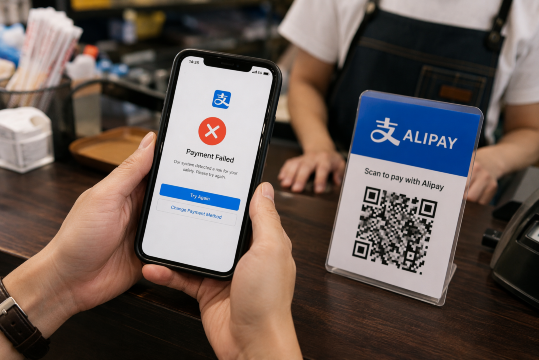
A Philippine-issued card may be successfully added to Alipay but still fail during payment. This usually happens because the card issuer needs to approve the transaction.
Common reasons include:
- International or overseas payments are disabled.
- Online or e-commerce transactions are turned off.
- Your bank blocked the transaction for security reasons.
- The OTP or bank verification was not completed.
- The card details, expiry date, CVV, or billing information are incorrect.
- Your balance or available credit is insufficient.
- The transaction exceeds your bank’s daily or online payment limit.
- The card issuer does not support that merchant or transaction type.
To fix the problem, open your banking app and check whether international and online payments are enabled. Keep your Philippine SIM active because your bank may send an OTP to the mobile number registered with your account.
If the payment is still declined, contact your bank and confirm that you are trying to make a legitimate transaction in China. You can also try another eligible card.
Alipay Passport Verification Failed
Alipay may ask international visitors to complete identity verification, especially when using certain services, requesting higher payment limits, or activating a transport QR code.
If your passport verification fails, check the following:
- Use your original and valid passport.
- Take the photo in a bright place without glare.
- Show the entire passport information page.
- Make sure the passport number, nationality, birth date, and expiry date are correct.
- Enter your name exactly as shown on your passport.
- Remove your hat, mask, glasses, or anything covering your face during face verification.
- Update Alipay before trying again.
Do not continue submitting the same incorrect information. If Alipay tells you to wait before trying again, follow the time shown in the app. For repeated verification problems, open the Alipay Help Center and request assistance.
How to Set Up Alipay for Filipino Travelers
1. Download the Official Alipay App
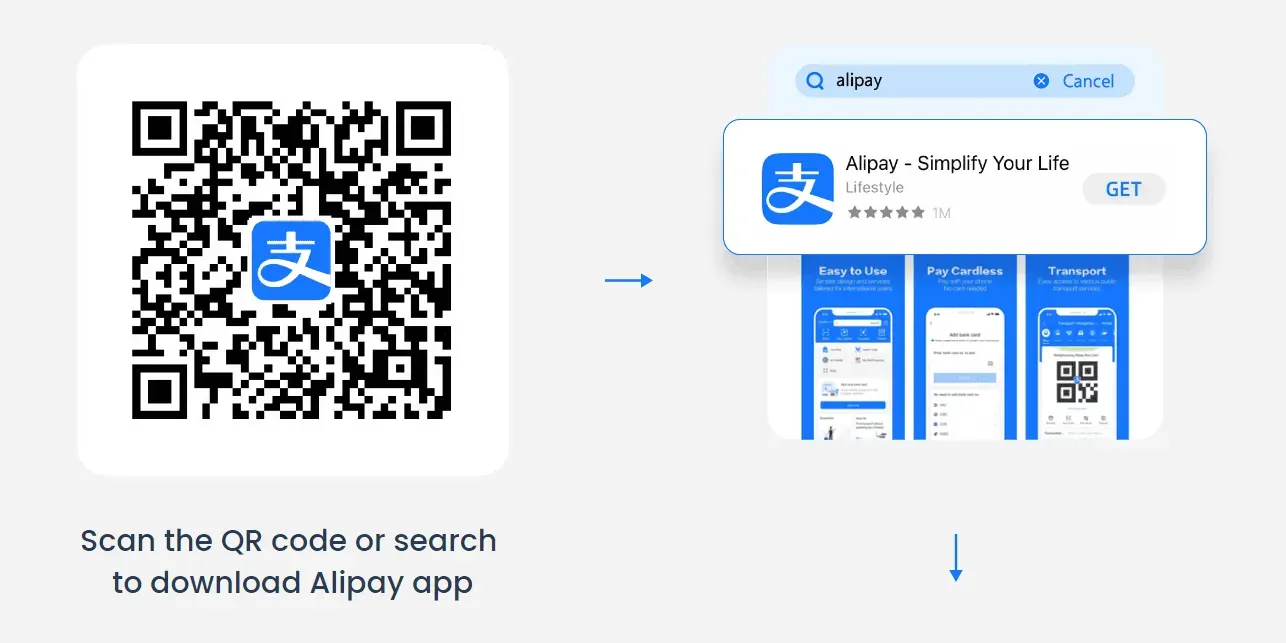
Download Alipay from the Apple App Store or Google Play before leaving the Philippines. Update it to the latest version before your trip.
2. Register Using Your Philippine Number
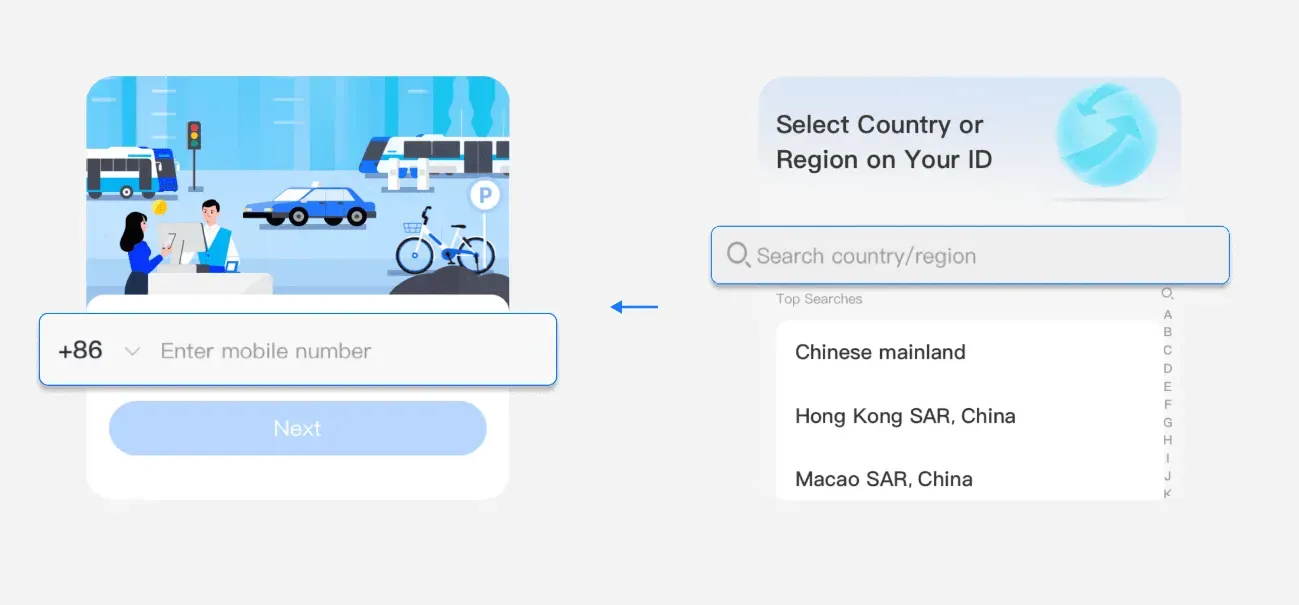
Choose the Philippines country code, +63, and enter an active mobile number. Make sure this number can receive SMS while you are in China.
3. Complete Identity Verification
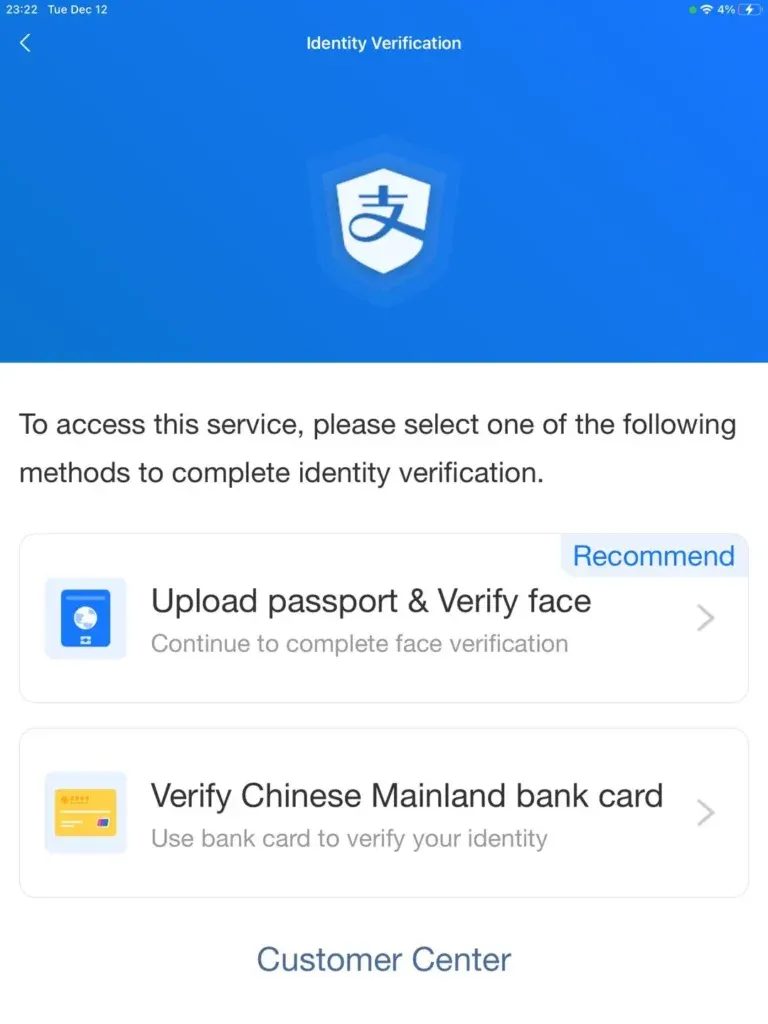
Follow the instructions in the app and prepare your passport. Menu names may change depending on the app version, but you can search for “Identity Information” or “Identity Verification” inside Alipay.
4. Add Your International Card
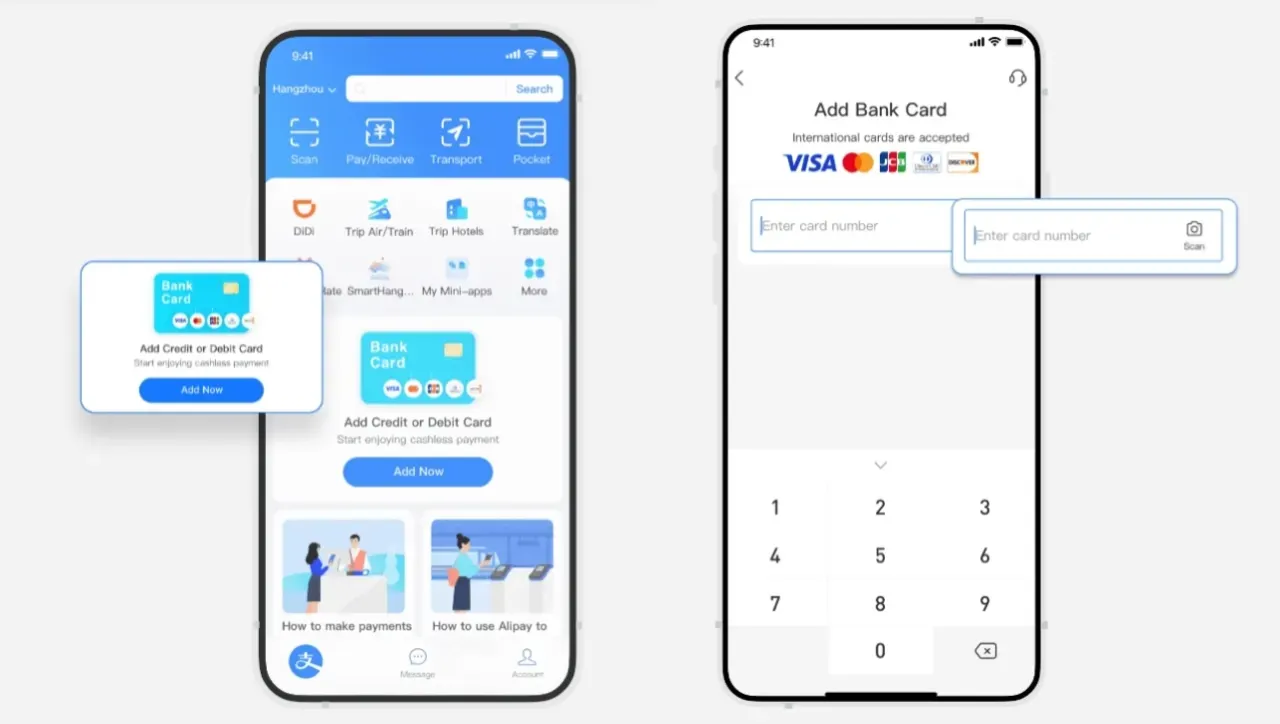
Open Alipay and look for “Bank Cards” or “Add Card.” Enter the card number, expiry date, CVV, and other information requested.
Supported networks can include:
- Visa
- Mastercard
- UnionPay
- JCB
- Diners Club
- Discover
- Eligible American Express cards
Actual eligibility depends on the issuing bank and card type. Some debit, prepaid, business, or third-party-issued cards may not work.
5. Complete Your Bank’s Verification
Your bank may ask you to confirm the card through an OTP, banking app, or another security check. If the verification fails, contact the issuing bank.
6. Make a Small Test Payment
If possible, test Alipay with a small merchant payment before using it for a hotel, tour, or expensive purchase. This gives you time to contact your bank if the card is declined.
Travel Tip: Add two eligible cards from different banks if possible. This gives you another payment option if one bank blocks the transaction.
Find the Best Hotels in China
 NO.1
NO.1






















































Alipay App Not Loading
If Alipay is slow, frozen, or unable to connect, try these steps:
- Switch between mobile data and Wi-Fi.
- Turn airplane mode on for a few seconds, then turn it off.
- Update Alipay to the latest version.
- Close and reopen the app.
- Restart your phone.
- Temporarily disable your VPN if it is affecting the connection.
- Make sure your eSIM or roaming plan has an active data connection.
Public Wi-Fi may be slow or require additional login steps. Mobile data is usually more reliable when making a payment.
Alipay QR Code Not Working
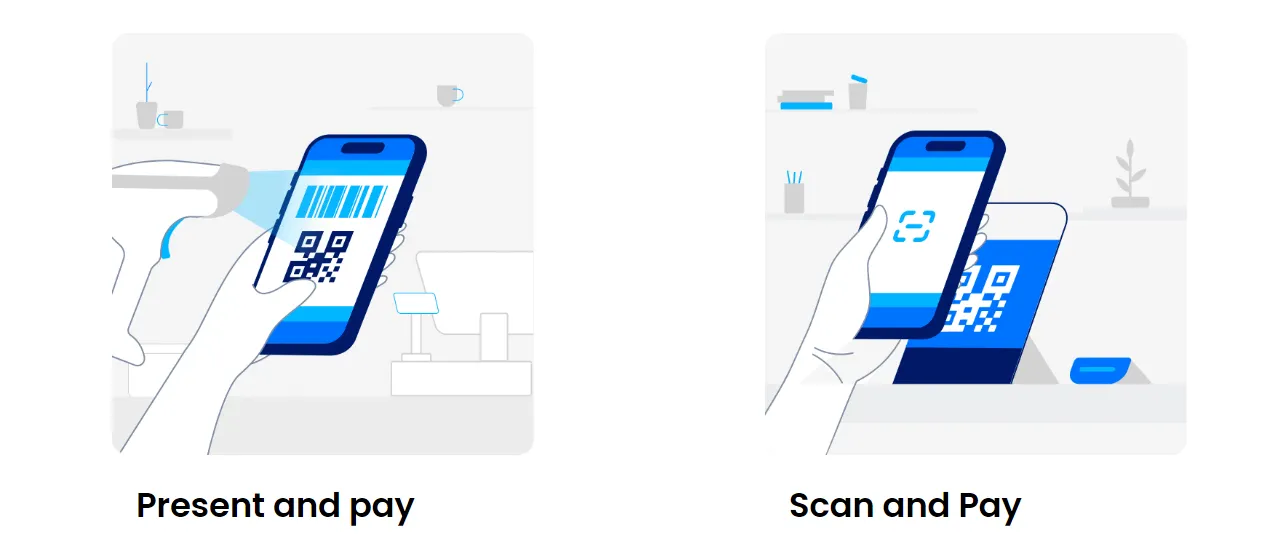
There are two common ways to pay with Alipay:
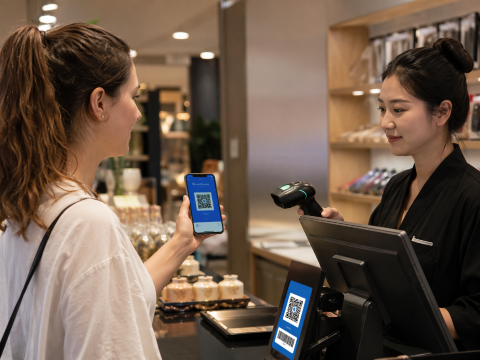
Merchant Scans Your Payment Code
Open the payment code in Alipay and show it to the cashier. Confirm that the correct linked card is selected before the merchant scans it.
If the merchant cannot scan your screen:
- Increase your screen brightness.
- Remove reflections from the screen.
- Refresh the payment code.
- Ask the cashier to scan it again.
You Scan the Merchant’s QR Code
Open “Scan” in Alipay, scan the merchant’s QR code, enter the amount if required, and confirm the payment.
If your foreign card does not appear as a payment option, the QR code may belong to an individual rather than a registered merchant. Foreign-linked cards may not support some personal collection codes or person-to-person transfers. Ask the seller for a merchant Alipay QR code or use another payment method.
Alipay Payment Limits for Foreign Travelers
China’s official guidance states that the mobile-payment cap for overseas visitors was increased to US$5,000 for a single transaction and US$50,000 in cumulative transactions per year.
However, these are general maximum limits. Your actual limit may be lower because of:
- Your Alipay verification status
- Your card type
- Your bank’s daily spending limit
- Your bank’s international transaction limit
- The merchant category
- Alipay’s security checks
Check the amount and any service charge shown on the payment confirmation screen. Your Philippine bank may also apply foreign transaction or currency conversion fees.
If a payment exceeds your available limit, you can:
- Ask the merchant whether a smaller payment is allowed.
- Use another linked card.
- Pay through WeChat Pay, GCash, cash, or a directly accepted bank card.
- Book high-value hotels, trains, attractions, or transfers online before arriving.
Payment Deducted but the Merchant Did Not Receive It
Do not pay a second time immediately. First, open your Alipay transaction history and check the status.
- Successful: Show the payment record and transaction number to the merchant.
- Pending or processing: Wait for the final result before trying again.
- Failed: Check whether the amount was actually charged or only temporarily held by your bank.
- Refunding: Wait for the refund to be processed by Alipay and your card issuer.
Take a screenshot of the transaction details and keep the order number. If the issue remains unresolved, contact the merchant and Alipay support.
- One way
- Round-trip
- Cheapest nonstop
 MNL8:40 PM2h 30mNonstopHKG11:10 PMManila - Hong Kong|Mon, Nov 30|HK ExpressNZD 118NZD 18034% offSearch34% offNZD 180NZD 118
 - MNL8:40 PM2h 30mNonstopHKG11:10 PMManila - Hong Kong|Wed, Nov 25|HK ExpressNZD 121NZD 18033% offSearch33% offNZD 180NZD 121
- MNL2:20 AM2h 30mNonstopHKG4:50 AMManila - Hong Kong|Wed, Nov 18|HK ExpressNZD 132NZD 18027% offSearch27% offNZD 180NZD 132
- MNL2:20 AM2h 30mNonstopHKG4:50 AMManila - Hong Kong|Sat, Nov 7|HK ExpressNZD 136SearchNZD 136
- MNL2:20 AM2h 30mNonstopHKG4:50 AMManila - Hong Kong|Fri, Nov 6|HK ExpressNZD 138SearchNZD 138
- MNL8:40 PM2h 30mNonstopHKG11:10 PMManila - Hong Kong|Wed, Nov 11|HK ExpressNZD 156SearchNZD 156
 MNL13:002h 30mNonstopHKG14:00Manila - City|Mon, Sep 6|Normal AirlineFind more flightsFind more flights
What to Use When Alipay Is Not Working
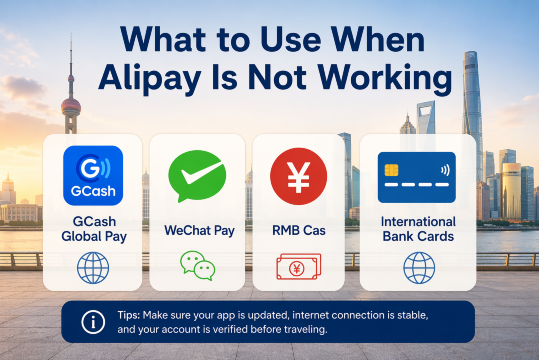
GCash Global Pay
Fully verified GCash users can pay at participating Alipay+ merchants in China.
To use it:
- Open GCash.
- Tap the QR option.
- Scan the participating merchant’s Alipay+ QR code.
- Check the amount and currency conversion.
- Confirm the payment.
Look for the Alipay+ logo at the cashier. GCash will not work with every Alipay QR code, so confirm that the merchant accepts Alipay+.
WeChat Pay
WeChat Pay also allows eligible international visitors to link supported overseas cards. It can be a useful backup if Alipay is unavailable, although approval still depends on the card issuer and merchant.
RMB Cash
Carry a small amount of Chinese yuan for emergencies. You can withdraw RMB from an ATM displaying your card network’s logo, although withdrawal support and fees vary.
Small notes are useful for buses, local shops, ticket counters, and places where mobile payment is unavailable.
International Bank Cards
Major hotels, department stores, shopping malls, airports, and some tourist attractions may accept international cards directly. Smaller restaurants, taxis, markets, and local shops may not have foreign-card terminals.
Recommended eSIMs Options for China


![[Mainland China] 5G | eSIM Internet Card | China Mobile CMLink | 3-15 days optional | Ready to use | Hotspot supported | QR Code](https://ak-d.tripcdn.com/images/0356l12000u7jp518BE61_C_568_320.jpg)
How to Contact Alipay Support
For problems involving identity verification, account restrictions, payment status, refunds, or linked cards, use the Help Center inside the Alipay app.
Official Alipay customer service numbers:
- Within China: 95188
- From overseas: +86 571 95188
Contact your card issuer instead if the error involves:
- A declined card
- Missing OTP
- International payments
- Online payment limits
- Foreign transaction fees
- Bank security restrictions
Alipay cannot override a payment declined by your bank.
Alipay Checklist Before Flying to China
Before leaving the Philippines:
- Download and update Alipay.
- Register using your active +63 mobile number.
- Complete identity verification if requested.
- Add at least one eligible international card.
- Enable international and online payments.
- Keep your Philippine SIM active for OTPs.
- Fully verify your GCash account.
- Prepare WeChat Pay as another backup.
- Carry a small amount of RMB cash.
- Arrange a reliable China eSIM or roaming plan.
- Save your bank’s international customer service number.
FAQs About Alipay Not Working in China
-
Can Filipino travelers use Alipay in China?
-
Do I need a Chinese bank account?
-
Can I use GCash in China?
-
Why can’t I pay a small vendor with Alipay?
-
Does Alipay work with a China eSIM?