eSIMs for South Korea

Stay connected in South Korea for less than PH21.15 per day.

Recommended eSIMs Options for South Korea Travel!

1GB 3 Days

  • Data1GB Daily
  • Validity3 Days
  • PriceFrom PHP102.12

1GB 5 Days

  • Data1GB Daily
  • Validity5 Days
  • PriceFrom PHP148.92

1GB 7 Days

  • Data1GB Daily
  • Validity7 Days
  • PriceFrom PHP209.19

2GB 3 Days

  • Data2GB Daily
  • Validity3 Days
  • PriceFrom PHP153.17

2GB 5 Days

  • Data2GB Daily
  • Validity5 Days
  • PriceFrom PHP246.06

2GB 7 Days

  • Data2GB Daily
  • Validity7 Days
  • PriceFrom PHP344.63

🔥 Unlock an Extra 5% Off – Available for New Users Only!

Enjoy an additional 5% off with our promo code on attraction tickets, eSIMs, and tours!

📅 Offer valid from 1 Jan 2025 to 30 Jun 2025

⏳ Redeem within 3 days after claiming

Need other flexible options? Customise & select from our featured South Korea eSIMs products!

South Korea 5G eSIM

  • CoverageSouth Korea
  • Data500M to 50GB
  • Validity1 to 30 Days
  • PriceFrom PHP21.28
  • Reviews (4.6 ★)2,283 reviews
  • Bookings59K+ bookings

South Korea 5G/4G eSIM

  • CoverageSouth Korea
  • Data500M to 50 GB
  • Validity1 to 30 Days
  • PriceFrom PHP21.15
  • Reviews (4.6 ★)1,703 reviews
  • Bookings54K+ bookings

South Korea eSIM 5G

  • CoverageSouth Korea
  • Data1GB to 30GB
  • Validity1 to 30 Days
  • PriceFrom PHP26.52
  • Reviews (4.5 ★)282 reviews
  • Bookings3K+ bookings

Why buy eSIM with Trip.com?

✔ High-Speed, Generous Data (5G)

With Trip.com's eSIM, access high-speed 5G data wherever available. Stay connected with generous data allowances, perfect for streaming, browsing, and working on the go.

✔ Keep Your Original Phone Number

Maintain your original phone number while traveling. eSIM allows you to stay reachable on your primary number, ensuring you never miss an important call.

✔ Instant Activation

Activate your eSIM immediately upon purchase and start using data right away after you land. No need to visit a store or wait for for delivery.

✔ No Contracts, 100% Prepaid

Our eSIM plans are 100% prepaid with no long-term contracts. Enjoy the freedom to choose and change your plan without any hidden fees or commitments.

✔ Flexible Plan Options

Choose from a wide variety of data plans and durations that suit your travel needs. Whether you need data for a few days or an entire month, Trip.com has you covered.

✔ Affordable & Clear Pricing

Save on roaming charges with Trip.com's competitively priced eSIM plans. Enjoy clear and straightforward pricing with no surprise fees.
When I travel to Korea, I always use an eSIM because it saves me from high roaming costs and the trouble of buying a SIM at the airport. I set it up before my flight, and once I land, I already have internet. It makes everything easy, from messaging on KakaoTalk to checking directions on Naver Maps, so I can move around without stress.

❤️Pro Tip: When planning your visit, consider booking flights to South Korea and South Korea hotels in advance to secure the best rates.

What is an eSIM?

An eSIM is a digital SIM that lets you connect to a local network in Korea without using a physical card. You can activate it on your phone in just a few minutes before your trip, so there’s no need to line up at the airport or change SIM cards. Once you land, you already have fast and stable data, which helps you avoid expensive roaming and makes it easier to stay connected while exploring Korea.

🎉 Pro Tip: Flying to or from the Philippines? Complete eTravel Philippines registration online before your flight for faster airport processing.

eSIM vs SIM Card vs Roaming in South Korea (2026)

Not sure what to use when you land? Here’s the real situation based on how people actually travel now:

Feature

Global eSIM (Airalo, MobiMatter)

Local eSIM / SIM (SKT, KT, LG U+)

Roaming

Setup

Instant. Install before flight, no ID needed

Need passport registration (online or at airport)

Automatic

Cost

Low. Around ₱150–₱600 for basic data

Better value. Around ₱700–₱2,000 for unlimited 5G

Very expensive. Around ₱500–₱800 per day

Local Number

No (data only)

Yes (+82 number included)

No

Speed

Good. Mostly 4G or some 5G

Best. Full 5G speed in Korea

Depends on your carrier

Convenience

Very easy, no queue

Need setup or queue if buying onsite

Easiest but costly

Best For

Short trips, light usage

Longer trips, heavy usage

Emergency only

🎁 Book Cheap Flights with Trip.com | Best Hotel Deals in South Korea | Buy a South Korea eSIM in Advance

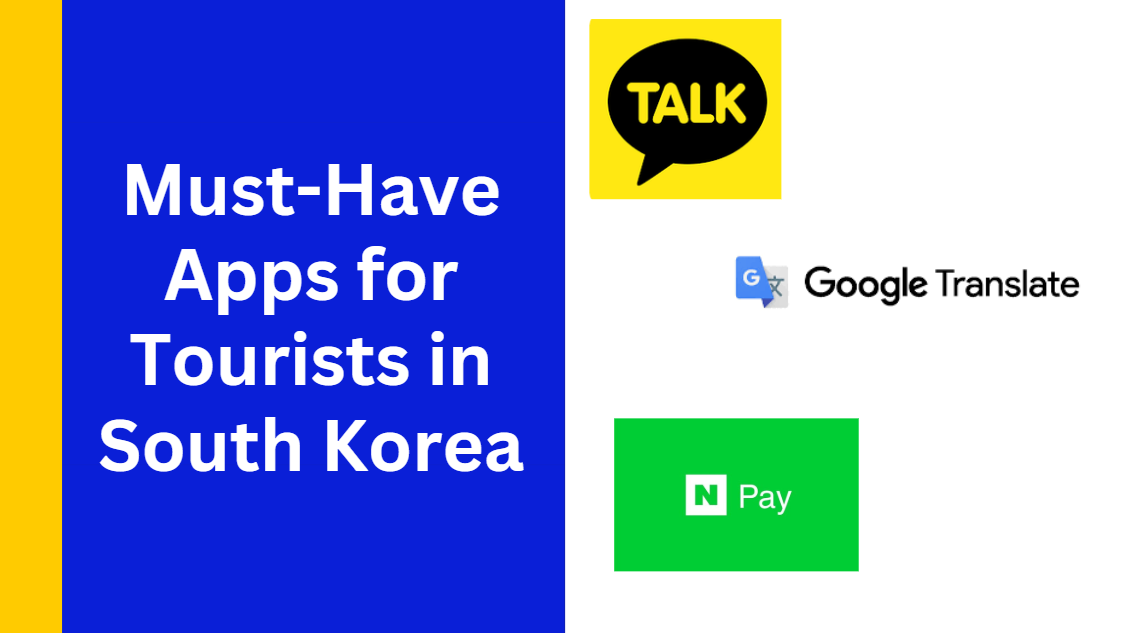
Must-Have Apps for Tourists in South Korea

Must-Have Apps for Tourists in South Korea

When I travel to Korea, apps are really important. Some global apps don’t work well, so using local ones makes your trip much smoother. It’s best to download everything before you fly and make sure your internet is ready.

Category

Useful Apps

Why You Need It

Entry & Planning

e-Arrival Card

Required before arrival (submit within 3 days)

Maps & Navigation

Naver Map, Kakao Map

More accurate than Google Maps in Korea

Transport

Kakao T, T-money Go, Subway Korea

Taxi booking, transport info, balance check

Payment

WOWPASS, NAMANE

Easy payments without local bank account

Translation

Papago, Google Translate

Papago works better for Korean

Food & Dining

CatchTable, Shuttle, Baemin

Restaurant booking and food delivery

Booking

Trip.com

Book trains, hotels, and attractions

Communication

KakaoTalk, LINE

Main messaging apps in Korea

💡 Pro Tip: Switch apps to English if possible, set up payments early, and activate your eSIM before landing so you’re ready to go.
🏨 Pro Tip: Don’t forget to look for South Korea hotels near major attractions to make your sightseeing more convenient!
Hotels in Seoul
Hotels in Busan
Hotels in Jeju
Hotels in Incheon
Hotels in Seogwipo
Hotels in Gangneung-si
See All Hotels
NO.1

8.8/102402 reviews
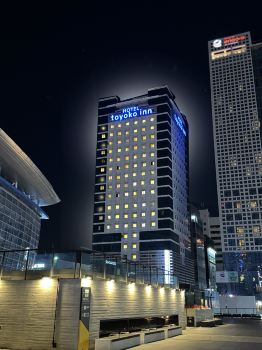
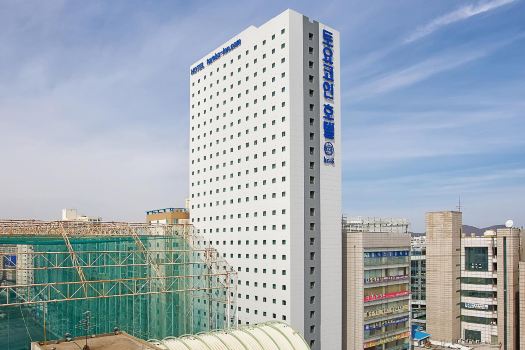
Toyoko Inn Seoul Yeongdeungpo
Hotel in Seoul
NO.2
8.5/10172 reviews
82 Capsule Hotel
Hotel in Seoul
NO.3
9.3/10461 reviews

ENA Suite Hotel Namdaemun
Hotel in Seoul
NO.4
8.7/101803 reviews
Toyoko-Inn Seoul Gangnam
Hotel in Seoul
NO.5
8.9/101399 reviews
Shilla Stay Mapo (Hongdae)
Hotel in Seoul
NO.6
8.7/1031 reviews
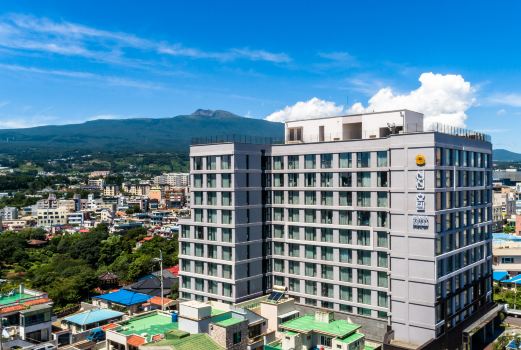
PRADA HOTEL
Hotel in Seoul

How To Set Up Your South South Korea eSIM?

How to use eSIM in Korea?

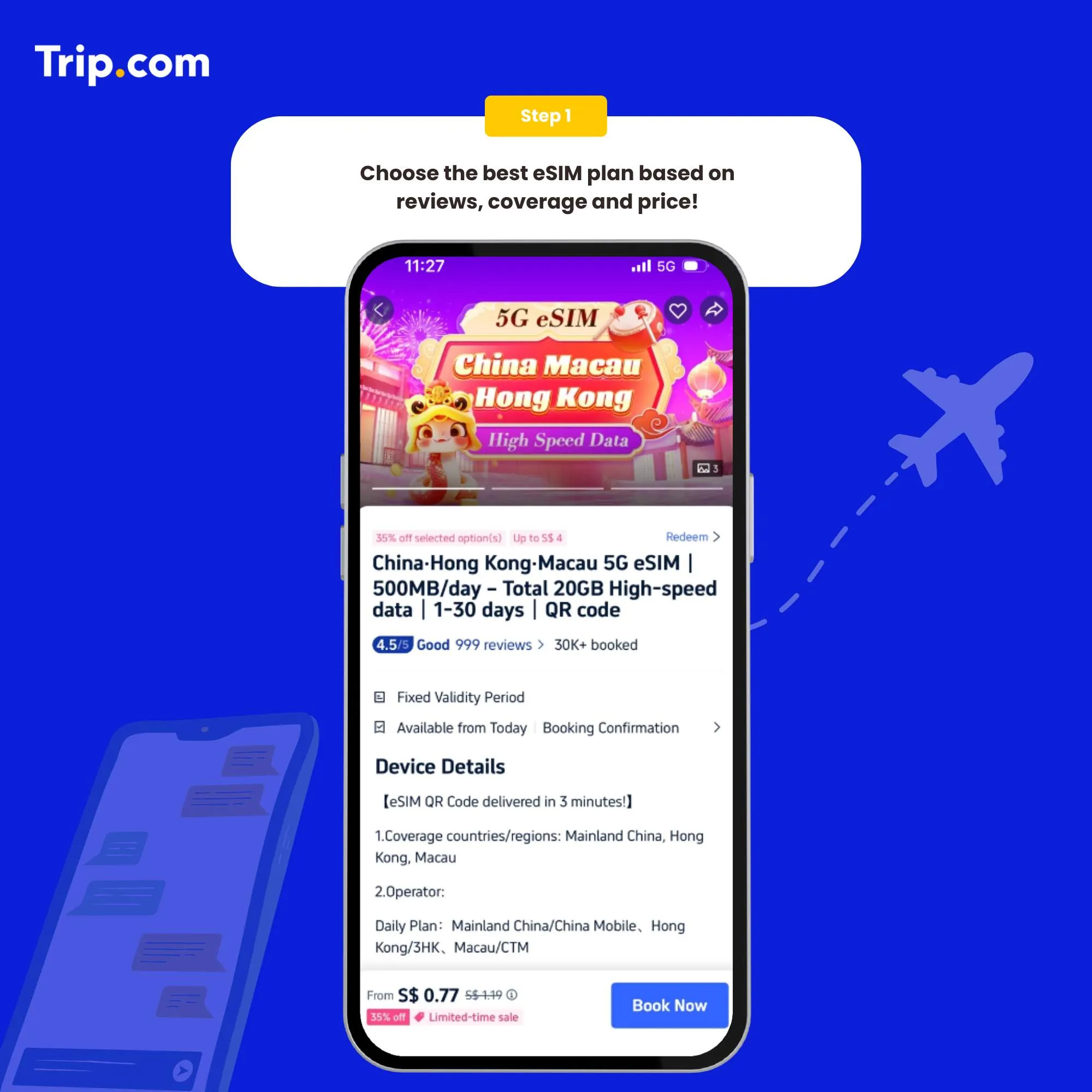
Step 1: Choose the best eSIM plan

There are several providers that offer South Korea eSIMs. Choose the one that best suits your needs.

How to activate eSIM Step 1: Choose the best eSIM plan

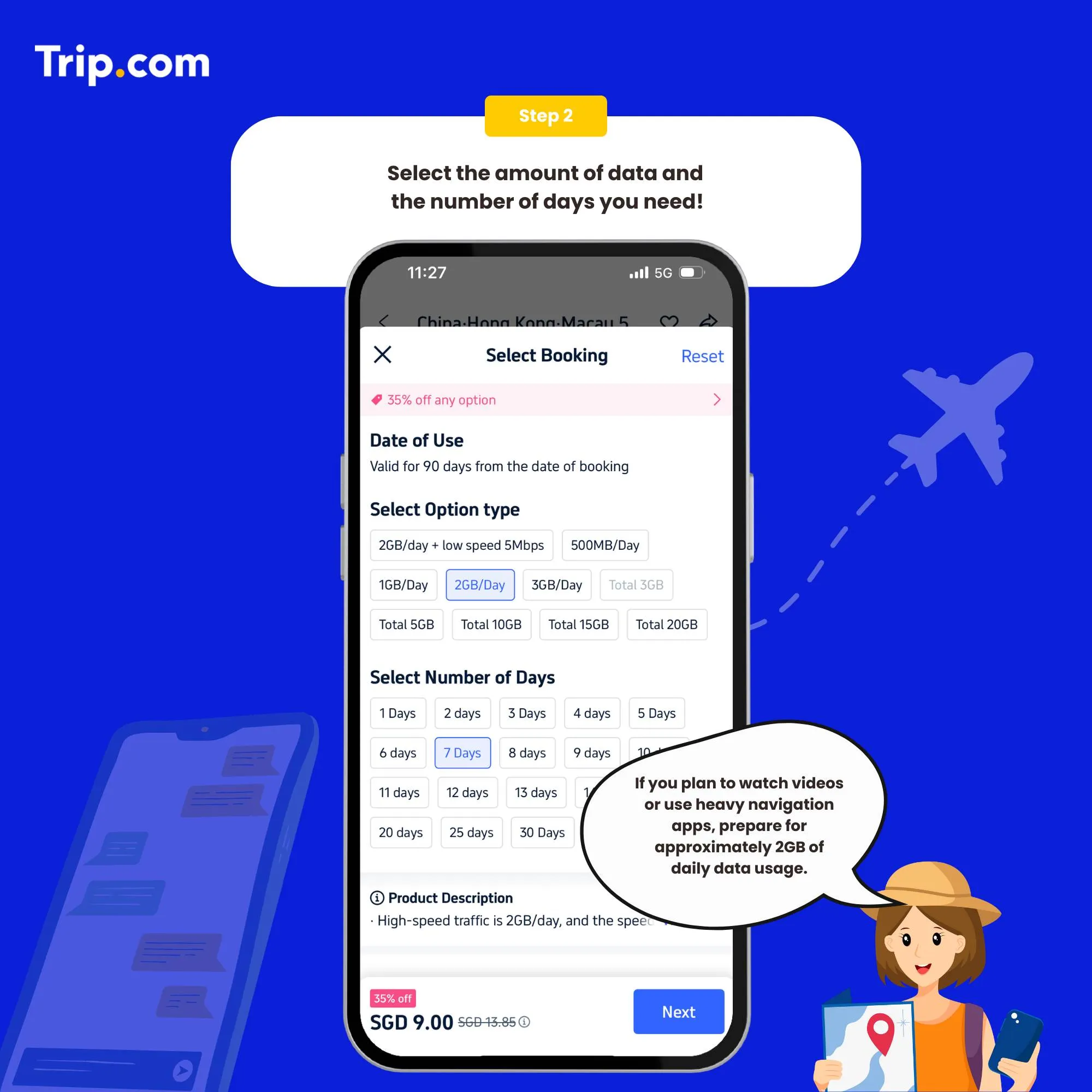
Step 2: Select the data package

Once you've chosen a provider, you'll need to purchase a data plan that suits your needs.

How to activate eSIM Step 2: Select the data package

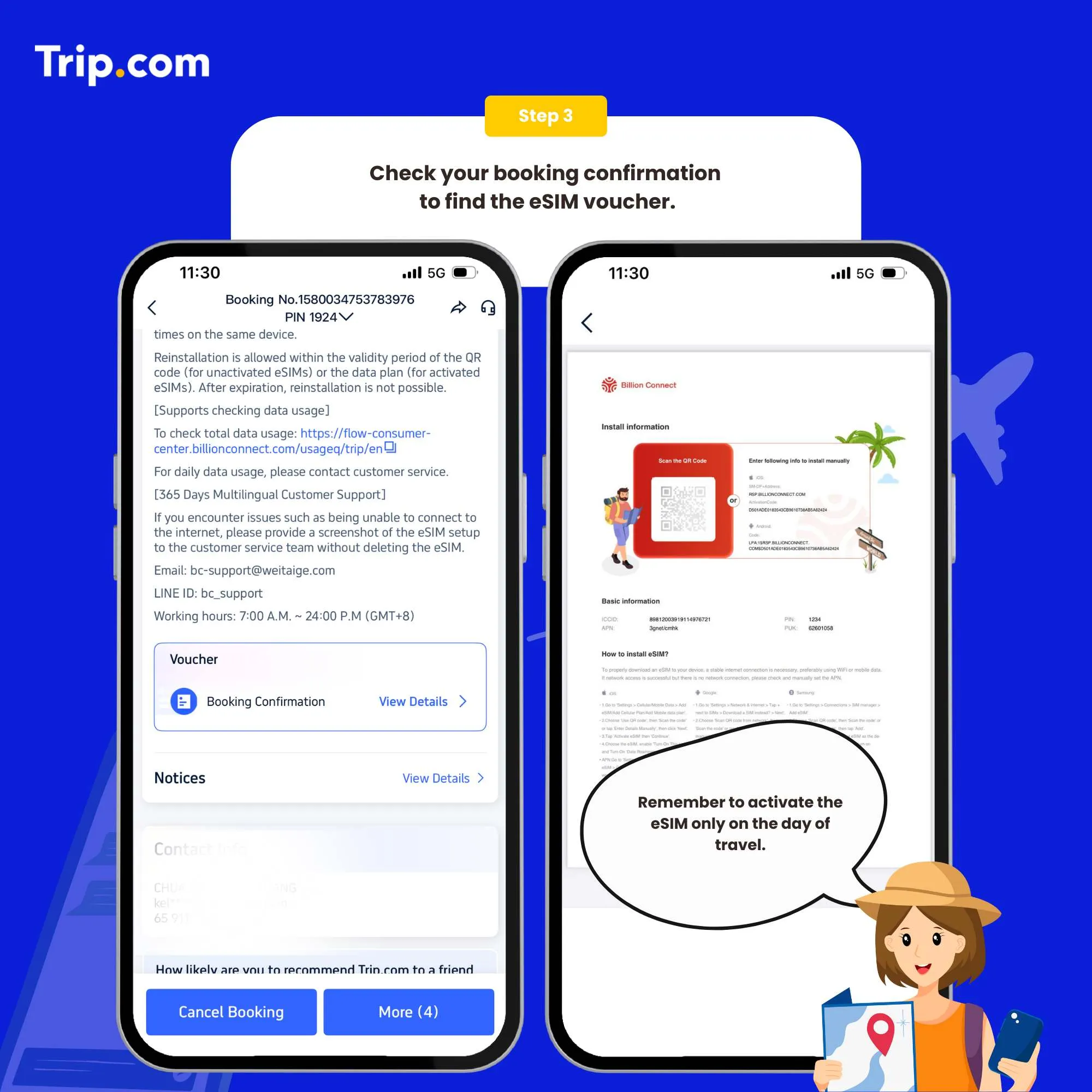
Step 3: Receive your ACTIVATION EMAIL

You will receive an email with installation instructions and a reminder of the latest installation time. Please make sure that there’s available WIFI or connected to networks before installation.

How to activate eSIM Step 3: Receive your booking confirmation

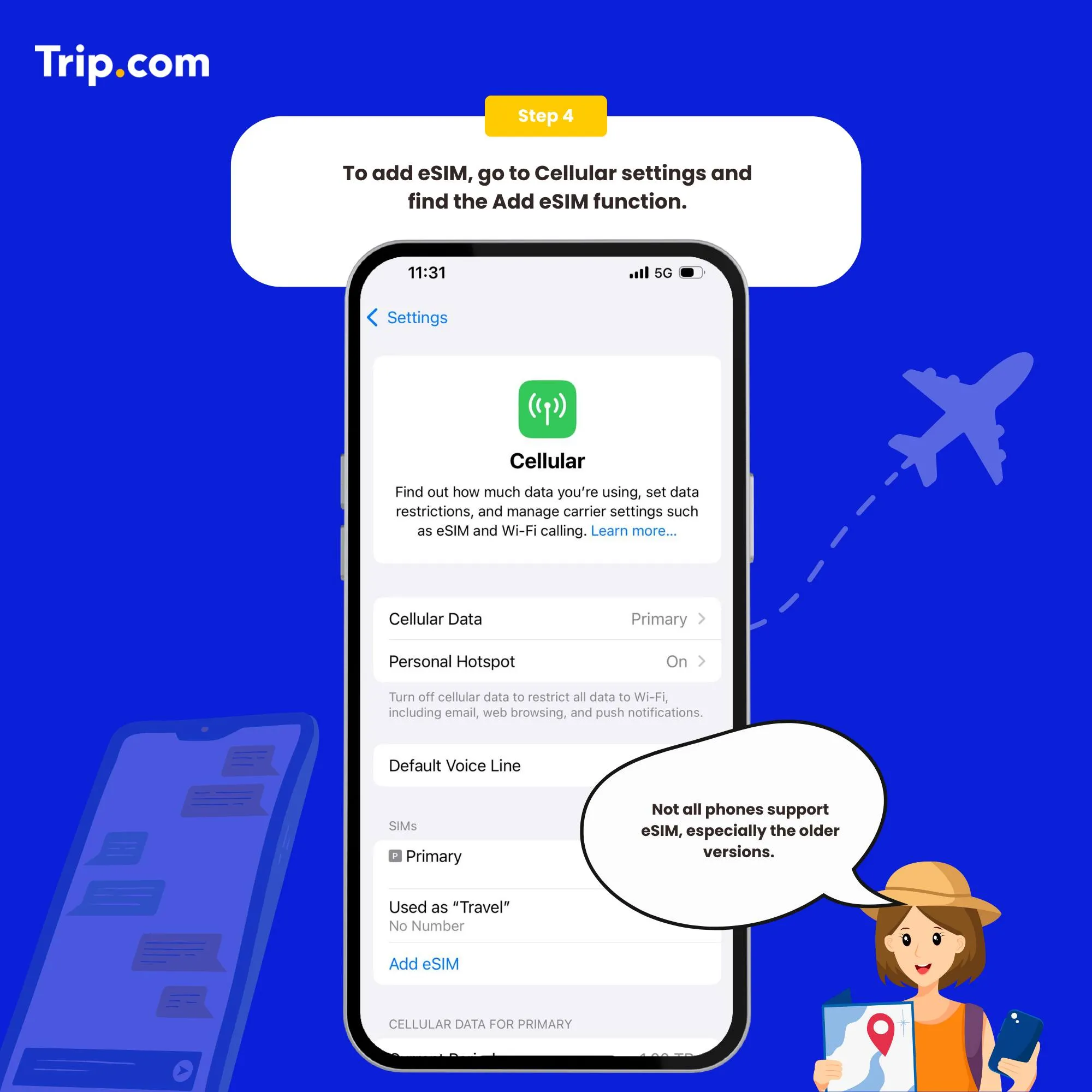
Step 4: Add your eSIM

To activate the eSIM, simply scan the QR code on your phone.

Set as the instructions:

  1. System - Settings - Cellular (iOS) / SIM Card Management (Andriod).
  2. Add a Cellular Plan (iOS) / SIM Card (Android).
  3. Agree to download Cellular Plan (iOS) or SIM Card (Android).
  4. Scan the QR code in the received email for activation (or enter SM-DP +Address and Activation Code manually).
How to activate eSIM Step 4: Add your eSIM

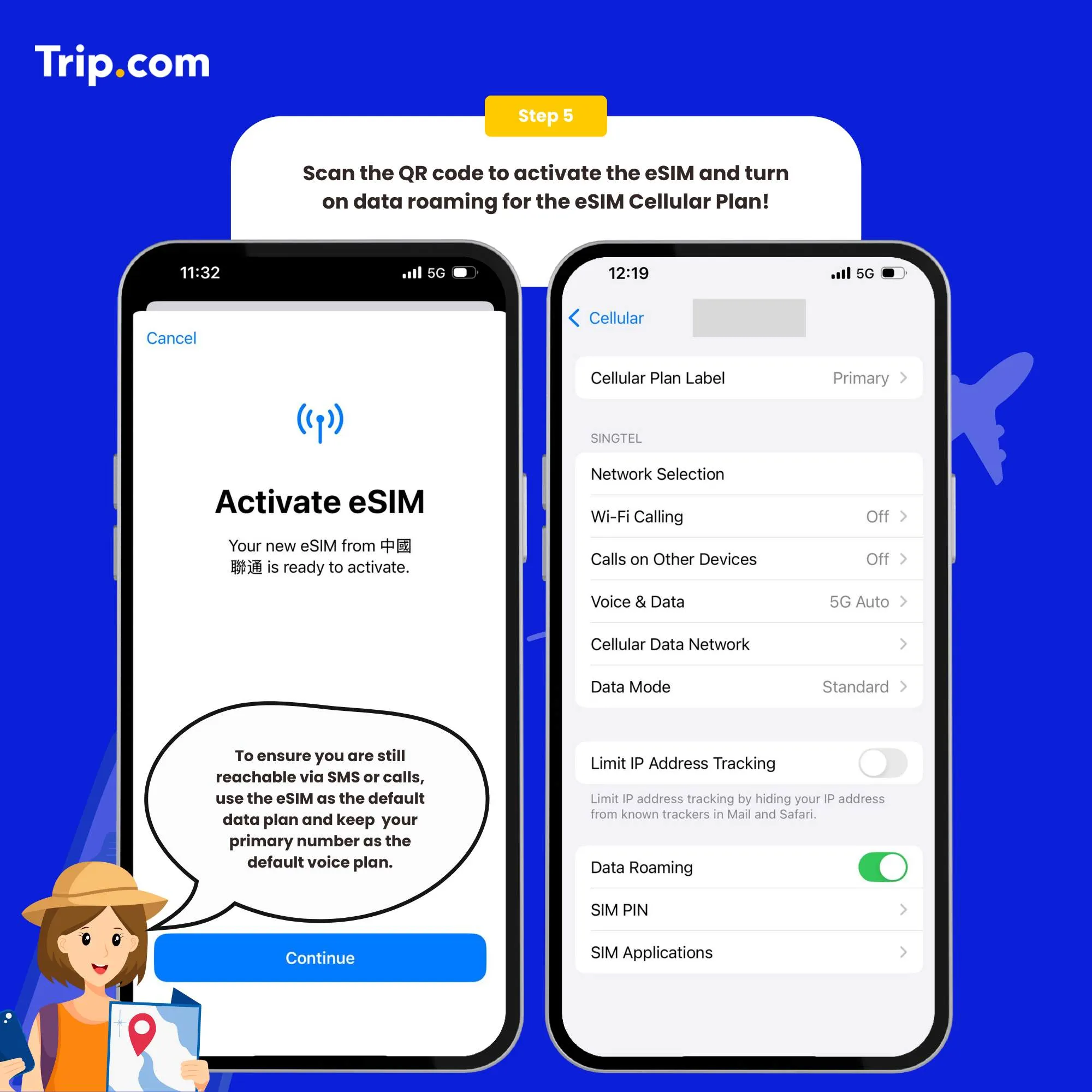
Step 5: Scan the QR code to activate your eSIM

  1. After the completion of the installation, we recommend that you disable eSIM until you reach your destination.
  2. After the download is successful, close the primary card if you already have one. Enable the Cellular Plan (iOS) or SIM Card (Android).
  3. After arriving at the destination, please open your eSIM, and turn on roaming. Then you can access the Internet.

You can now connect to the Internet and enjoy the convenience of Japan eSIM as per your selected plan.

How to activate eSIM Step 5: Scan the QR code to activate your eSIM
💥Note: If there are problems such as activation failure, please contact Customer Service without deleting the eSIM.(*The eSIM can only be installed one time by one phone or one device. If removed, it cannot be added again.)

How to close?

Open the open Cellular (iOS) or SIM Card Management (Android), and click to turn off the Cellular Plan (iOS) or SIM Card (Android) (the steps of enabling and disabling are the same).

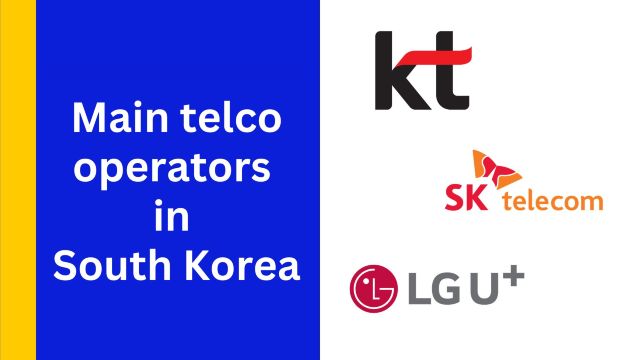
Who Are the Main Telco Operators in South Korea?

In Korea, there are only three main networks, and all of them are fast and reliable. The difference is more about speed, coverage style, and price.

KT (Korea Telecom): Known for very fast speeds and strong performance. Easy to use for tourists with simple eSIM setup.

SK Telecom (SKT): The largest network in Korea with very strong coverage, even outside big cities. Reliable for all types of travel.

LG U+ (LG Uplus): A more budget-friendly option with good coverage in major cities like Seoul and Busan. Great for saving money.

✈️ Pro Tip: If you are planning a trip soon, look for flights to South Korea early so you can get better prices and more schedule options.
Manila to Seoul
Manila to Jeju
Manila to Busan
Manila to Cheongju
Manila to Yeosu
Manila to Daegu
See all flights
Metro Manila
MNL
Seoul
ICN
Thu, May 7
Sat, May 9
One way
28% off
From 239.00€173.00
Metro Manila
MNL
Seoul
ICN
Mon, May 11
Wed, May 13
One way
22% off
From 239.00€186.00
Metro Manila
MNL
Seoul
ICN
Mon, May 11
Thu, May 14
One way
22% off
From 239.00€186.00
Metro Manila
MNL
Seoul
ICN
Sat, May 9
Wed, May 13
One way
21% off
From 239.00€190.00
Metro Manila
MNL
Seoul
ICN
Thu, May 7
Sat, May 9
One way
16% off
From 239.00€200.00
Metro Manila
MNL
Seoul
ICN
Sat, May 2
Wed, May 6
One way
15% off
From 239.00€203.00

How to Choose the Best South Korea eSIM

Bukchon Hanok Village

Local Number or Not: If you just need internet for maps and social media, a data-only eSIM is enough. If you want to book taxis or use delivery apps, you’ll need a Korean number.

Data Limit: Most “unlimited” plans have a daily limit. Around 3GB per day is common before speed slows down.

Speed & Stability: Some cheaper eSIMs can feel slow. Choose one that connects directly to Korean networks for better performance.

Coverage: All major networks work well in cities. For better reliability, choose providers using SKT, KT, or LG U+.

Setup: Data-only eSIM is fast and easy. Plans with a local number need passport verification.

Who Uses South Korea eSIM?

Gyeongbokgung Palace

Frequent Travelers: If you visit Korea often, eSIM saves time since you don’t need to buy a SIM every trip. Just reuse or install again before flying.

Business Travelers: Good for meetings, calls, and work apps. Many use dual SIM to keep their home number while using eSIM for data.

Tourists: Helps with maps, translation, and getting around. Easy to use once you land, no need to queue at the airport.

Content Creators: Useful for uploading photos and videos, live streaming, and using maps all day. Better to choose high data or unlimited plans.

Food & City Explorers: Needed for booking restaurants, joining queues, and calling taxis. Some apps work better with a local number.

Students: Good for short stays or exchange programs. Easy to set up and useful for daily life without long contracts.

Find the Best Korea eSIM

Gamcheon Culture Village

Skip the hassle of buying a SIM at the airport and just go with an eSIM for Korea. It’s the easiest way to stay connected, you can set it up before your trip and have data the moment you land. With fast and reliable internet, you can use maps, apps, and stay in touch without stress, so you can focus on enjoying your trip instead of worrying about connectivity.

🎉Pro Tip: Looking for the ultimate travel experience? Don’t miss out on the South Korea travel guide for tips, top attractions, plus insider local insights!

FAQs: South Korea eSIM

  • What is an eSIM?

    An eSIM is a digital SIM that enables you to connect to a local mobile network without a physical SIM card. It’s built directly into your phone and can be activated quickly with a QR code.
  • How do I activate my Korea eSIM?

    To activate your Korea eSIM, simply scan the QR code provided by your eSIM provider and follow the setup instructions on your device. Activation typically takes just a few minutes.
  • What are the benefits of using an eSIM?

    Using an eSIM is often more convenient and cost-effective than traditional roaming or buying a physical SIM card. It offers quick activation, flexible data plans, and easy network switching for travelers.
  • What are the best providers for Korea eSIMs?

    Leading providers for Korea eSIMs include SK Telecom, KT Corporation, LG Uplus, and SK 3G. These providers offer competitive rates and excellent coverage across Korea.
  • Can I use my existing phone with a Korea eSIM?

    Yes, as long as your phone is eSIM-compatible and unlocked. Many recent models from Apple, Samsung, Google, and other brands support eSIM. Check your device’s settings to confirm compatibility before purchasing.
Tina

Tina

Travel Explorer

I’m someone who loves turning real travel experiences into helpful stories. From figuring out transport to planning smooth trips, I share practical tips that help Filipino travelers feel more confident wherever they go.

133 articles
Travel Planning & Information
>
South Korea eSIM
aaaa