
TNG eWallet Guide: How to Use Touch 'n Go eWallet in Malaysia

TNG eWallet is one of the most useful cashless payment options when traveling around Malaysia. Filipino travelers can register using an eligible foreign mobile number, verify their account with a passport, add money, and use the app for QR payments at shops, restaurants, attractions, and many other places across Malaysia.
What Is TNG eWallet?
TNG eWallet, short for Touch 'n Go eWallet, is a Malaysian digital wallet operated by TNG Digital. It allows users to store money digitally and make cashless payments using their mobile phones.
You can use TNG eWallet for everyday payments such as:
- Food and drinks
- Shopping
- Convenience stores
- Selected transport services
- Tourist attractions
- Parking
- Online payments
- DuitNow QR payments
International tourists can access more than 2 million TNG eWallet merchants nationwide, while the app is also compatible with Malaysia's DuitNow QR network.
Can Filipino Travelers Use TNG eWallet?
Yes. Filipino travelers can register for TNG eWallet when visiting Malaysia.
TNG Digital expanded tourist access to travelers from several ASEAN markets, including the Philippines. Eligible tourists can register using their foreign mobile number instead of getting a Malaysian SIM just for the account.
For Filipino travelers, you will generally need:
- A supported mobile number
- A valid passport
- At least 6 months of passport validity
- Internet connection
- A phone that can receive the verification code
- A selfie for identity verification
You do not need a Malaysian mobile number to register.
📌 Important: TNG Digital notes that some tourist features may vary depending on the user's country of origin.


How to Set Up TNG eWallet for Filipino Travelers
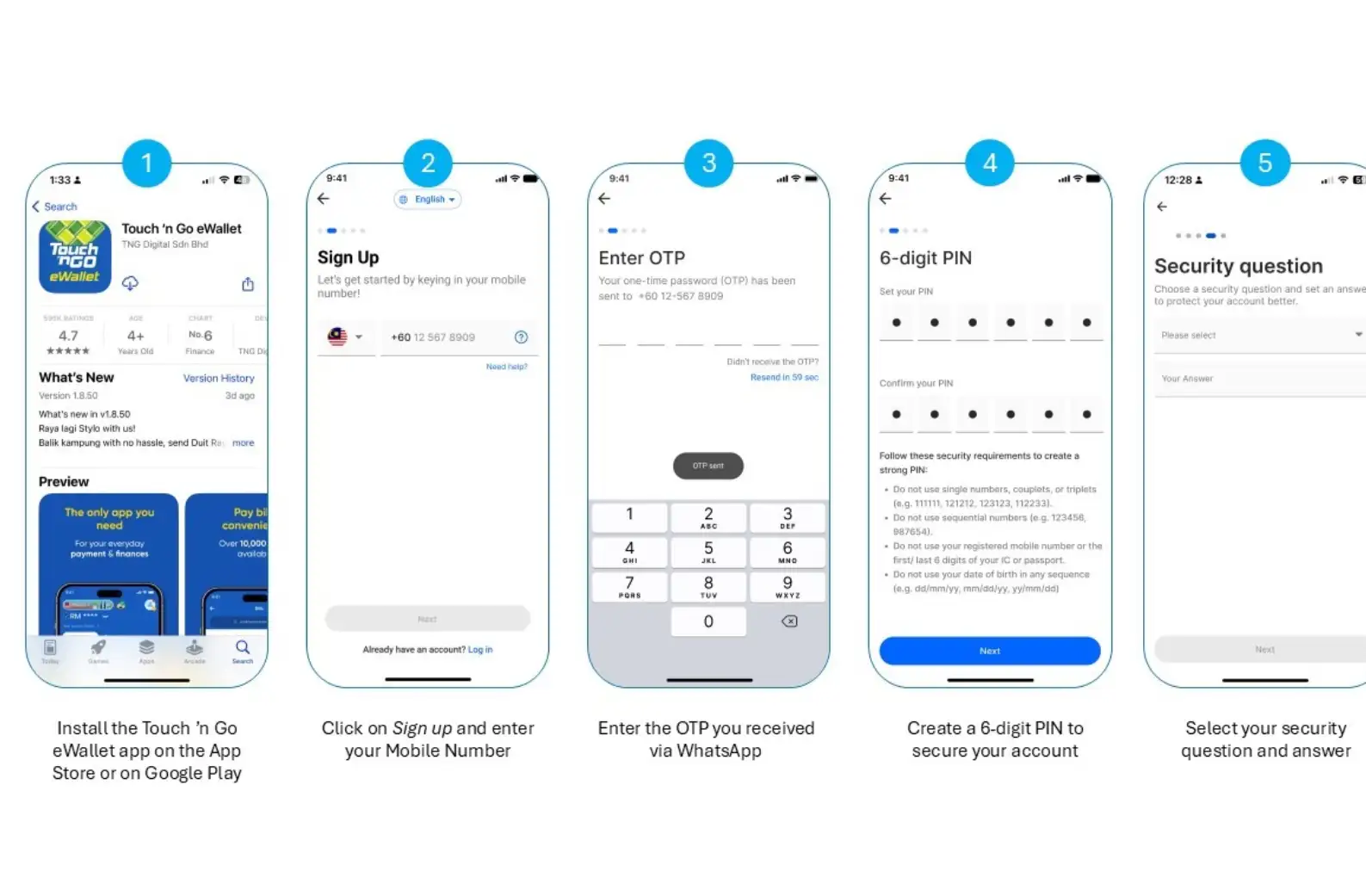
It is a good idea to register before your Malaysia trip. TNG officially allows tourists to create an account before arriving in the country.
1. Download TNG eWallet
Download the official TNG eWallet app from:
- Apple App Store
- Google Play Store
- Huawei AppGallery
Avoid downloading modified APK files or unofficial versions of the app.
2. Register Your Account
Open the app and follow the registration process:
- Enter your mobile number
- Receive the verification OTP through WhatsApp or SMS
- Enter the OTP
- Create a 6-digit PIN
- Set your security question and answer
- Enter your personal information
TNG Digital recommends having WhatsApp installed, as verification codes for international tourists may be sent through WhatsApp.
3. Verify Your Identity
Next, complete the account verification process.
You will need to:
- Select your nationality
- Take a clear photo of your passport
- Take a selfie
- Check your passport information
- Submit your verification
Your passport should have at least 6 months validity. Make sure the passport photo is clear, without glare, reflections, covered information, or blurry text.
4. Wait for Verification
Once your account is successfully verified, you can start adding money and preparing the eWallet for your Malaysia trip.
💡 Pro Tip: Complete the verification while you still have reliable Wi-Fi at home. This can save time when you arrive at the airport.
How to Add Money to TNG eWallet
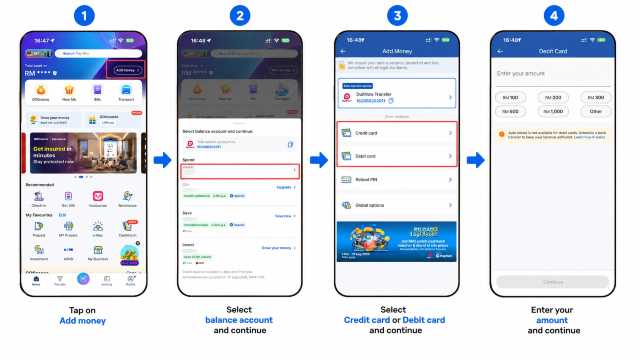
After verification, you need money in your wallet before making most payments.
TNG's official tourist guide provides these steps:
- Open TNG eWallet.
- Tap Add Money.
- Select eWallet Balance.
- Choose a debit or credit card.
- Enter your card information.
- Select the amount.
- Confirm the reload.
International tourists may be able to use a credit or debit card issued in their home country. However, card availability can depend on your bank, card network, country, and other restrictions.
What If Your Philippine Bank Card Does Not Work?
Do not worry if your card cannot be used for TNG eWallet reloads. Some international cards are not supported because of bank, network, or regulatory restrictions.
TNG currently lists these alternative ways to add funds:
- TNG eWallet Reload Pin
- DuitNow Transfer from another TNG eWallet user
These options can still be used if card reload is unavailable.
Are There Fees for TNG eWallet?
TNG does not charge a general fee simply for using the eWallet. However, certain methods of adding money can have a convenience fee.
According to TNG's latest official fee information:
Reload Method | Convenience Fee |
|---|---|
Malaysian bank credit card | 1% |
Non-Malaysian bank credit card | Up to 2.6% |
Reload PIN | 1% |
For Filipino travelers, this means reloading with a Philippine-issued credit card may have a convenience fee of up to 2.6% of the reload amount.
⚠️ Important: Fees and supported cards may change, so check the amount shown in the TNG eWallet app before confirming your reload.
How to Pay with TNG eWallet in Malaysia
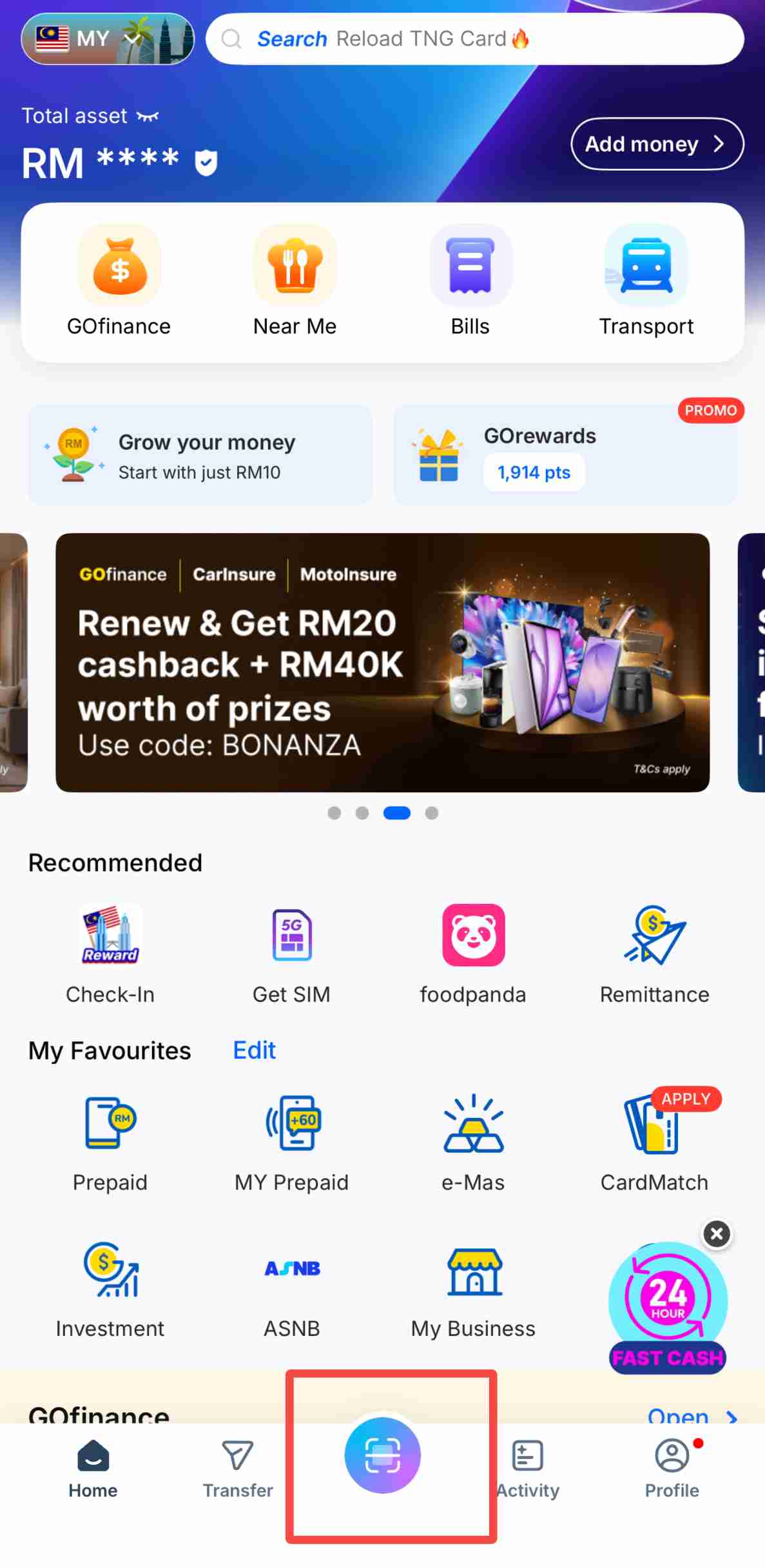
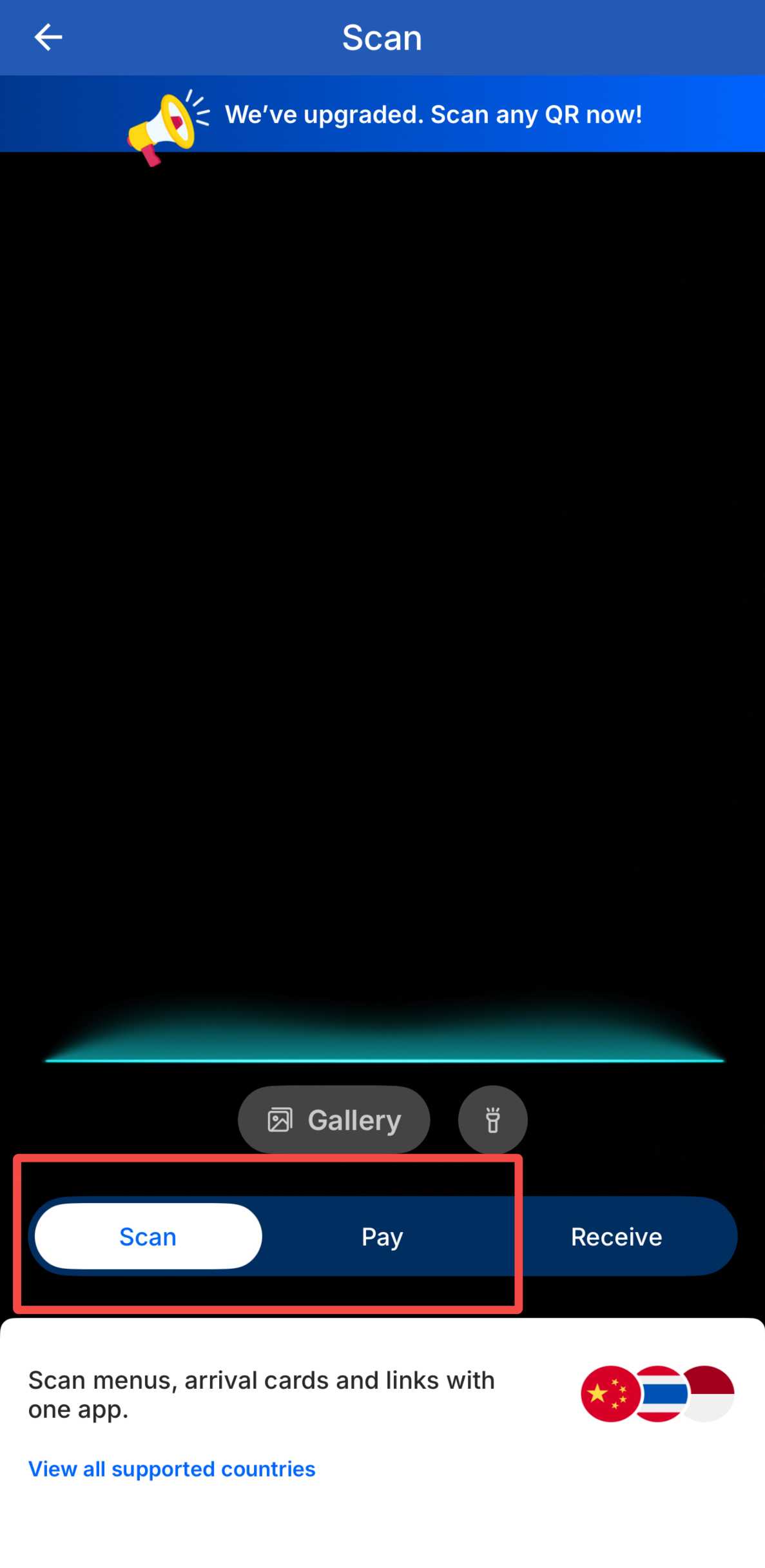
There are two common ways to pay using TNG eWallet.
Scan the Merchant's QR Code
If you see a TNG eWallet or DuitNow QR code:
- Open TNG eWallet.
- Tap Scan.
- Scan the merchant's QR code.
- Enter the payment amount.
- Enter your 6-digit PIN.
- Confirm the payment.
TNG eWallet can scan both TNG QR and supported DuitNow QR codes.
Let the Merchant Scan Your QR Code
Some stores will scan your payment code instead.
- Open TNG eWallet.
- Tap Pay.
- Enter your PIN if requested.
- Show your QR payment code.
- Let the cashier scan it.
- Check that the payment is successful.
Always check the payment amount before leaving the counter.
Explore the Top Places to Stay in Malaysia
 NO.1
NO.1













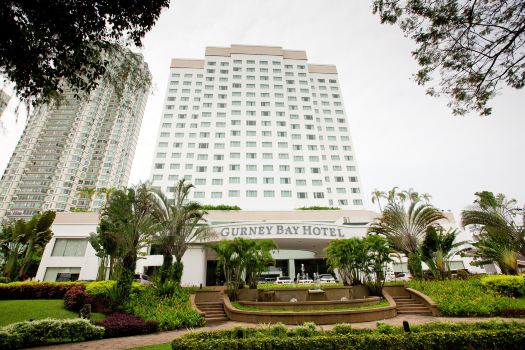

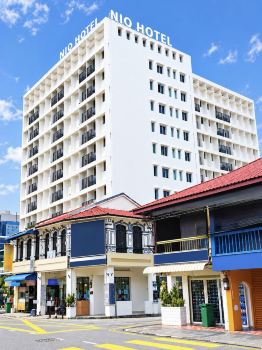
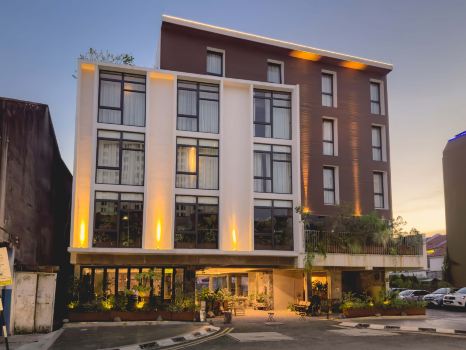
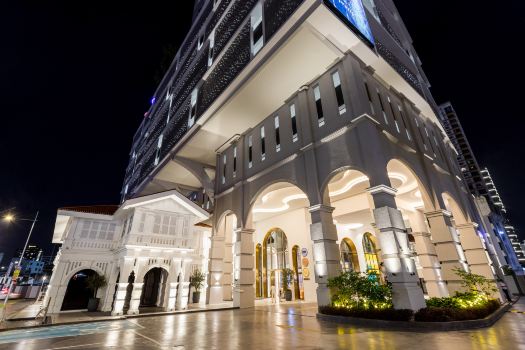












Where Can You Use TNG eWallet in Malaysia?
TNG eWallet is widely used for everyday cashless payments in Malaysia.
You may find it useful at:
- Restaurants
- Cafes
- Food courts
- Hawker stalls
- Convenience stores
- Shopping malls
- Retail stores
- Tourist attractions
- Selected transportation services
- Parking facilities
- Other businesses displaying TNG or DuitNow QR
TNG Digital says its network covers more than 2 million merchants nationwide, with additional access through the interoperable DuitNow QR network.
🍜 Pro Tip: TNG eWallet can be particularly convenient at smaller eateries and local businesses that accept QR payments but may not accept international credit cards.
TNG eWallet vs Touch 'n Go Card
Do not confuse TNG eWallet with the physical Touch 'n Go card. They are related, but they are different payment products.
TNG eWallet | Feature | Touch 'n Go Card |
|---|---|---|
Mobile app | Type | Physical card |
Yes | QR payments | No |
Yes | DuitNow QR | No |
Yes, where supported | Store payments | Selected locations |
Not a direct replacement at every gate | Train and bus fares | Commonly used |
Yes | Needs a smartphone | No |
Yes, for supported features | Can be linked together | Yes |
The physical Touch 'n Go card is commonly used for train fares, bus fares, tolls, and parking. The enhanced NFC version can also be linked and reloaded through TNG eWallet.
For example, PayDirect allows a physical Touch 'n Go card to be linked to TNG eWallet for supported toll and parking transactions.
📌 Important: Do not assume that showing your TNG eWallet app will let you enter every MRT, LRT, or bus system. A physical Touch 'n Go card may still be useful for public transport during your Malaysia trip.
Recommended Malaysia eSIMs

TNG eWallet Tourist Account Limits
TNG has a specific wallet category for international tourists.
Current official limits for a Tourist eWallet include:
Limit | Tourist eWallet |
|---|---|
Maximum wallet balance | RM5,000 |
Monthly transaction limit | RM5,000 |
Annual transaction limit | RM60,000 |
Receive transfers | Yes |
Transfer money out | Yes |
Transportation transactions do not count toward the monthly limit, although they are included in the annual transaction limit.
For most short trips to Malaysia, these limits should be more than enough for normal travel spending.
What Happens to Your Balance After Leaving Malaysia?
You do not necessarily need to empty your wallet immediately before flying home.
TNG says remaining funds can continue to be used for payments in supported countries. However, cash withdrawal is currently tied to the TNG eWallet Visa Card, which TNG states is not yet available for tourist accounts.
Tourists can also transfer money to another TNG eWallet account or a local bank account through the recipient's DuitNow QR where supported.
💡 Pro Tip: Avoid adding a large amount near the end of your trip. Reload smaller amounts based on how much you expect to spend.
Unlock the Best Flights to Japan
- One way
- Round-trip
- Cheapest nonstop
 MNL6:15 AM4h 20mNonstopNRT11:35 AMManila - Tokyo|Wed, Dec 2|Cebu PacificKRW 277,200KRW 909,70070% offSearch70% offKRW 909,700KRW 277,200
  MNL12:50 AM4h 20mNonstopNRT6:10 AMManila - Tokyo|Wed, Nov 18|Jetstar JapanKRW 316,700KRW 909,70065% offSearch65% offKRW 909,700KRW 316,700
- MNL12:15 PM4h 30mNonstopNRT5:45 PMManila - Tokyo|Mon, Nov 9|Cebu PacificKRW 420,900KRW 909,70054% offSearch54% offKRW 909,700KRW 420,900
- MNL6:15 AM4h 20mNonstopNRT11:35 AMManila - Tokyo|Sat, Nov 14|Cebu PacificKRW 520,100SearchKRW 520,100
- MNL12:50 AM4h 20mNonstopNRT6:10 AMManila - Tokyo|Fri, Nov 13|Jetstar JapanKRW 593,300SearchKRW 593,300
- MNL2:40 AM3h 40mNonstopKIX7:20 AMManila - Osaka|Sat, Nov 7|Jetstar JapanKRW 736,800SearchKRW 736,800
 MNL13:003h 40mNonstopNRT14:00Manila - City|Mon, Sep 6|Normal AirlineFind more flightsFind more flights
Can You Use TNG eWallet Outside Malaysia?
TNG eWallet also supports overseas QR payments in supported destinations.
Depending on the destination and merchant, you may be able to:
- Scan a supported merchant QR code
- Show your QR payment code
- Pay through participating Alipay+ and local QR payment networks
TNG says its Overseas QR Payment feature is available in more than 50 countries, although merchant and network availability varies.
Is TNG eWallet Safe?
TNG eWallet is licensed by Bank Negara Malaysia, Malaysia's central bank.
The app also uses security features such as:
- Account verification
- 6-digit PIN
- Face verification
- Biometric login
- Device and transaction monitoring
- Additional security checks for suspicious activity
TNG states that customer eWallet funds are held in trust accounts managed by licensed banks that are members of PIDM.
Still, you should protect your account carefully.
TNG eWallet Safety Tips
- Never share your OTP.
- Never give your 6-digit PIN to another person.
- Download the app only from official app stores.
- Avoid scanning suspicious QR codes.
- Check the merchant name before confirming payments.
- Do not click payment links from unknown messages.
- Enable your phone's biometric security.
- Report suspicious transactions immediately.
Tips for Using TNG eWallet in Malaysia
- Register before your trip: You can create and verify your tourist account before arriving in Malaysia.
- Keep WhatsApp active: Your verification code may be sent through WhatsApp.
- Check your passport: It should have at least 6 months validity.
- Start with a small reload: Confirm that your Philippine card works before adding a larger amount.
- Watch for reload fees: Non-Malaysian credit cards may have a convenience fee.
- Look for DuitNow QR: TNG eWallet supports compatible DuitNow merchant QR codes.
- Keep some cash: Not every merchant or service is guaranteed to accept TNG eWallet.
- Consider a physical Touch 'n Go card: It can be useful for trains, buses, tolls, and other transport payments.
FAQs About TNG eWallet
-
Can Filipinos register for TNG eWallet?
-
Do I need a Malaysian phone number?
-
Do I need a passport?
-
Can I use TNG eWallet for MRT and LRT rides?
-
Can I register before flying to Malaysia?

Trending Searches
-
Popular Content
-
Top Flight Links
-
Popular Hotels
-
Popular Things to Do
-
Featured guides
-
Trip.com links
- Trip.com E-Ticket
- Trip.com Payment Methods
- Trip.com Passport Change
- Trip.com Customer Service
- Trip.com Flight Cancellation
- Trip.com VIP Lounge Access
- Trip.com Phone Number
- Trip.com Check In
- Payment Sale
- Trip Coins
- Trip.com Hotel Refund
- Trip.com Cancellation Policy
- Trip.com Ticket Issued Status
- Trip.com Flight Ticket
- Trip.com Membership
- Trip.com E-Receipt
- Trip.com Seat Selection
- Trip.com Baggage Allowance
- Trip.com Flight Change
- Trip.com Reviews
- Flights from Manila to Hong Kong
- Flights from Manila to Iloilo City
- Flights from Manila to Tagbilaran
- Flights from Manila to Cebu
- Flights from Manila to Tokyo
- Flights from Manila to General Santos
- Flights from Cebu to Manila
- Flights from Bacolod to Manila
- EK2521 Flight Status
- 5J187 Flight Status
- PR431 Flight Status
- PR741 Flight Status
- MH709 Flight Status
- 5J582 Flight Status
- RX874 Flight Status
- Hotels near 72 wonder tower
- Hotels near Mactan–Cebu International Airport
- Hotels near Greenland Xindu East Coast Times Square South Area
- Hotels near Fenghuang Ancient Town
- Hotels near Taoyuan HSR Subway Station
- Shiji Qingteng Capsule Hotel (T3 Terminal)
- De Mani Hotel
- Alta Vista de Boracay
- Orange Hotel (Wangfujing, Wenhua Road, Baotou)
- Shangri-La Resort
- Hotels in Fenghuang County
- Hotels in Hong Kong
- Hotels in Davao City
- Hotels in North Jakarta
- Hotels in Moscow
- Philippines 5G eSIM | Dual Network • All AI & TikTok | Day Pass/Total Data Package | 24-Hour Billing | 1-30 Days | QR Code
- Private Mutianyu Great Wall Trip With English-speaking Driver
- Vietnam | 4G/5G eSIM | Daily/Data Plan | 24-hour Billing | 1-30 Days | QR code
- Taoyuan International Airport | Terminal 2 VIP Lounge Service | Oriental Club Lounge
- Sofitel Macau at Ponte 16 Buffet | Mistral Restaurant Lunch/Dinner Buffet
- Philippines 4G/5G eSIM | Daily/Total Data Package | 1–30 Days | 24-Hour Billing | QR Code
- Mainland China/Hong Kong/Macau 5G eSIM | 5 Carriers · All AI | Day Pass/Total Data Package | 24-Hour Billing | QR Code
- Huanglongjiuzhai Railway Station - Jiuzhaigou National Park shuttle bus · private charter optional
- Los Angeles: Guided Lowrider Tour
- Chattanooga Heritage Tour – Trolley Ride & Coker Museum
- Lake Como & St. Moritz: Day Tour from Milan + Bernina Red Train Ride & Cruise
- Rome: VIP Golf Cart Food Tour
- Capitol Hill: power, justice, and the Library of Congress
- Kłodzko Audio Tour: Echoes of Bridges, Faith, and Forgotten Stories
- Cecconi's Berlin popular restaurant reservation service in Berlin, Germany
- Mothers Day Gifts
- eSIM
- Hong Kong International Airport
- International Driving Permit
- Toronto Pearson International Airport
- Universal Studios Singapore
- Great Wall of China
- UK ETA
- Narita International Airport
- China Currency
- Changi Airport
- Schengen Visa
- Singapore MRT Map
- France Visa
- Ninoy Aquino International Airport