How to Track Flight Status on Trip.com: Easy Step by Step Guide

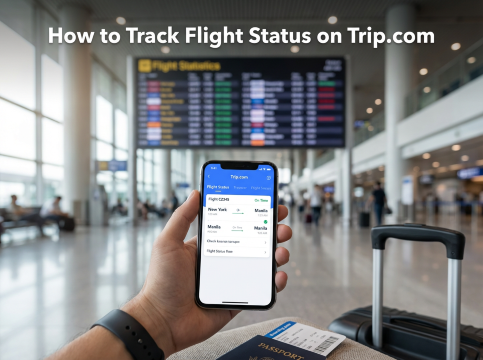
Planning a trip is exciting, but flight updates can sometimes be confusing. With Trip.com, you can easily check your flight status, including departure time, delays, and gate changes, so you can travel with less stress and more peace of mind.
Why Use Trip.com to Track Flights?
Using Trip.com to check your flight status helps you stay updated before and during your trip. You can see the latest changes, avoid surprises at the airport, and plan your arrival time better. It also keeps you informed from departure until landing, so your travel day feels smoother and less stressful.
How to Track Flight Status on Trip.com
Step 1: Check Your Flight Status
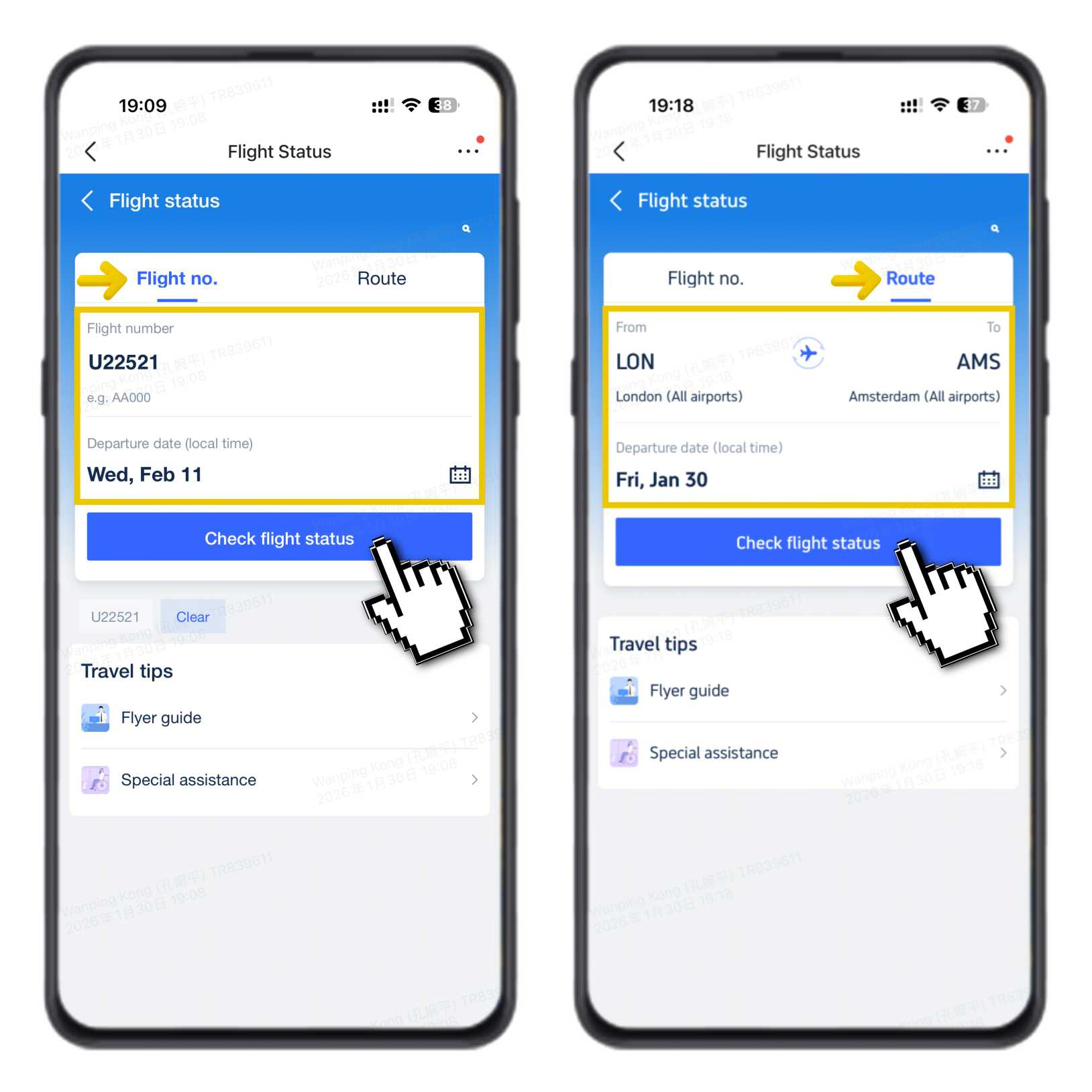
Go to the Trip.com Flight Status page.
- Enter your flight number (for example U22521) or choose your route like London to Amsterdam.
- Select your departure date based on local time, then tap “Check Flight Status”.
You will see the latest updates for your flight right away.
Step 2: What You Can See
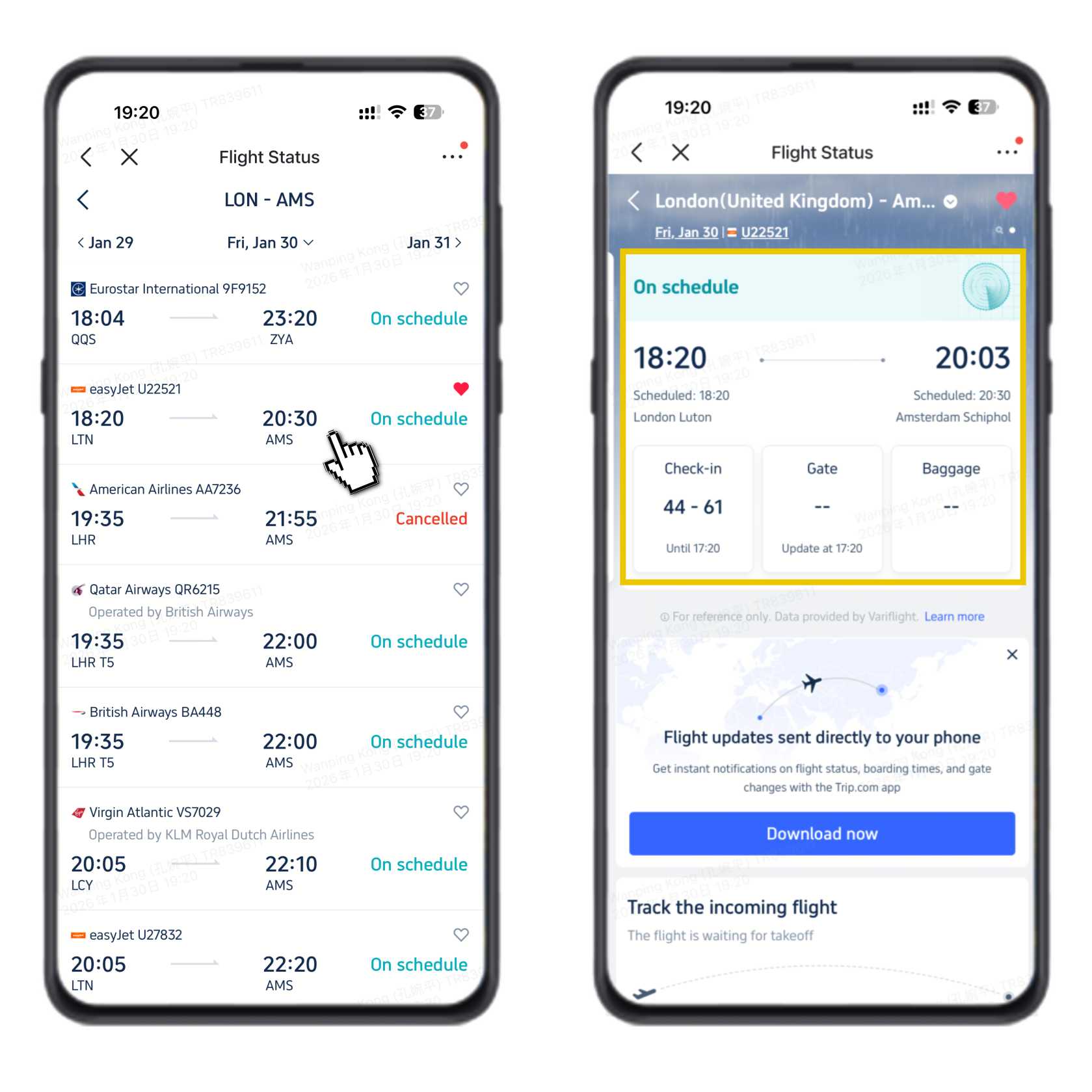
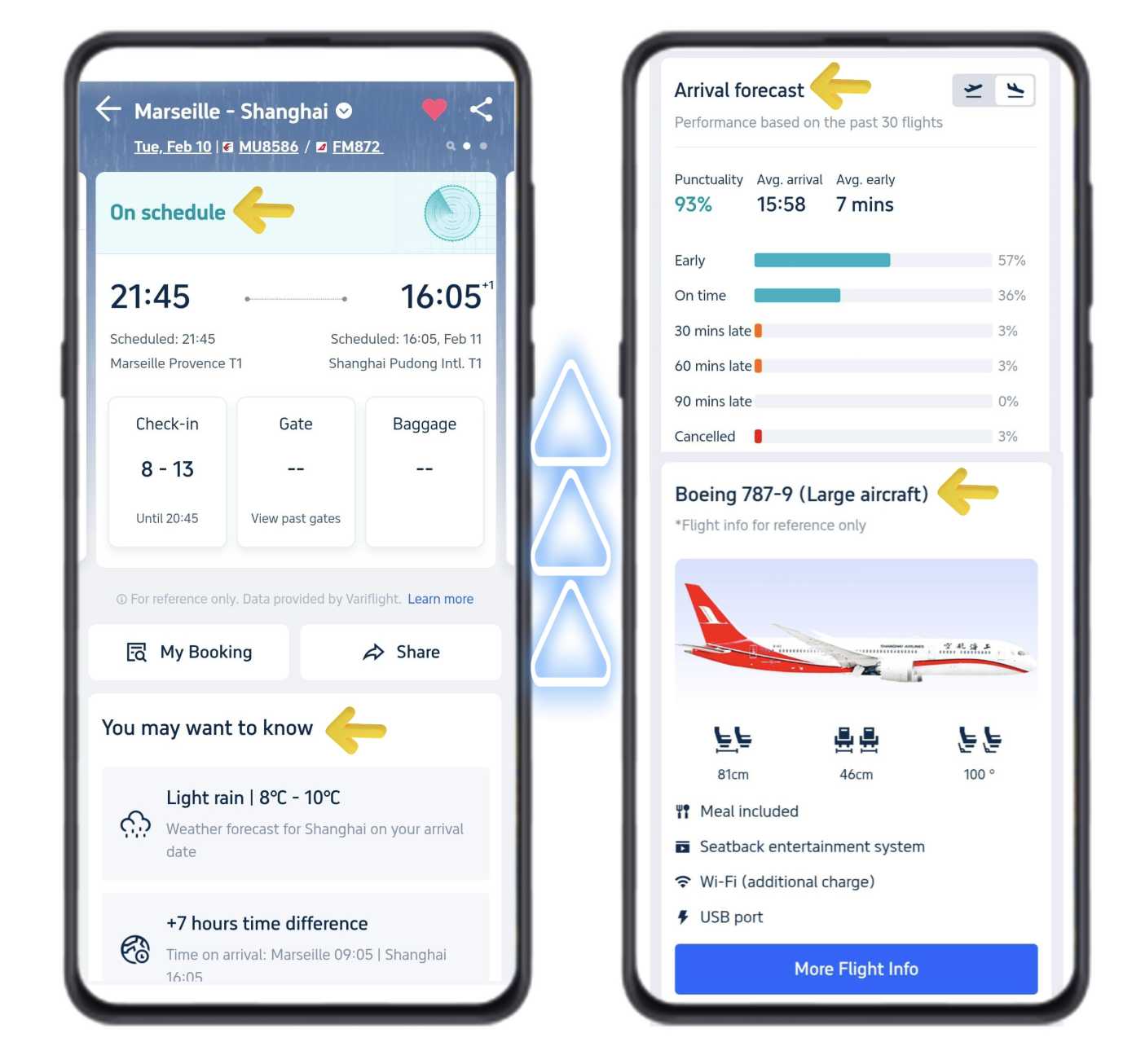
On the main page, you can quickly check important details:
- Real-time flight status to know if your flight is on time or delayed
- Departure and arrival times
- Airport information such as check-in counters, check-in closing time, and when the boarding gate will be shown
This helps you stay ready before heading to the airport.
Step 3: Scroll for More Details
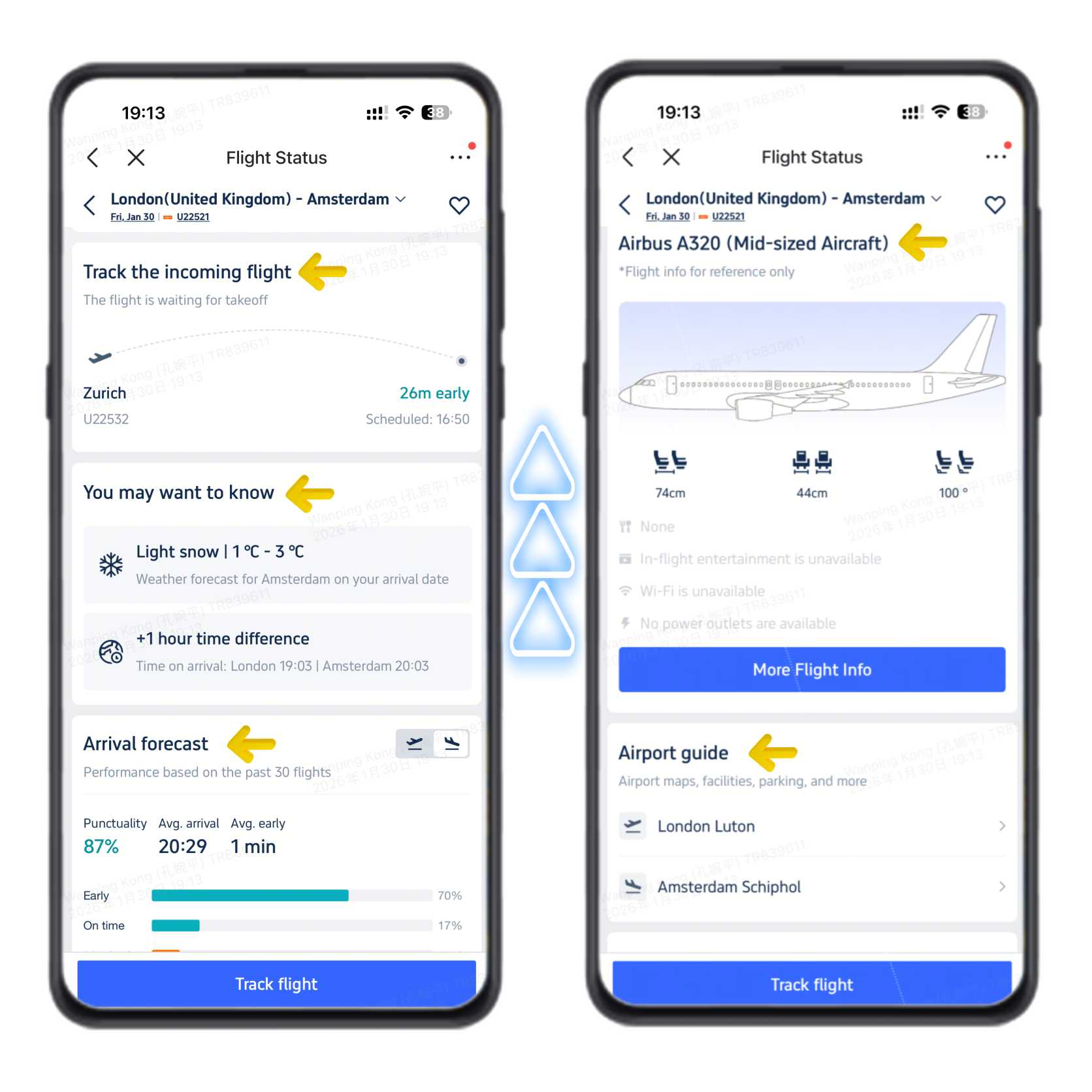
Scroll down to see more helpful updates:
- Incoming aircraft tracker so you know where your plane is
- Weather updates at your destination and local time difference
- Estimated arrival performance based on recent flights
- Aircraft type and onboard services
- Airport guides with maps and useful tips
With these updates in one place, it is easier to plan your time at the airport and avoid last-minute stress.
How to Track Flight Status in the Trip.com App
- Download and open the Trip.com app on your phone, then sign in to your account.
- Tap “Account” at the bottom right of the screen.
- Next, tap “Upcoming” and choose “Flight Status”.
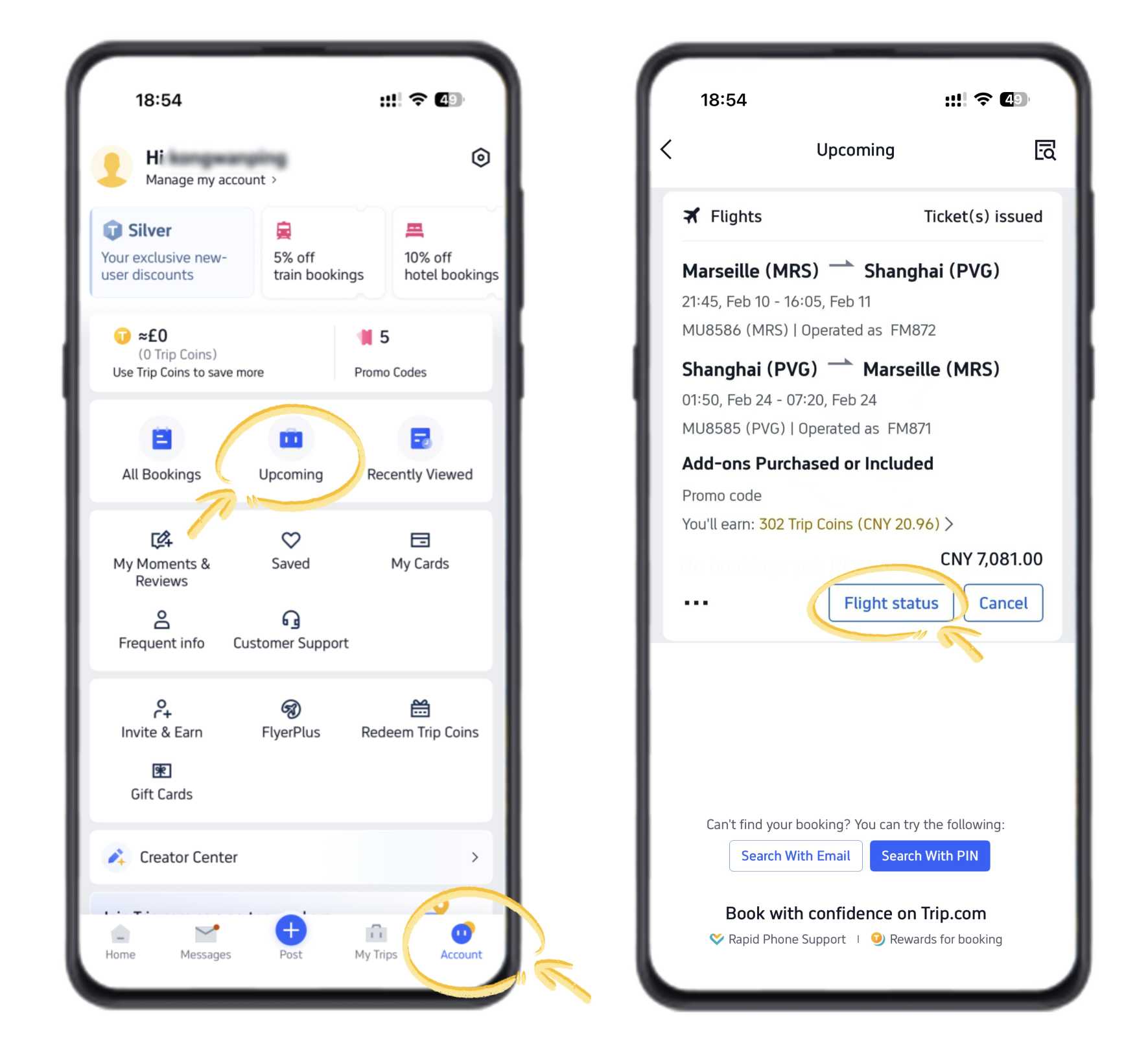
You will see the same flight details that appear on the Trip.com website, including the latest updates for your trip.
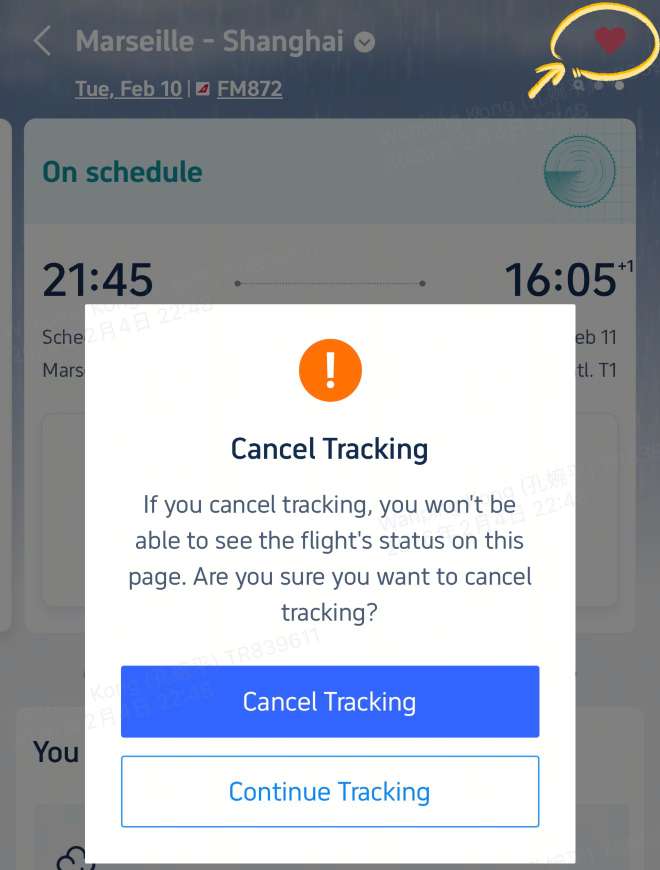
Bonus Tip: Turn On Notifications
To avoid missing any changes, turn on app notifications. You will get alerts if there are updates like gate changes, delays, or cancellations, which is very helpful when you are already on the way to the airport.
Your Next Adventure Starts from Manila
- One way
- Round-trip
- direct cheapest
 MNL5:25 PM1h 15mNonstopBCD6:40 PMManila - Bacolod|Mon, Oct 26|Philippines AirAsiaMXN702MXN2,51072% offSearch72% offMXN2,510MXN702
 - MNL3:00 AM1h 10mNonstopBCD4:10 AMManila - Bacolod|Sun, Oct 4|Philippines AirAsiaMXN1,045MXN2,51057% offSearch57% offMXN2,510MXN1,045
 MNL9:50 PM1h 35mNonstopCEB11:25 PMManila - Cebu|Mon, Oct 5|Cebu PacificMXN1,757MXN2,51030% offSearch30% offMXN2,510MXN1,757
 MNL13:001h 35mNonstopBCD14:00Manila - City|Mon, Sep 6|Normal AirlineFind more flightsFind more flights
How to Track Flight Status on the Trip.com Website
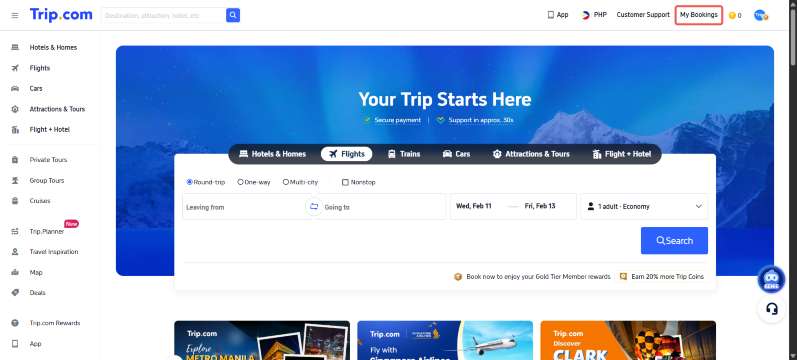
- Go to the Trip.com website and sign in to your account.
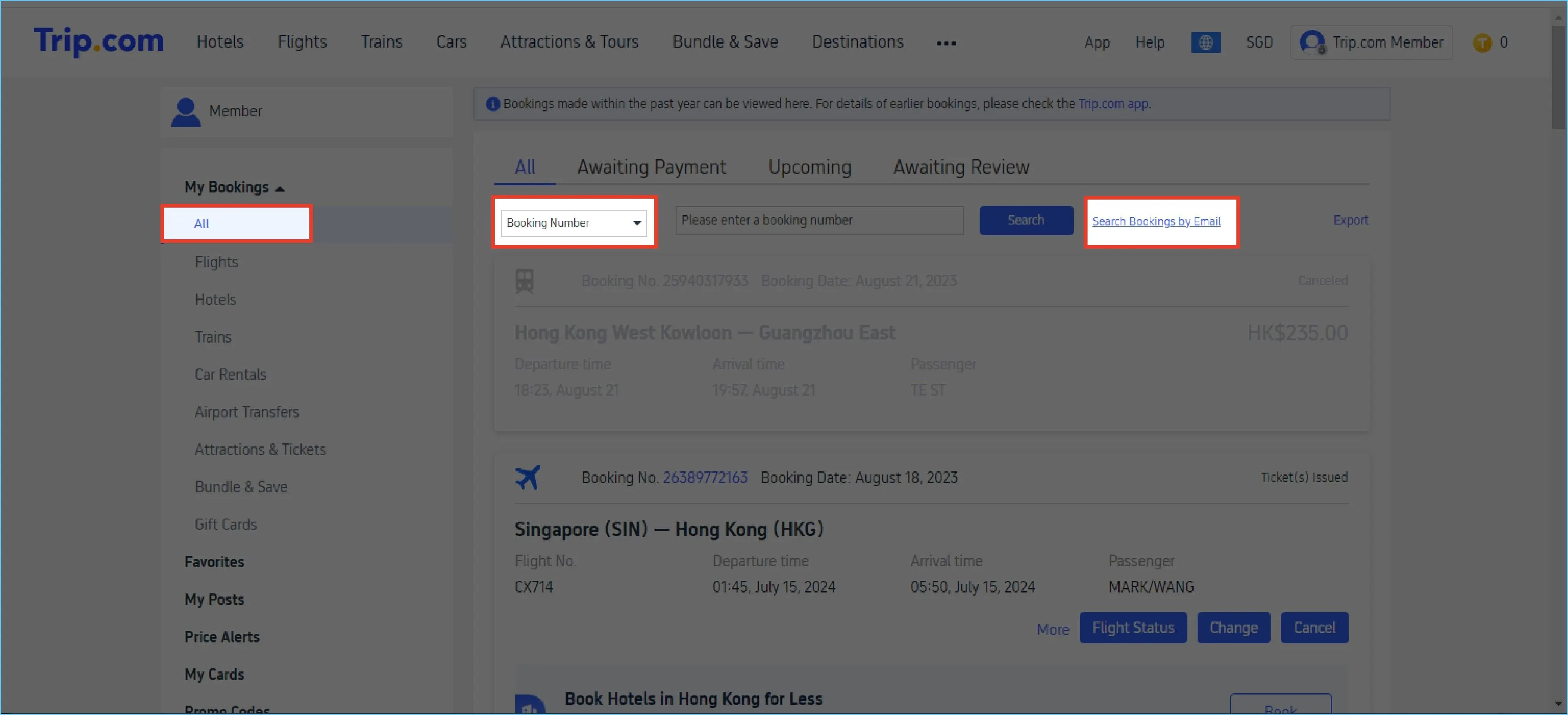
- Click “My Bookings” at the top right of the Trip.com website, then select your upcoming trip.
- Select your upcoming trip and click the flight you want to check.
You will see real-time flight status, departure and arrival times, and airport details, just like in the Trip.com app.
Planning your next trip? You can also search and book affordable flights directly on Trip.com.


Need Help?
📱 Enjoy app-only deals and a new user package with special offers on hotels, trains, attractions, and airport transfers.
FAQs: How to Track Flight Status on Trip.com
-
Can I check flight status without booking on Trip.com?<br>
-
How early should I check my flight status?
-
Will Trip.com show delays or cancellations?
-
Can I get flight updates on my phone?
-
Is the flight status on the app and website the same?
Trending Searches
-
Popular Content
-
Top Flight Links
-
Popular Hotels
-
Popular Things to Do
-
Featured guides
-
Trip.com links
- Trip.com E-Ticket
- Trip.com Payment Methods
- Trip.com Passport Change
- Trip.com Customer Service
- Trip.com Flight Cancellation
- Trip.com VIP Lounge Access
- Trip.com Phone Number
- Trip.com Check In
- Payment Sale
- Trip Coins
- Trip.com Hotel Refund
- Trip.com Cancellation Policy
- Trip.com Ticket Issued Status
- Trip.com Flight Ticket
- Trip.com Membership
- Trip.com E-Receipt
- Trip.com Seat Selection
- Trip.com Baggage Allowance
- Trip.com Flight Change
- Trip.com Reviews
- Cheap tickets from Manila to Cebu
- Cheap tickets from Manila to Hong Kong
- Cheap flights from Manila to General Santos
- Cheap tickets from Manila to Iloilo City
- Plane tickets from Bacolod to Manila
- Cheap flights from Manila to Tagbilaran
- Plane tickets from Manila to Bangkok
- Cheap flights from Manila to Tacloban
- PR2149 Flight Status
- TG624 Flight Status
- 5J187 Flight Status
- PR431 Flight Status
- PR741 Flight Status
- AC076 Flight Status
- 5J582 Flight Status
- Hotels near 72 wonder tower
- Hotels near Fenghuang Ancient Town
- Hotels near Greenland Xindu East Coast Times Square South Area
- Hotels near Changbai Mountain Beauty Pine International Sculpture Park
- Hotels near Manila Central University
- Hotels in Fenghuang County
- Hotels in Davao City
- Hotels in North Jakarta
- Hotels in Pasig
- Hotels in Makati
- Fairfield by Marriott Hotels in Nashville
- The Luxury Collection Hotels in Maricopa County
- HM RENT A CAR car rentals in Fukuoka Airport
- Radisson Hotels in Bengaluru Urban
- Fairfield by Marriott Hotels in Charlotte
- Philippines 5G eSIM | TikTok & ChatGPT Available | Day Pass/Total Data Package | 24-Hour Billing | 1-30 Days | QR Code
- Explore Guilin with Ease: Premium Private Car Service
- Chengdu Departure - Bipenggou Shuttle Bus
- Vietnam | 4G/5G eSIM | Daily/Data Plan | 24-hour Billing | 1-30 Days | QR code
- European universal 5G/4G eSIM | Multi-network support, supports All AI & TikTok | 500MB/day - 50GB total | 1-90 days | 24-hour billing | QR code
- Bangladesh Dhaka DAC Hazrat Shahjalal International Airport T1 terminal international departure IBalaka Executive Lounge international departure lounge experience
- Huanglongjiuzhai Railway Station - Jiuzhaigou National Park shuttle bus · private charter optional
- Lantau Island Ngong Ping 360 round-trip cable car admission ticket with priority boarding + one-way urban area transfer
- Half-day lazy tour of Phuket Coral Island and Promthep Cape sailing boat in Thailand
- Parque Rural de Anaga: Guided Hiking Tour from Cruz del Carmen + Food Tasting
- Bogotá: Craft Beer Tour with Tasting
- Boutique Winery Visit & Wine Tasting near Arezzo
- Taitung | Hongyegu Green Energy Hot Spring Park | Hot Spring Bathing Combo Ticket
- Go City: Sydney All-Inclusive Pass
- Jaipur: Rajasthani Food Cooking Experience with Local Family
- Mothers Day Gifts
- eSIM
- Hong Kong International Airport
- International Driving Permit
- Toronto Pearson International Airport
- Universal Studios Singapore
- Great Wall of China
- UK ETA
- Narita International Airport
- China Currency
- Changi Airport
- Schengen Visa
- Singapore MRT Map
- France Visa
- Ninoy Aquino International Airport