Google Maps Not Working in China? Best Alternatives & Travel Tips

If you are traveling to China and suddenly find Google Maps not working in China, it may not be a problem with your phone. Google and several other international online services are restricted on mainland Chinese internet networks, which can make Google Maps difficult or impossible to access normally.
For travelers, it is better to prepare another navigation app before arriving in China. Local options such as AMap Global, Apple Maps, and Baidu Maps can be more practical for finding attractions, metro stations, restaurants, hotels, and driving routes.
Does Google Maps Work in China?
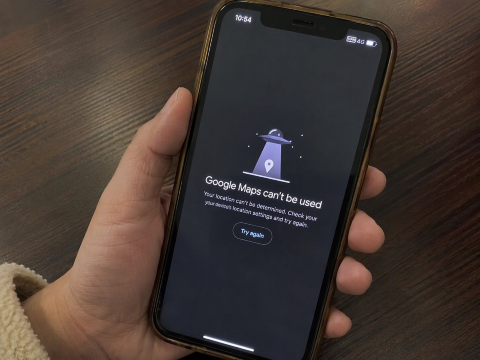
Google Maps may not work normally when you are connected to a local internet network in mainland China.
UK government travel advice states that Chinese authorities control internet access and that some services, including Google, are permanently blocked. This can affect Google Search, Gmail, Google Maps, and other Google services.
However, this does not mean Google has no map information for China. Google's official Maps Platform coverage page still lists several types of coverage for China, including:
- 2D map tiles
- Geocoding
- Driving directions
- Walking directions
- Limited traffic information
Some other features have limited or no coverage. Google also explains that map coverage can change because of regulations, licensing agreements, road changes, and other factors.
For travelers, the important difference is that map data may exist, but accessing Google Maps reliably from inside mainland China can still be a problem.
Explore More Flights to China


Why Is Google Maps Not Working in China?
The main reason is China's internet access restrictions.
Chinese internet networks restrict access to a number of international websites and services. Government travel advice from the UK specifically lists Google among services that are permanently blocked in mainland China.
Because of this, you may experience problems such as:
- Google Maps not loading
- Search results not appearing
- Routes failing to calculate
- Location information loading slowly
- Public transport information being unavailable
- Traffic information not updating
- Photos or business information not loading
- Google account services failing to connect
Restarting your phone or reinstalling Google Maps may not fix the problem if the issue comes from the network rather than your device.
 47780 booked
![Lijiang Yulong Snow Mountain grand cableway + Blue Moon Valley + Impression Lijiang + sunlit golden mountain 1-day tour [guaranteed ticket]](https://ak-d.tripcdn.com/images/0353f12000mv99k2m00B0_C_568_320.jpg)




![[Can include boat tour for groups of up to 8 people] Chongqing Wulong Natural Three Bridges + Longshuixia Gorge + Wujiang River Day Trip](https://ak-d.tripcdn.com/images/0352912000ll1hsh4F70B_C_568_320.jpg)

Is Google Maps Completely Unavailable in China?
Not exactly.
Google's official Maps Platform documentation still shows map and routing coverage for mainland China. However, that documentation describes Google Maps Platform data and APIs, not guaranteed access to the normal Google Maps app while connected to a mainland Chinese network.
In practice, travelers should not depend only on Google Maps for navigation during a China trip.
❤️ Pro Tip: Download and set up a local navigation app before your flight. It is much easier than trying to configure everything after arriving in China.
Best Google Maps Alternatives in China
Several navigation apps can be more useful when traveling around mainland China.
Map App | Best For | English Support |
|---|---|---|
AMap Global | Most international travelers | Yes |
Apple Maps | iPhone users | Yes |
Baidu Maps | Local places and detailed China information | Available, but some information may still appear in Chinese |
1. AMap Global

AMap Global, also known as Gaode Maps or 高德地图, is one of the most useful alternatives to Google Maps in China.
Its official app listing shows support for English, Simplified Chinese, and Traditional Chinese. The app is designed to help international travelers with navigation and local travel information.
It can help with:
- Walking routes
- Driving routes
- Public transport planning
- Taxi planning
- Nearby restaurants
- Attractions
- Hotels
- Local place searches
- Traffic information
- Arrival and China travel information
AMap also officially supports English map displays through its mapping technology.
For most travelers who do not read Chinese, AMap Global is one of the easiest options to prepare before a China trip.
2. Apple Maps

If you are using an iPhone, Apple Maps is another convenient option.
Apple officially states that its Maps service in China uses mapping services from AMap, operated by AutoNavi.
Apple Maps in China can provide features such as:
- Driving navigation
- Public transport information
- Walking directions
- Traffic conditions
- Nearby place searches
- Restaurant and hotel information
Apple's China Maps page also lists driving, public transport, cycling, search, and location information among its available features.
For iPhone users, this means you may not need to install another app immediately, although having AMap Global as a backup is still useful.
3. Baidu Maps

Baidu Maps, or 百度地图, is another major navigation service in China.
Its official app listing includes route planning for:
- Driving
- Walking
- Cycling
- Public transport
- Trains
- Taxis
- Motorcycles
It also provides live traffic information, nearby searches, navigation, and public transport features.
Baidu Maps can be especially useful when searching for smaller local businesses or addresses. However, travelers who do not understand Chinese may find AMap Global easier to use.
Find the Best Hotels in China























































AMap vs Apple Maps vs Baidu Maps
Traveler Type | Recommended Map App | Why |
|---|---|---|
iPhone Users | Apple Maps + AMap Global | Apple Maps is easy for daily navigation, while AMap Global provides more detailed local information. |
Android Users | AMap Global | Supports English and is useful for navigation, public transport, attractions, and local places in China. |
Travelers Who Can Read Chinese | AMap + Baidu Maps | Both provide detailed local information and are widely used for navigation in China. |
How to Prepare Your Phone Before Traveling to China
Do a little preparation before leaving home so you are not searching for navigation apps after landing.
- Download AMap Global before your trip.
- iPhone users should make sure Apple Maps is working.
- Save your hotel name and address in both English and Chinese.
- Save screenshots of important destinations.
- Save the Chinese names of airports, train stations, hotels, and attractions.
- Check your mobile data or roaming arrangements.
- Save your hotel phone number.
- Keep your accommodation booking confirmation available offline.
- Carry a power bank during long sightseeing days.








Save Chinese Addresses Before Your Trip
Chinese map apps often work better when you search using the destination's Chinese name or address.
For example, instead of saving only:
The Forbidden City
also save:
故宫博物院
This can make it easier to search in map apps, show the address to taxi drivers, or ask hotel staff for help.
You should do the same for:
- Your hotel
- Airport
- Railway station
- Attractions
- Restaurants
- Shopping malls
- Tour meeting points
Can You Use Google Maps With International Roaming?
Your experience may depend on how your mobile provider routes your internet connection.
Some international roaming services or travel data products may route internet traffic differently from a normal mainland Chinese SIM connection. However, access can vary by provider, network, device, and current regulations.
Do not make Google Maps your only navigation option.
Keep AMap Global or Apple Maps ready as a backup.
Should You Use a VPN for Google Maps in China?
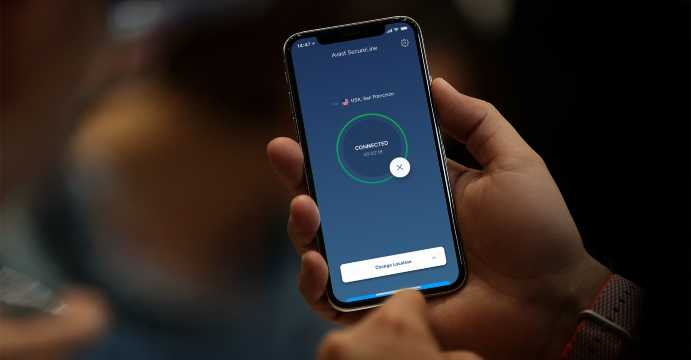
Travelers should be careful with this.
Official UK travel advice states that online products and services such as VPNs need to be licensed by the Chinese government. Australian government travel advice also warns that using services to bypass local internet restrictions may be illegal and could result in penalties.
For this reason, it is safer to prepare navigation apps that normally work in China rather than depending on a VPN just to access Google Maps.
- One way
- Round-trip
- direct cheapest
 MNL8:40 PM2h 30mNonstopHKG11:10 PMManila - Hong Kong|Thu, Nov 5|HK ExpressPHP 3,306PHP 5,93544% offSearch44% offPHP 5,935PHP 3,306
 - MNL8:40 PM2h 30mNonstopHKG11:10 PMManila - Hong Kong|Fri, Nov 6|HK ExpressPHP 3,447PHP 5,93542% offSearch42% offPHP 5,935PHP 3,447
- MNL8:40 PM2h 30mNonstopHKG11:10 PMManila - Hong Kong|Thu, Nov 12|HK ExpressPHP 5,104PHP 5,93514% offSearch14% offPHP 5,935PHP 5,104
 MNL13:002h 30mNonstopHKG14:00Manila - City|Mon, Sep 6|Normal AirlineFind more flightsFind more flights
Google Maps vs Local Maps in China
Feature | Google Maps | AMap Global | Apple Maps |
|---|---|---|---|
Normal mainland China network access | May be restricted | Yes | Yes |
English interface | Yes | Yes | Yes |
Walking navigation | Limited by access | Yes | Yes |
Public transport | May be limited | Yes | Yes |
Local restaurant search | May be limited | Yes | Yes |
Live local information | Can be limited | Strong | Available |
Good choice for tourists in China | Backup only | Yes | Yes for iPhone |
For most international travelers, AMap Global or Apple Maps is more practical for everyday navigation in mainland China.
Tips for Using Maps in China
- Save your hotel's Chinese address before leaving the airport.
- Search destinations using both English and Chinese names.
- Take screenshots of important routes.
- Double-check which railway station you need because large Chinese cities can have several stations.
- Check the correct airport terminal before leaving your hotel.
- Allow extra travel time during weekends and Chinese public holidays.
- Ask your hotel reception to confirm an address if the map result looks unclear.
- Keep your phone charged because navigation can use a lot of battery.
- Do not rely on only one map app.
❤️ Pro Tip: For train trips, always check the full station name carefully. For example, a city may have separate main, east, west, north, and south railway stations.
FAQs About Google Maps Not Working in China
-
Can I use Google Maps in China with an international eSIM or roaming?
-
Does Google Maps offline mode work in China?
-
Which China map app is easiest for English-speaking travelers?
-
Do I need the Chinese name and address of my hotel?
-
Does Google Maps work in Hong Kong and Macau?